Multi-Agent Architecture: Orchestration and the A2A Protocol
How to build an orchestrator that routes requests to specialist agents, and the A2A protocol that makes agent-to-agent communication standardized.
You have five specialist agents, each with domain expertise. One handles product search and recommendations. Another manages orders and returns. A third deals with pricing, promotions, and loyalty discounts. The fourth analyzes product reviews and sentiment. The fifth tracks inventory and shipping.
Individually, each agent is useful. Together, they need a coordinator: an orchestrator that understands what the user wants and routes to the right specialist. Without one, you have five disconnected services and a user who has to figure out which one to talk to.
Orchestration and the A2A protocol usually get taught apart, which is a mistake. The orchestrator is the thing making the calls; A2A is the wire format those calls travel on. Build the routing without understanding the protocol and you get a system that works in Docker Compose and falls apart the moment a specialist moves to another team’s cluster. So this covers both: the hub-and-spoke orchestrator in Part A, and the A2A protocol that carries it in Part B.
Part A: Building the Orchestrator
When One Agent Isn’t Enough
Before building a multi-agent system, you need a clear reason to split. A single agent with a handful of tools works fine for many use cases. The decision should be driven by concrete constraints, not architectural ambition.
Here is the decision framework used for ECommerce Agents:
| Signal | Single Agent | Multi-Agent |
|---|---|---|
| Tool count | < 10 tools | > 15 tools |
| Domain overlap | Tools share context | Domains are distinct |
| Prompt length | System prompt < 4K tokens | System prompt > 8K tokens per domain |
| Response latency | All tools are fast | Some domains need long-running operations |
| Team ownership | One team, one codebase | Multiple teams, separate release cycles |
| Failure isolation | One failure is acceptable | One domain failing shouldn’t break others |
ECommerce Agents’s product discovery agent alone has 11 tools. Order management has 8. Pricing has 7. If you stuffed all 40+ tools into a single agent, the LLM would struggle with tool selection: it has to reason over too many options, leading to incorrect routing and hallucinated tool calls. The system prompt would be enormous, eating into the context window that should hold conversation history.
The payoff shows up as focused system prompts per domain, independent scaling and deployment, and fault isolation. That last one is the one that matters most in production: if the review-sentiment agent goes down, customers can still search for products and place orders.
The Orchestrator Pattern
ECommerce Agents uses a hub-and-spoke topology. The orchestrator is the only agent that users interact with directly. Every specialist sits behind it.
The topology is deliberate in a few ways:
- Single entry point. The frontend only knows about one URL. Routing logic lives in the orchestrator, not the client.
- Specialist ignorance. Specialist agents do not know about each other. They receive a message, execute their tools, and return a response.
- Orchestrator as LLM. The orchestrator is itself an LLM-powered agent. It does not use hard-coded routing rules. It has one tool,
call_specialist_agent, plus an LLM that decides when and how to use it. The LLM is the router.
Building the Orchestrator
The orchestrator lives at agents/orchestrator/agent.py. It is a standard MAF Agent with a single tool:
# Python — Microsoft Agent Framework (Python SDK)AGENT_REGISTRY: dict[str, str] = json.loads(settings.AGENT_REGISTRY)

@tool(    name="call_specialist_agent",    description=(        "Route a request to a specialist agent via A2A protocol. "        "Available agents: product-discovery, order-management, "        "pricing-promotions, review-sentiment, inventory-fulfillment"    ),)async def call_specialist_agent(    agent_name: Annotated[str, Field(description="Name of the specialist agent to call")],    message: Annotated[str, Field(description="The message/request to send to the specialist agent")],) -> str:    """Call a specialist agent and return its response."""    url = AGENT_REGISTRY.get(agent_name)    if not url:        available = ", ".join(AGENT_REGISTRY.keys()) if AGENT_REGISTRY else "none configured"        return f"Unknown agent: {agent_name}. Available agents: {available}"
    user_email = current_user_email.get()    user_role = current_user_role.get()
    # Forward recent conversation history so specialists can handle follow-ups    conv_history = current_conversation_history.get([])    recent_history = [        {"role": h["role"], "content": h["content"][:500]}        for h in conv_history[-10:]    ] if conv_history else []
    with a2a_call_span("orchestrator", agent_name, url):        try:            async with httpx.AsyncClient(timeout=30) as client:                resp = await client.post(                    f"{url}/message:send",                    json={"message": message, "history": recent_history},                    headers={                        "x-agent-secret": settings.AGENT_SHARED_SECRET,                        "x-user-email": user_email,                        "x-user-role": user_role,                    },                )                resp.raise_for_status()                data = resp.json()                return data.get("response", resp.text)        except httpx.TimeoutException:            return f"The {agent_name} agent took too long to respond. Please try again."        except httpx.HTTPStatusError as e:            return f"The {agent_name} agent returned an error (status {e.response.status_code})."        except Exception:            return f"Failed to reach the {agent_name} agent. Please try again later."
A few things to unpack:
Agent registry. AGENT_REGISTRY is a JSON-encoded dictionary loaded from the AGENT_REGISTRY environment variable. In Docker Compose, each agent’s service name resolves via DNS. Adding a new specialist is a config change, not a code change.
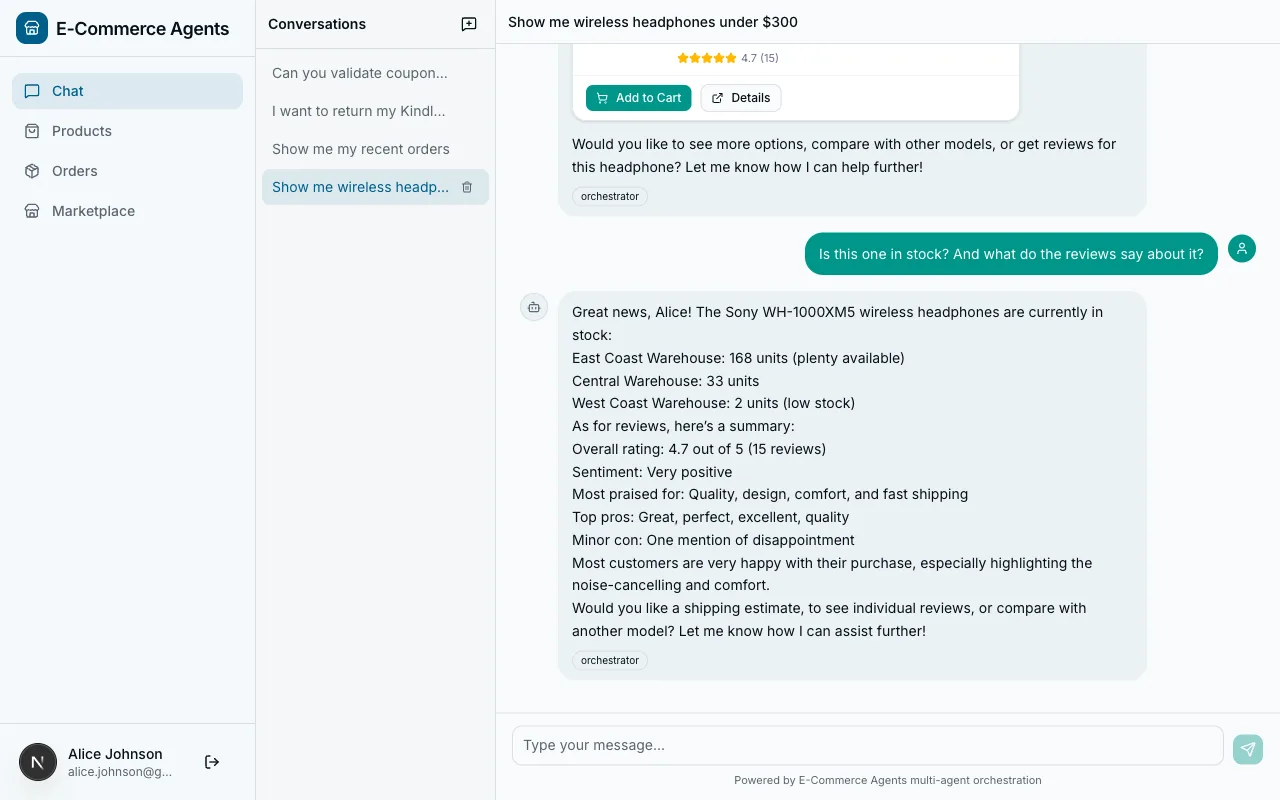
Conversation history forwarding. The orchestrator sends the last 10 messages to the specialist, truncated to 500 characters each. This lets specialists handle follow-up questions. If a user asks “Show me laptops under $1000” then follows up with “What about the second one, is it in stock?”, the inventory agent needs that prior context.
Header-based identity. Three headers: x-agent-secret for inter-agent authentication, x-user-email for user identity, and x-user-role so the specialist can apply role-based access controls.
Graceful degradation. Each failure mode returns a human-friendly string, not an exception. The orchestrator’s LLM sees this error message as a tool result and responds intelligently.
The agent:
# Python — Microsoft Agent Framework (Python SDK)def create_orchestrator_agent() -> Agent: return Agent( client=create_chat_client(), name="orchestrator", description="Customer support orchestrator that routes requests to specialist agents.", instructions=SYSTEM_PROMPT, tools=[call_specialist_agent], context_providers=[ECommerceContextProvider()], )One tool. That is the entire routing mechanism.
Intent Classification via Prompt
The orchestrator does not have a separate classification model or a vector lookup for routing. The LLM itself is the classifier, guided by a structured system prompt:
## Intent Classification
Classify each user message into one or more of these intents and route accordingly:
1. **Product questions** -> product-discovery   "Show me laptops under $1000", "Compare these two phones", "What's trending?"
2. **Order inquiries** -> order-management   "Where is my order?", "I want to return this", "Cancel my last order"
3. **Pricing questions** -> pricing-promotions   "Do you have any coupons?", "What's my loyalty discount?", "Bundle deal?"
4. **Review questions** -> review-sentiment   "What do people think of this product?", "Show me reviews for..."
5. **Shipping questions** -> inventory-fulfillment   "Is this in stock?", "How fast can I get this?", "Which warehouse ships to me?"
6. **Return requests** -> order-management   "I want to return my order", "How do I get a refund?"
7. **Complaints** -> Handle directly with empathy, then route if action is needed
8. **General FAQ** -> Handle directly   "What's your return policy?", "How does loyalty work?"
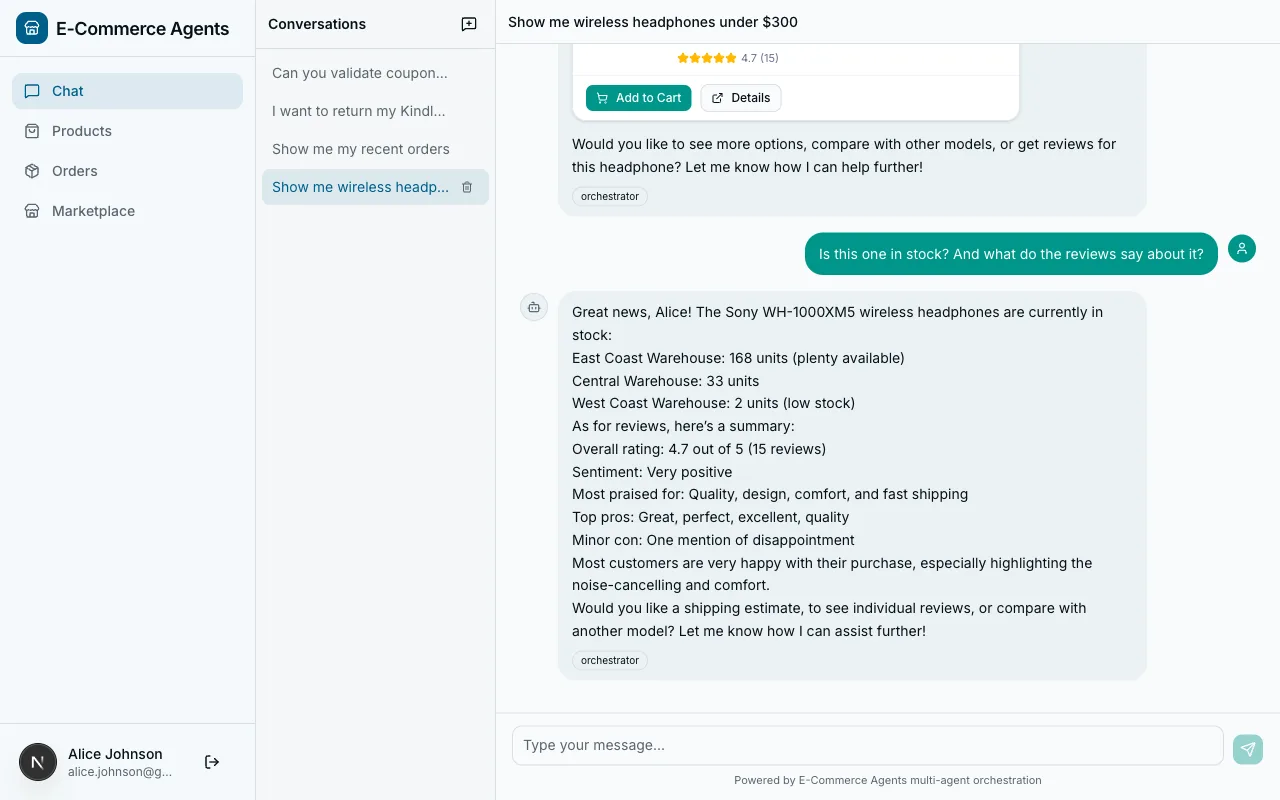
This works for reasons that have little to do with clever engineering. Users don’t say “I would like to query the product discovery service”; they say “Do you have any good running shoes?”, and the LLM handles that phrasing natively.
It also copes with ambiguity. When a question straddles two domains (“Is the Sony WH-1000XM5 worth it?” touches both reviews and product details), it fans out to multiple specialists. And there is no classifier to train: the few-shot examples in the prompt are enough for GPT-4-class models.
Building a Specialist Agent
Every specialist follows the same four-file pattern. Here is product discovery as the reference:
# Python — Microsoft Agent Framework (Python SDK)AGENT_TOOLS = [    search_products, get_product_details, compare_products,    semantic_search, find_similar_products, get_trending_products,    check_stock, get_warehouse_availability, get_price_history,    get_user_profile, get_purchase_history,]

def create_product_discovery_agent() -> Agent:    return Agent(        client=create_chat_client(),        name="product-discovery",        description="Product search with recommendations, semantic search, and price tracking.",        instructions=SYSTEM_PROMPT,        tools=AGENT_TOOLS,        context_providers=[ECommerceContextProvider()],    )
11 tools: 6 domain-specific and 5 shared tools pulled from shared/tools/. Shared tools let agents cross domain boundaries. A product search agent should be able to tell you “this laptop is $899 and in stock at 3 warehouses” without routing back to the orchestrator.
The entry point (main.py) wires it into FastAPI:
# Python — Microsoft Agent Framework (Python SDK)agent = create_product_discovery_agent()
app = create_agent_app(    agent=agent,    agent_name="product-discovery",    port=8081,    description="Natural language product search with personalized recommendations.",    tools=AGENT_TOOLS,    on_startup=on_startup,    on_shutdown=close_db_pool,)app.add_middleware(AgentAuthMiddleware, agent_name="product-discovery")
create_agent_app() gives it HTTP endpoints. AgentAuthMiddleware validates the shared secret from the orchestrator. To add a new specialist, copy this four-file structure, define your tools, write a YAML prompt, and add the agent to the registry.
Multi-Intent Handling
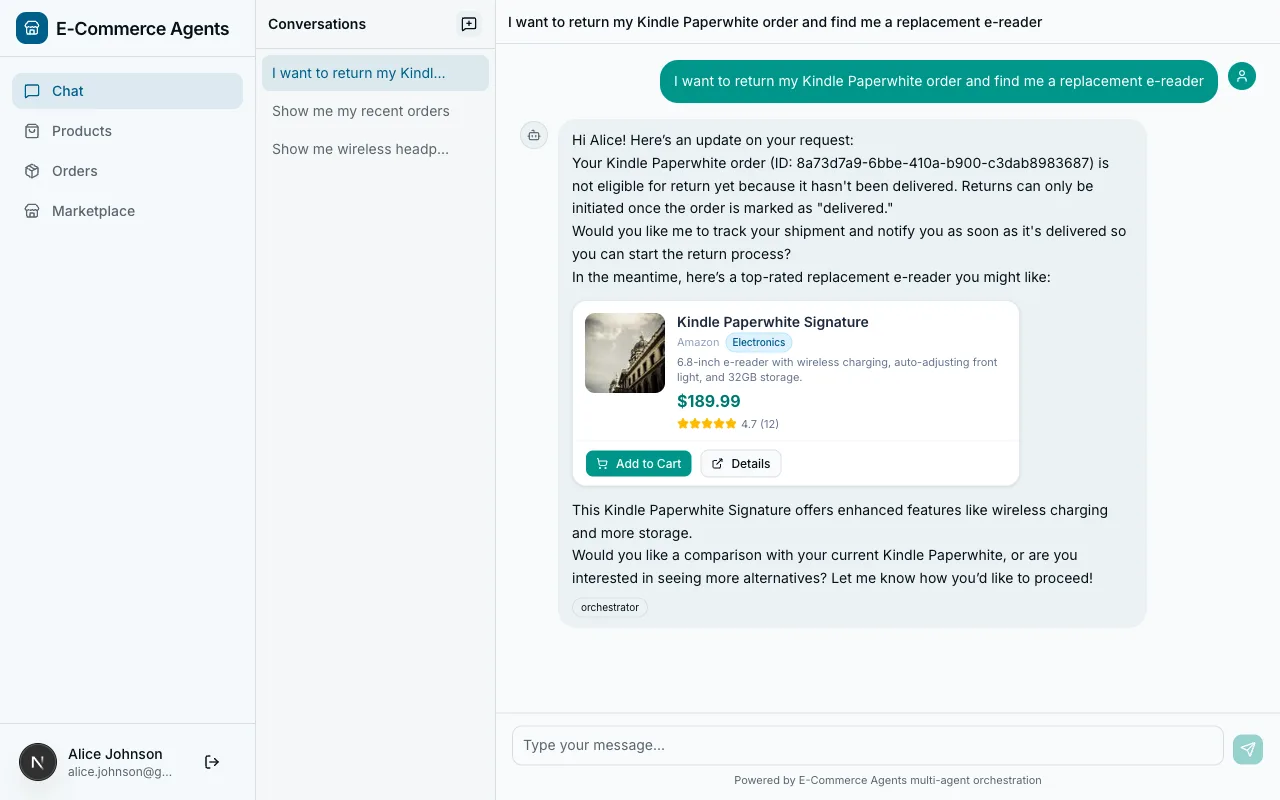
Real user messages rarely map to a single intent. “Return my order and find me a replacement” contains two distinct actions.
The orchestrator’s system prompt:
## Multi-Intent Handling
When a message contains multiple intents, call the relevant specialistssequentially and combine their responses into a single coherent reply.For example: "Is the Sony headphones in stock and what do reviews say?"-> call inventory-fulfillment AND review-sentiment.
At runtime, for “Return my order and find me a replacement wireless keyboard”:
- LLM recognizes two intents.
- Calls
call_specialist_agent("order-management", "The user wants to return their most recent order..."). - Receives the return confirmation.
- Calls
call_specialist_agent("product-discovery", "Find replacement wireless keyboards..."). - Receives product recommendations.
- Synthesizes: “I’ve initiated the return for your order #1234. In the meantime, here are some wireless keyboards…”
The LLM handles the sequencing naturally. No explicit orchestration code for multi-intent flows.
Context Forwarding
User identity must flow from the frontend through the orchestrator and into every specialist. Without it, specialist tools cannot filter data by user.
sequenceDiagram    participant F as Frontend    participant O as Orchestrator    participant S as Specialist Agent    participant DB as PostgreSQL
    F->>O: POST /api/chat, Authorization: Bearer JWT    Note over O: Auth middleware decodes JWT,<br/>Sets ContextVars:<br/>email, role, session_id
    O->>O: LLM classifies intent,<br/>Decides to call specialist
    O->>S: POST /message:send with<br/>x-agent-secret, x-user-email,<br/>x-user-role headers    Note over S: AgentAuthMiddleware<br/>validates shared secret,<br/>Sets ContextVars from headers
    S->>DB: SELECT * FROM orders<br/>WHERE user_email = ?    DB-->>S: User-scoped results
    S-->>O: {"response": "Your order #1234..."}    O-->>F: {"response": "Here's your order status..."}
The identity chain: JWT at the edge → decoded into ContextVars by the orchestrator → forwarded as headers to specialists → set as ContextVars by AgentAuthMiddleware → read by tool functions without any explicit parameter passing.
Part B: The A2A Protocol
The orchestrator pattern works. But we glossed over the mechanics of how agents actually talk to each other. That is the domain of the A2A protocol.
What Is A2A?
The Agent-to-Agent (A2A) protocol1 was introduced by Google in April 20252 as an open standard for agent interoperability. It has since moved under the Linux Foundation3 for vendor-neutral governance, with contributions from Google, Microsoft, Salesforce, and others.
The core idea: A2A is to agents what HTTP is to web services. It defines a standard way for agents to discover each other, describe their capabilities, and exchange messages, regardless of which framework, language, or vendor built them.
A2A vs MCP: Complementary, Not Competing
- MCP (Model Context Protocol): agent-to-tool communication. How an LLM agent discovers and invokes external tools and data sources.
- A2A (Agent-to-Agent): agent-to-agent communication. How one autonomous agent discovers and communicates with another autonomous agent.
In our platform, the orchestrator uses A2A to talk to specialist agents. Each specialist uses MAF’s @tool decorator to interact with databases. Different layers, different protocols.
Agent Discovery: The Agent Card
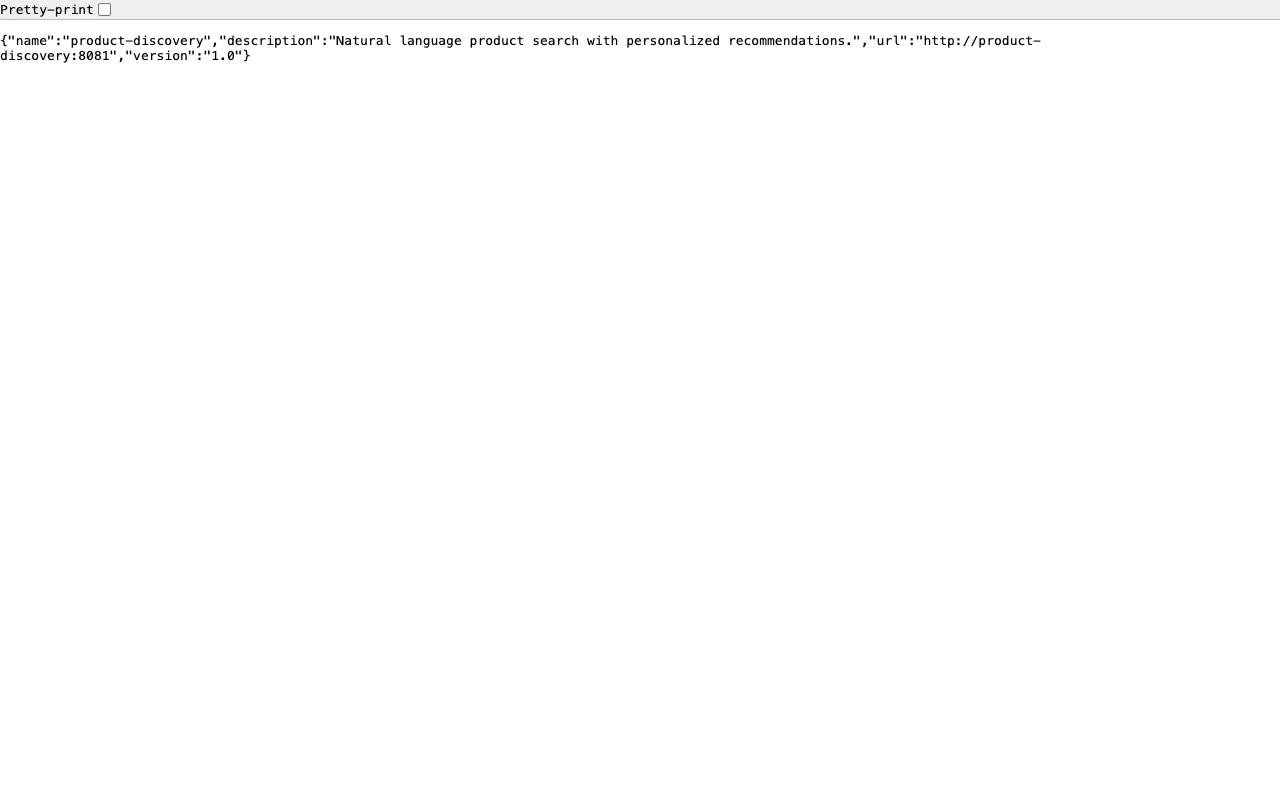
Every A2A-compatible agent publishes an agent card at /.well-known/agent-card.json:
# Python — Microsoft Agent Framework (Python SDK)@app.get("/.well-known/agent-card.json")async def agent_card(): return { "name": agent_name, "description": description, "url": f"http://{agent_name}:{port}", "version": "1.0", }This endpoint is unauthenticated: agent cards are capability advertisements, not sensitive data. Making them public enables dynamic discovery without bootstrapping authentication first.
The Message Endpoint
The core of A2A communication is /message:send:
# Python — Microsoft Agent Framework (Python SDK)@app.post("/message:send")async def message_send(request: Request):    body = await request.json()    message = body.get("message", "")    history = body.get("history", None)
    user_role = request.headers.get("x-user-role", "customer")    system_prompt = load_prompt(agent_name, user_role)
    response_text = await _run_agent_with_tools(        system_prompt, tools or [], message,        history=history,        user_context=f"Current user email: {request.headers.get('x-user-email', '')}",    )    return {"response": response_text}
Request format:
{ "message": "Find laptops under $1000 with at least 16GB RAM", "history": [ {"role": "user", "content": "I'm looking for a new laptop"}, {"role": "assistant", "content": "I can help! What's your budget..."} ]}Response:
{ "response": "I found 3 laptops matching your criteria..."}Role-aware system prompts. The endpoint loads different system prompts based on x-user-role. An admin might get access to broader inventory data than a regular customer.
Graceful errors. Every error path returns a human-readable string, not an exception. The orchestrator’s LLM sees the error as a tool result and responds intelligently.
Authentication Between Agents
Two-layer authentication in a single middleware:
# Python — Microsoft Agent Framework (Python SDK)class AgentAuthMiddleware(BaseHTTPMiddleware):    async def dispatch(self, request: Request, call_next) -> Response:        path = request.url.path
        if path in {"/health", "/.well-known/agent-card.json"}:            return await call_next(request)
        # Layer 1: Inter-agent trust via shared secret        agent_secret = request.headers.get("x-agent-secret")        if agent_secret:            if agent_secret != settings.AGENT_SHARED_SECRET:                return JSONResponse({"error": "Invalid agent secret"}, status_code=401)
            current_user_email.set(request.headers.get("x-user-email", "system"))            current_user_role.set(request.headers.get("x-user-role", "system"))            return await call_next(request)
        # Layer 2: User JWT (for direct API calls)        auth_header = request.headers.get("authorization", "")        token = auth_header.removeprefix("Bearer ")        payload = decode_token(token)  # raises on invalid/expired        # ... set ContextVars from JWT claims ...        return await call_next(request)
The shared secret authenticates the agent. The forwarded email/role identify the user. From this point, every tool function can call current_user_email.get() to scope its database queries, with no parameter passing needed.
Agent Registry: Service Discovery
# docker-compose.yml (orchestrator service)AGENT_REGISTRY: >- { "product-discovery": "http://product-discovery:8081", "order-management": "http://order-management:8082", "pricing-promotions": "http://pricing-promotions:8083", "review-sentiment": "http://review-sentiment:8084", "inventory-fulfillment": "http://inventory-fulfillment:8085" }Simple and sufficient when you control all agents and deploy them together. For larger systems:
| Approach | How It Works | When to Use |
|---|---|---|
| Static JSON (our approach) | Env var with agent name-to-URL mapping | Small, co-deployed agent fleets |
| DNS-based | Kubernetes service DNS | K8s-native deployments |
| Agent card crawling | Periodically fetch /.well-known/agent-card.json | Federated systems across teams |
| Registry service | Consul, etcd | Large-scale, dynamic agent pools |
Conversation History Forwarding
When a user says “What about the second one, is it in stock?”, the inventory agent needs to know which product “the second one” refers to. The orchestrator forwards recent history:
# Python — Microsoft Agent Framework (Python SDK)conv_history = current_conversation_history.get([])recent_history = [ {"role": h["role"], "content": h["content"][:500]} for h in conv_history[-10:]] if conv_history else []The forwarding is deliberately lossy:
- Last 10 messages, not the full conversation.
- Truncated to 500 characters per message, enough for reference resolution but not a full replay.
- User and assistant roles only; system messages are stripped.
A2A vs Direct Function Calls
| Factor | A2A (HTTP) | Direct Function Call |
|---|---|---|
| Deployment | Agents run as separate services | Agents run in the same process |
| Scaling | Scale agents independently | Scale the monolith |
| Language | Agents can be in different languages | Same language required |
| Fault isolation | One agent crash does not take down others | Shared fate |
| Latency | HTTP overhead (milliseconds) | Function call overhead (microseconds) |
If you are building a prototype or a tightly coupled system, start with direct function calls. Add A2A when you need independent scaling or split team ownership. The abstraction boundary is the same either way; A2A just puts HTTP in the middle.
A2A in the Broader Ecosystem
Because the protocol is HTTP + JSON, any framework can implement it:
- Microsoft Agent Framework agents expose A2A endpoints (as we have done)
- AutoGen, LangGraph, CrewAI agents can be wrapped with an A2A-compatible HTTP layer
- Custom agents in any language (Go, Rust, Java, .NET) can participate
Your orchestrator, built with MAF, could route to a LangGraph-based specialist for complex reasoning tasks and a lightweight custom .NET agent for simple lookups. As long as both implement the A2A endpoints, the orchestrator does not care what is running behind them.
In a mature system, A2A and MCP work together:
User -> Frontend -> Orchestrator (A2A client) | |--- A2A ---> Product Discovery Agent | |--- @tool ---> Product DB | |--- @tool ---> Search Index | |--- A2A ---> Order Management Agent |--- @tool ---> Order DBA2A handles horizontal communication between agents. MCP/tools handle vertical communication between an agent and its data sources.
What’s Next
You now have a working multi-agent system: a single entry point, specialist agents behind it, A2A for communication, and user identity flowing through the entire chain.
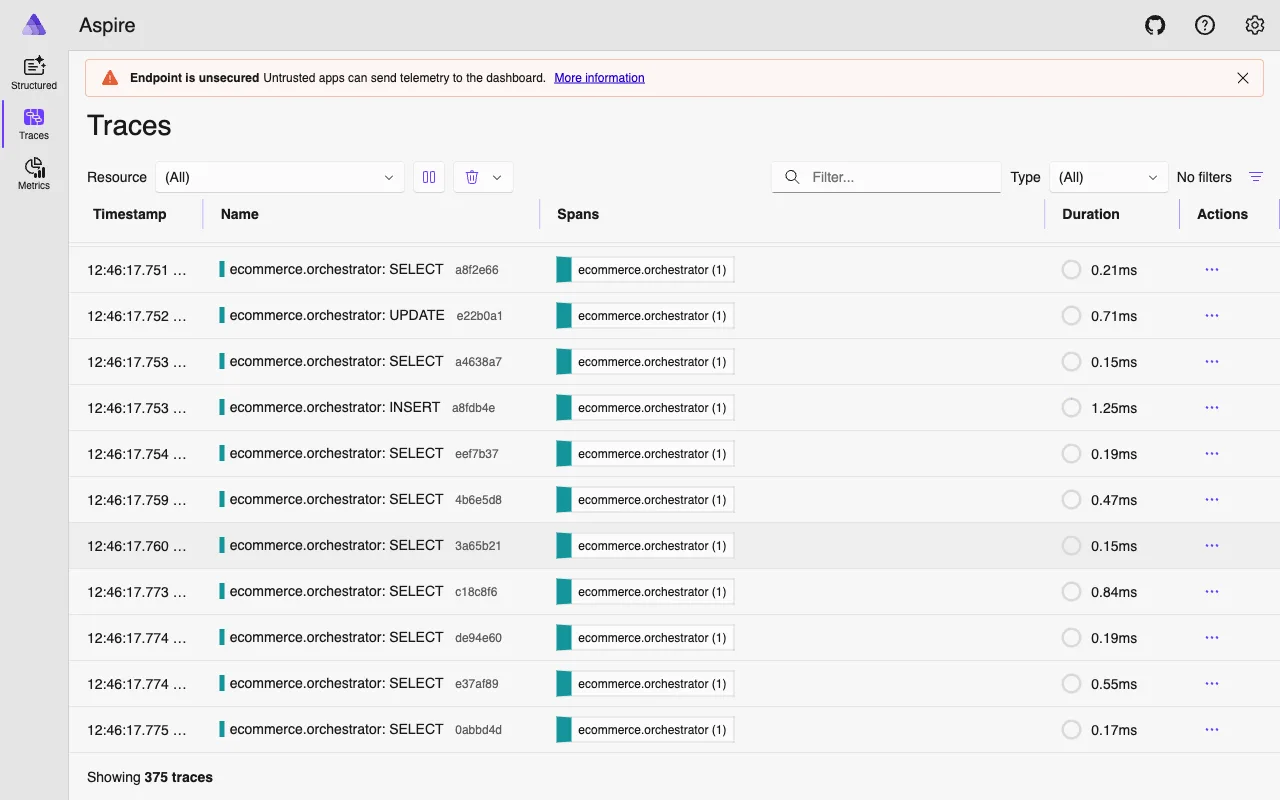
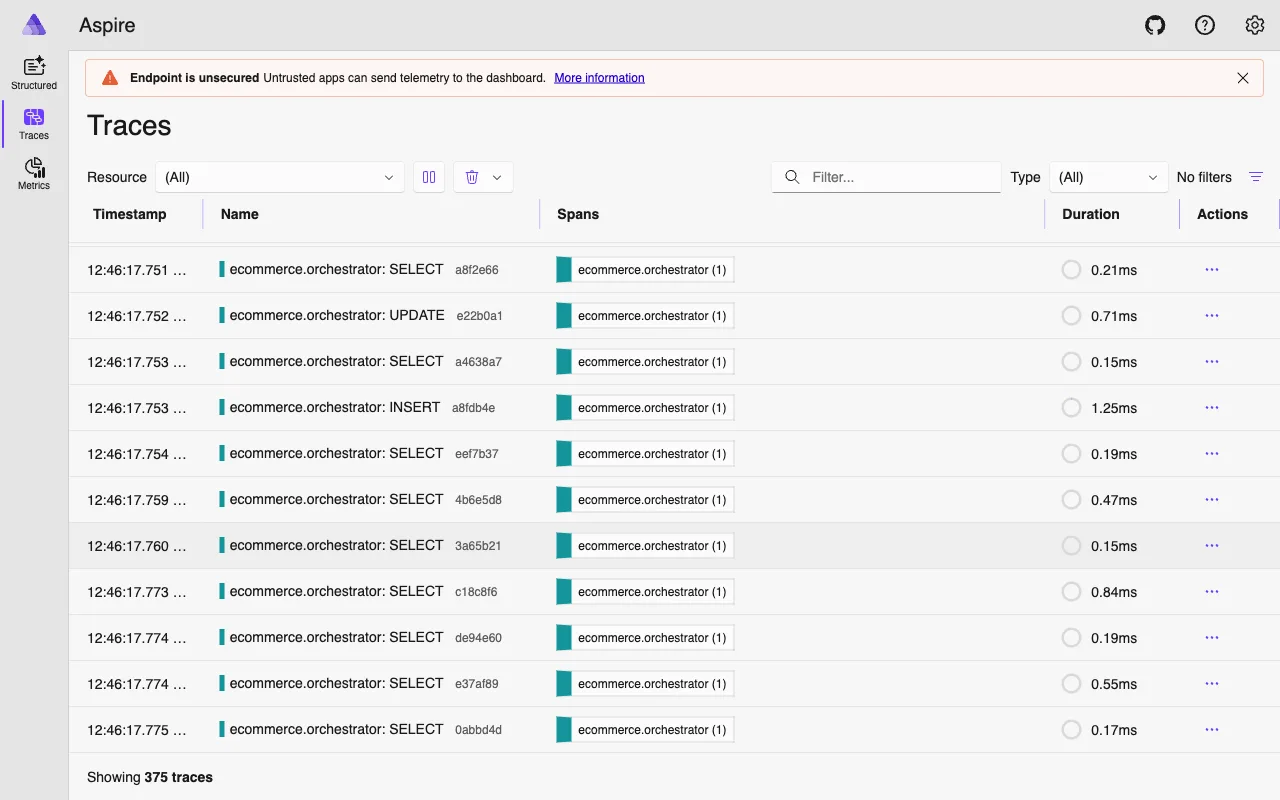
But when a user’s request touches the orchestrator, two specialists, four tool calls, and three LLM invocations, how do you know what actually happened? Where did the time go? Which tool call failed?
In Part 5: Observability with OpenTelemetry, we instrument the entire agent fleet. You will see how the a2a_call_span we used in this article connects into a full distributed trace across every agent, LLM call, and database query.
The complete source code is available at github.com/nitin27may/e-commerce-agents.
Resources:
References
-
Agent-to-Agent (A2A) protocol — google.github.io ↩ ↩2
-
introduced by Google in April 2025 — developers.googleblog.com ↩
-
Linux Foundation — linuxfoundation.org ↩
-
Model Context Protocol (MCP) — modelcontextprotocol.io ↩
-
Microsoft Agent Framework — github.com ↩
Comments
Comments are GitHub discussions. Sign in with GitHub to post; reactions need no account.