
Feature Showcase
This document provides a visual overview of the key features implemented in the Clean Architecture Full-Stack starter.
Landing Page
Welcome Dashboard
The application features a modern, responsive landing page that welcomes users and provides easy access to key features. The landing page includes:
- Clean, intuitive user interface with Material Design components
- Dynamic welcome message based on user role and permissions
- Quick access cards to frequently used features
- Responsive layout that adapts to various screen sizes
- Theme-aware design with full light and dark mode support
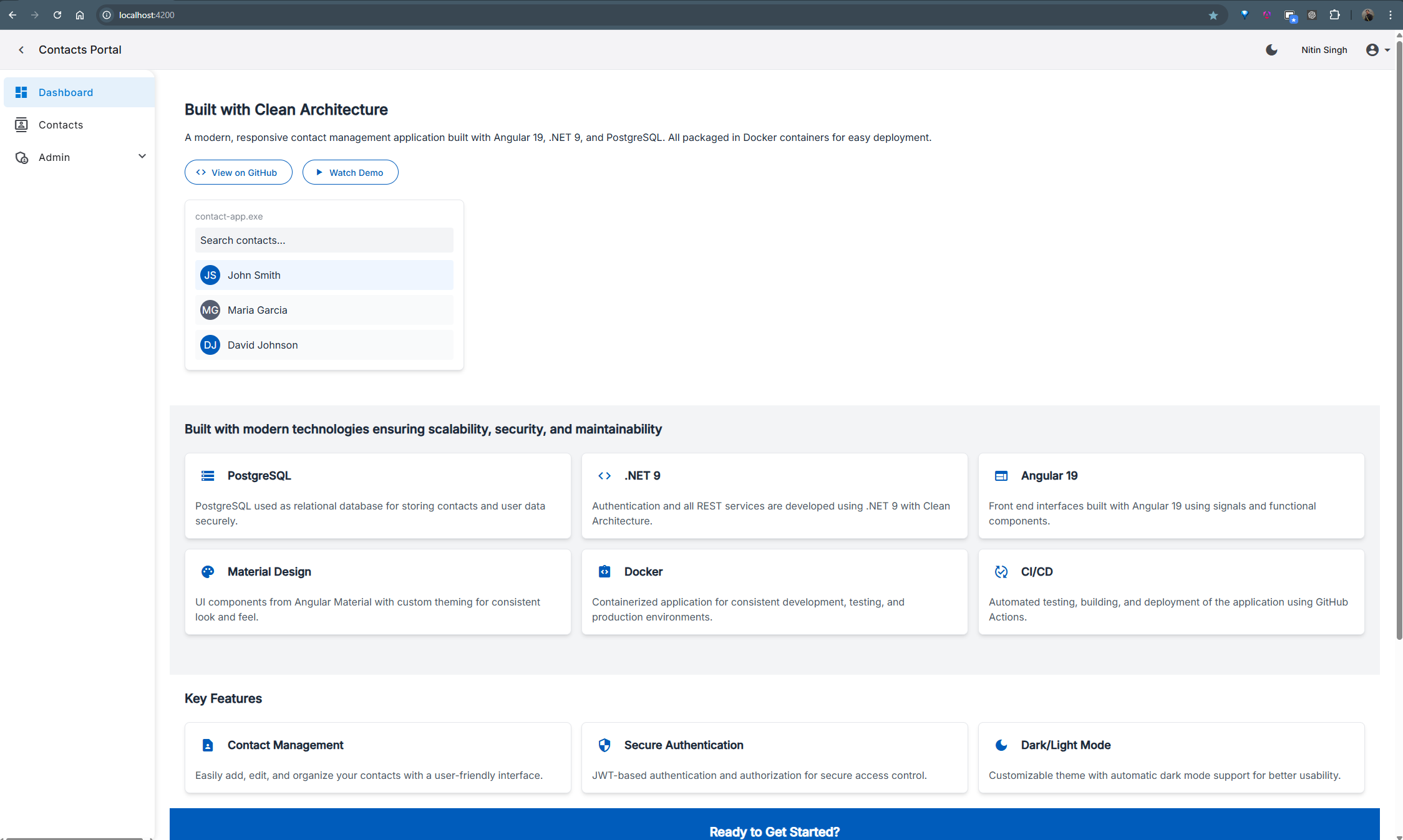
Light Mode Landing Page with Material Design components
Dark Mode Experience
The landing page fully supports dark mode, providing users with a comfortable viewing experience in low-light environments. The dark theme:
- Automatically detects system preferences for theme selection
- Allows manual toggle between light and dark modes
- Preserves user theme preference between sessions
- Maintains excellent contrast and readability
- Uses consistent color palette across all UI elements
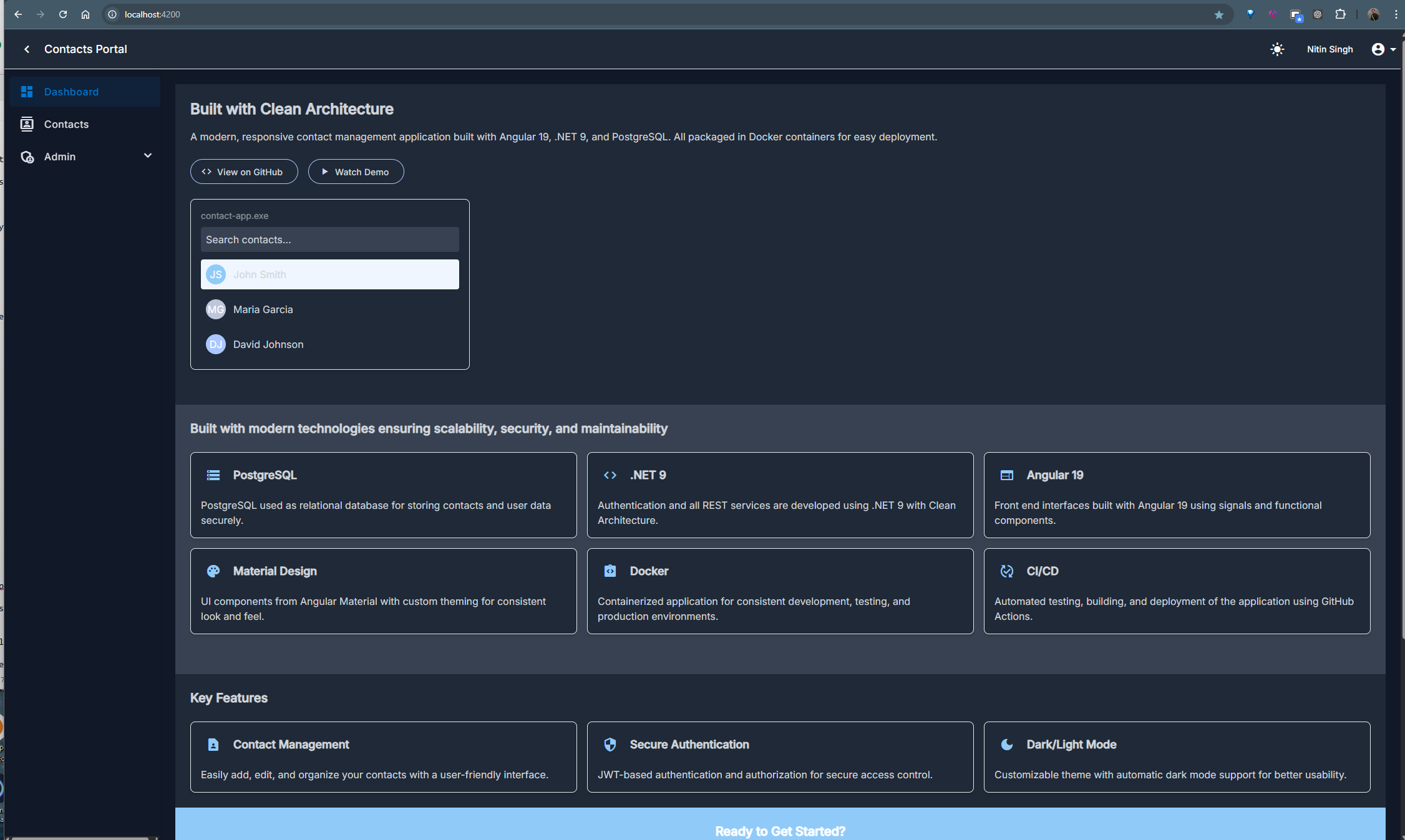
Dark Mode Landing Page showing theme adaptability
Authentication & Authorization
Secure Login
Our authentication system implements industry-standard security practices with JWT token-based authentication. Users experience a clean, intuitive login interface with proper validation feedback. The system includes:
- Secure password storage with bcrypt hashing
- JWT token with configurable expiration
- Remember me functionality
- Form validation with immediate feedback
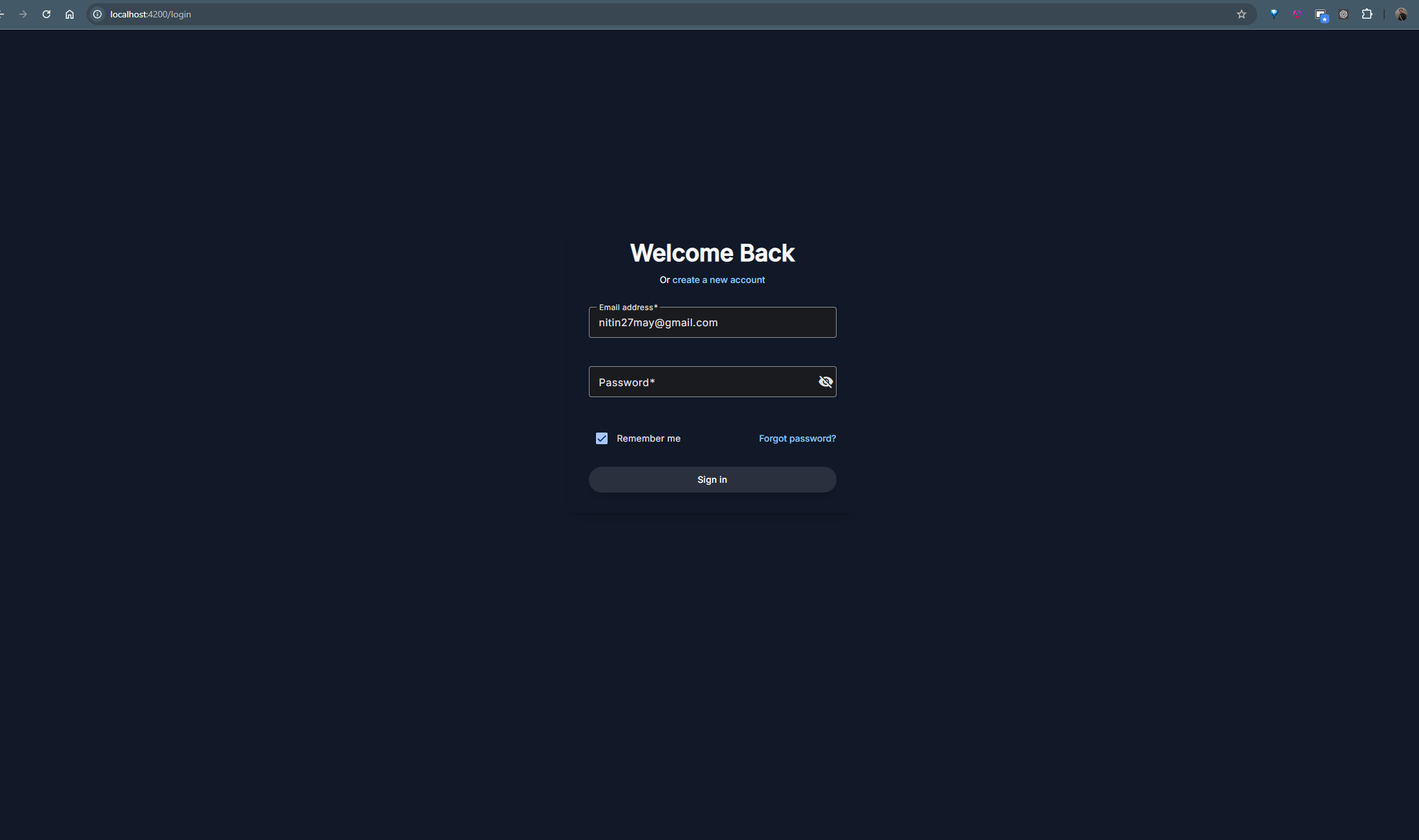
Login screen with form validation and security features
Role-Based Access
Our comprehensive role-based permission system ensures users can only access features appropriate to their role. The system implements:
- Three distinct role levels: Admin, Editor, and Reader
- Granular UI permissions that dynamically adjust the interface
- Route guards that prevent unauthorized access
- API-level authorization checks
- Permission-based action buttons that only appear for authorized users
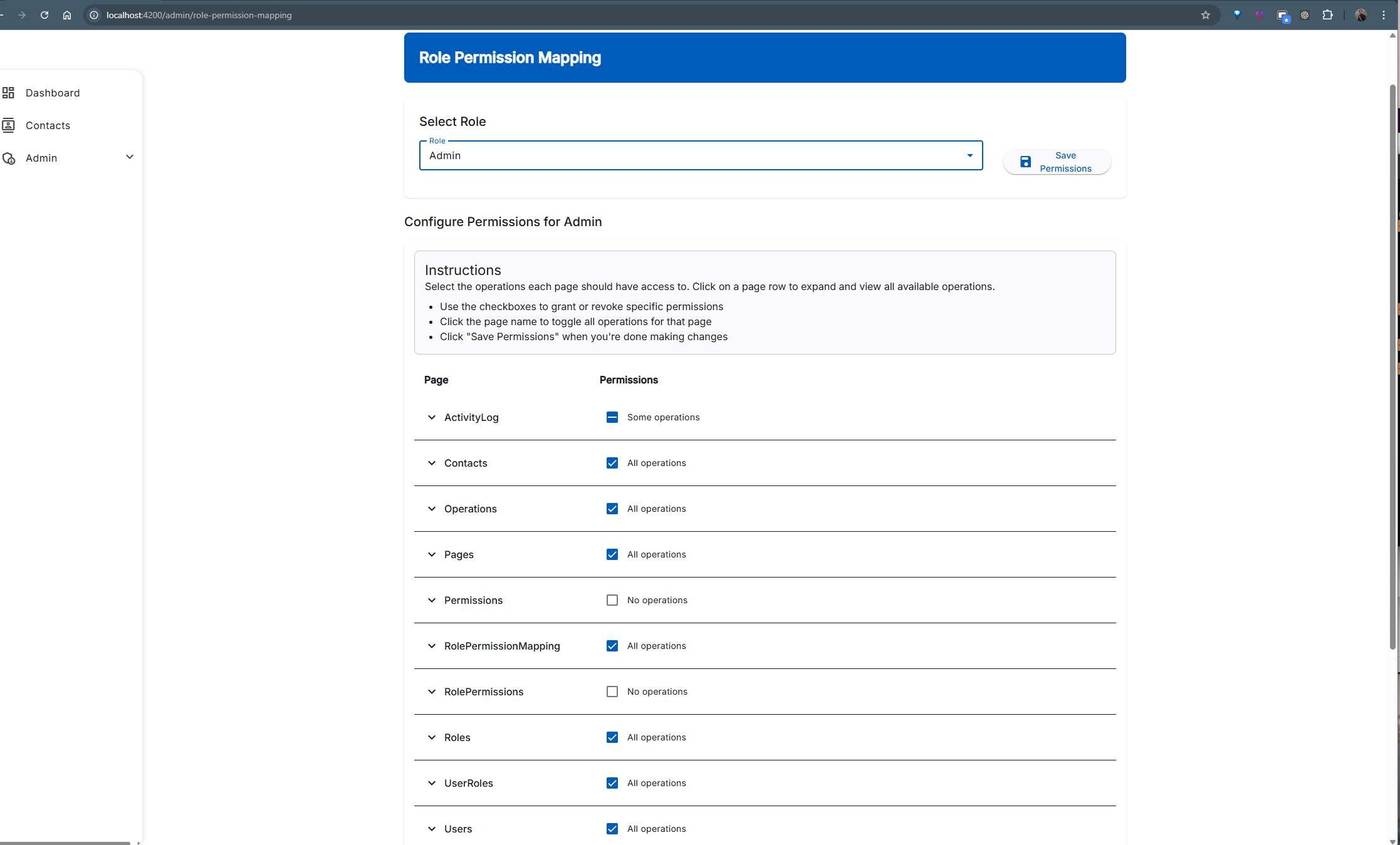
Role-Permission mapping interface for fine-grained access control
Modern UI Components
Dark Mode Support
Our application provides a fully implemented dark mode that respects user preferences and enhances accessibility. The theming system includes:
- System preference detection for automatic theme selection
- User preference persistence between sessions
- Smooth transition animations between themes
- Consistent color palette across all components
- Material Design theming integration with TailwindCSS
Dark mode implementation enhancing accessibility and user comfort
Responsive Design
Our application is built with a mobile-first approach, ensuring an optimal experience across all devices. The responsive system features:
- Adaptive layouts that adjust to screen size
- Touch-friendly controls for mobile users
- Collapsible navigation for small screens
- Responsive data tables with horizontal scrolling
- Optimized form layouts for different screen sizes
- TailwindCSS utilities for consistent breakpoints
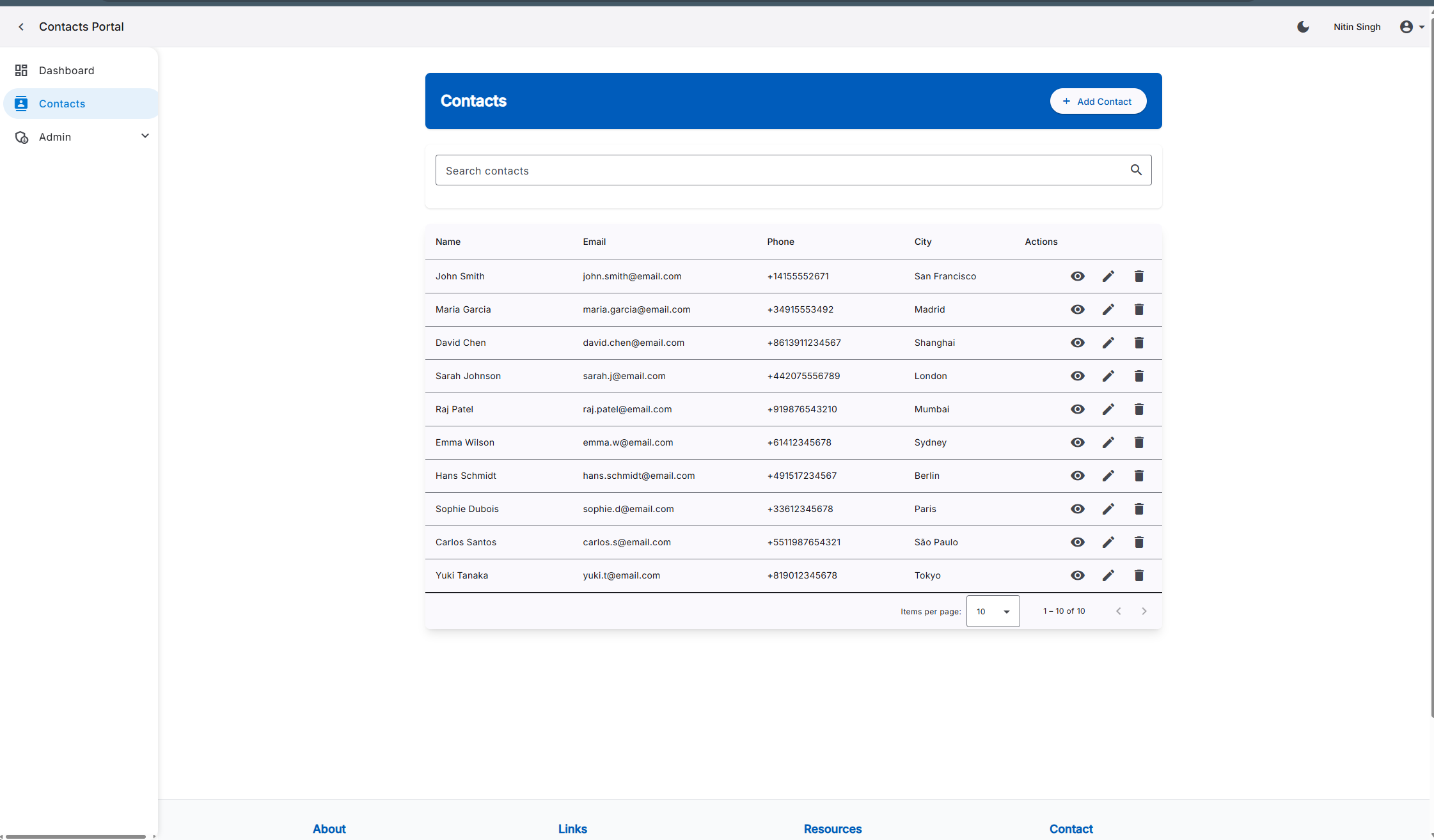
Responsive design adapting to different screen sizes
Contact Management
Contact List
The contact management system provides a powerful, feature-rich interface for working with contact data. The list view includes:
- Multi-column sorting capabilities
- Advanced filtering with multiple criteria
- Quick search functionality
- Bulk actions for efficient management
- Responsive design that works on all devices
- Role-based action buttons
Contact list view with sorting, filtering, and search capabilities
Contact Form
The contact form provides an intuitive interface for creating and editing contact information with comprehensive validation. Features include:
- Real-time validation feedback
- Custom validation rules for emails, phone numbers, etc.
- Conditional form fields based on selection
- Modern Material Design inputs with TailwindCSS styling
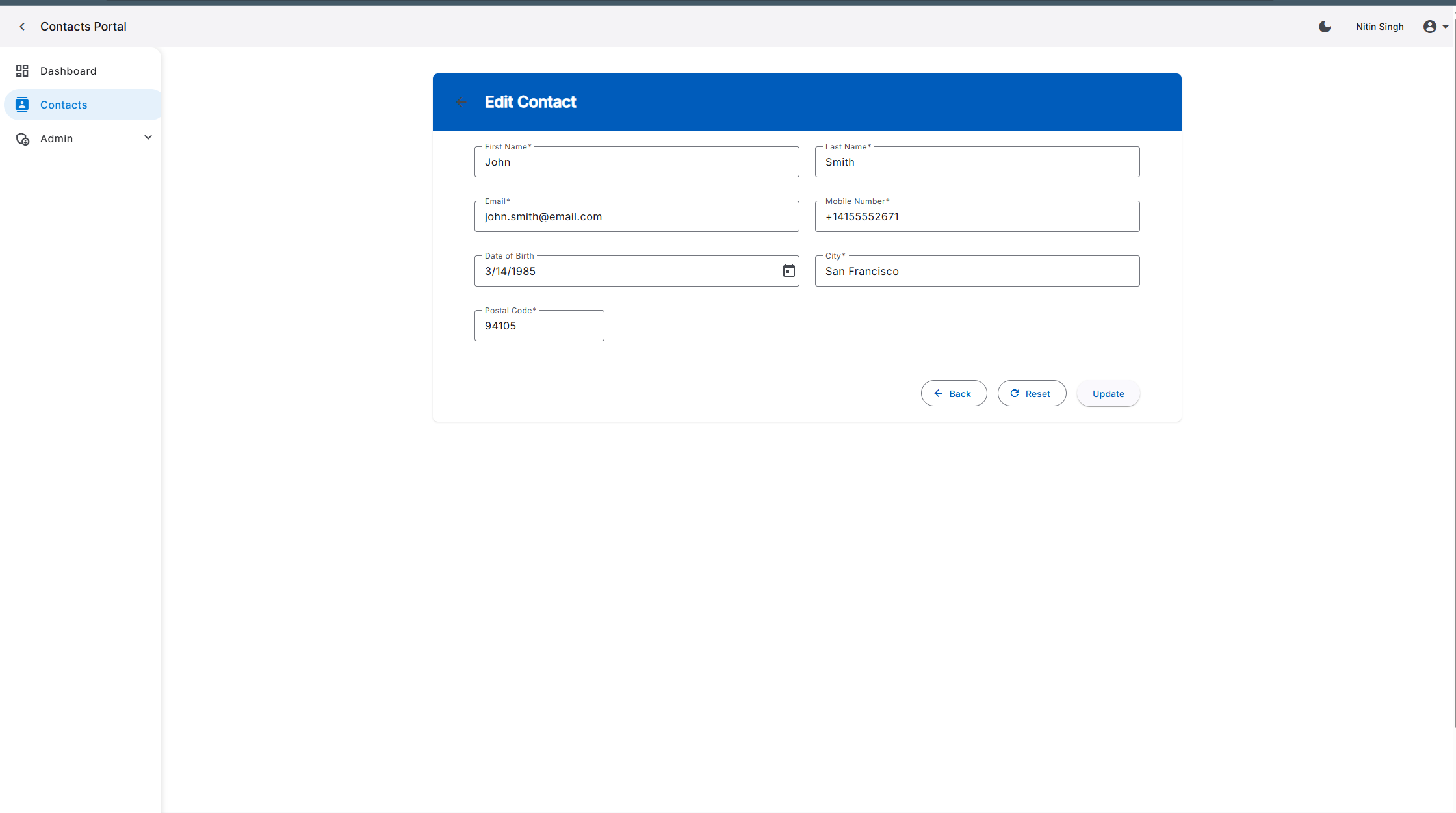
Contact form with real-time validation feedback
User Management
User Management
The comprehensive user management system allows administrators to create, edit, and manage user accounts. Features include:
- User listing with search and filter capabilities
- User role assignment
- Account status management (active/inactive)
- User detail view with complete information
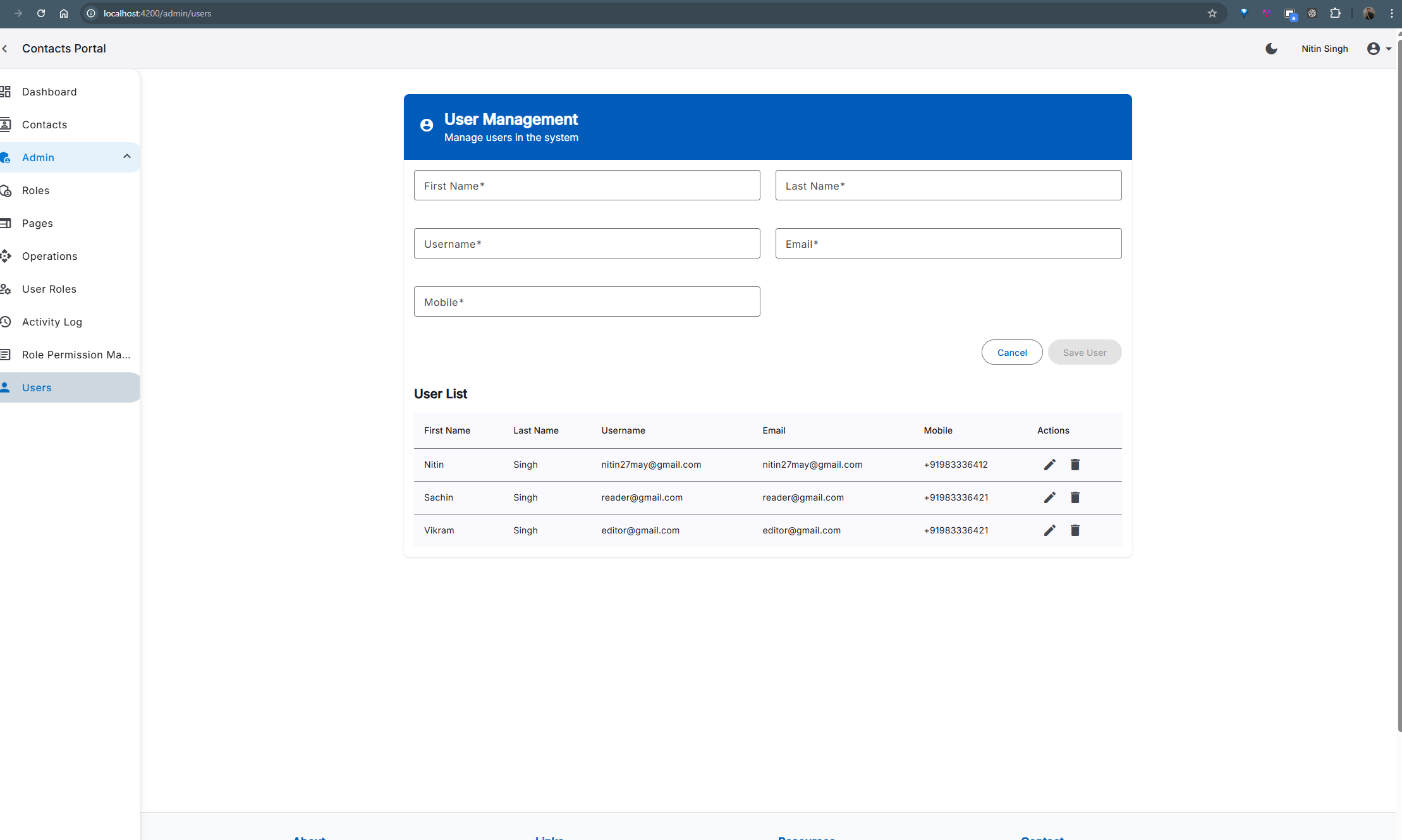
User management interface for administrators
User Role Mapping
Our role management system provides an easy interface for assigning roles to users and managing permissions. The system includes:
- Visual role assignment interface
- Role-based permission inheritance
- Bulk role operations
- Audit logging of role changes
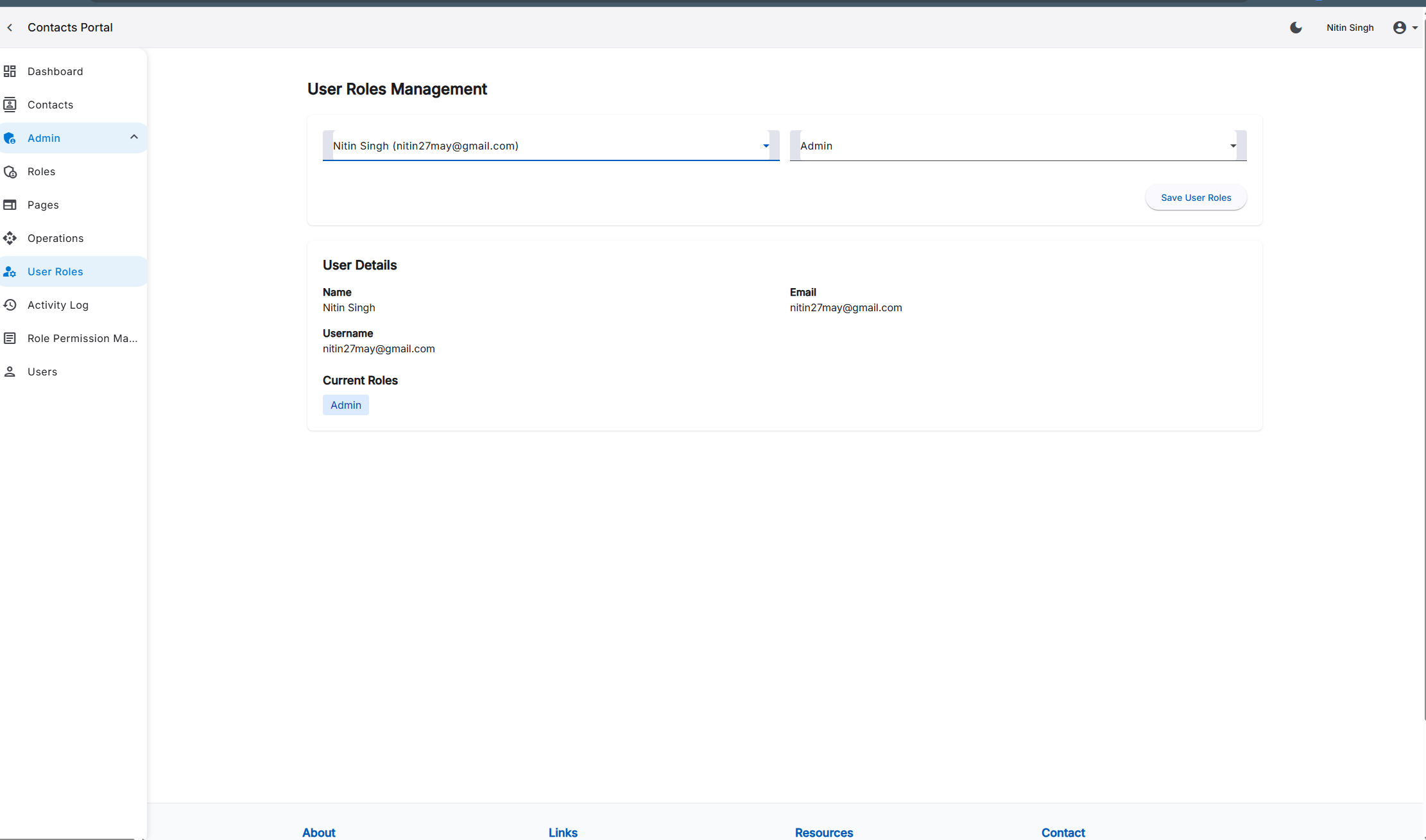
User role mapping interface for role assignment
System Administration
Page Management
The page management module allows administrators to control access to different areas of the application:
- Page registration and management
- Page visibility control
- Integration with permission system
- Hierarchical page organization
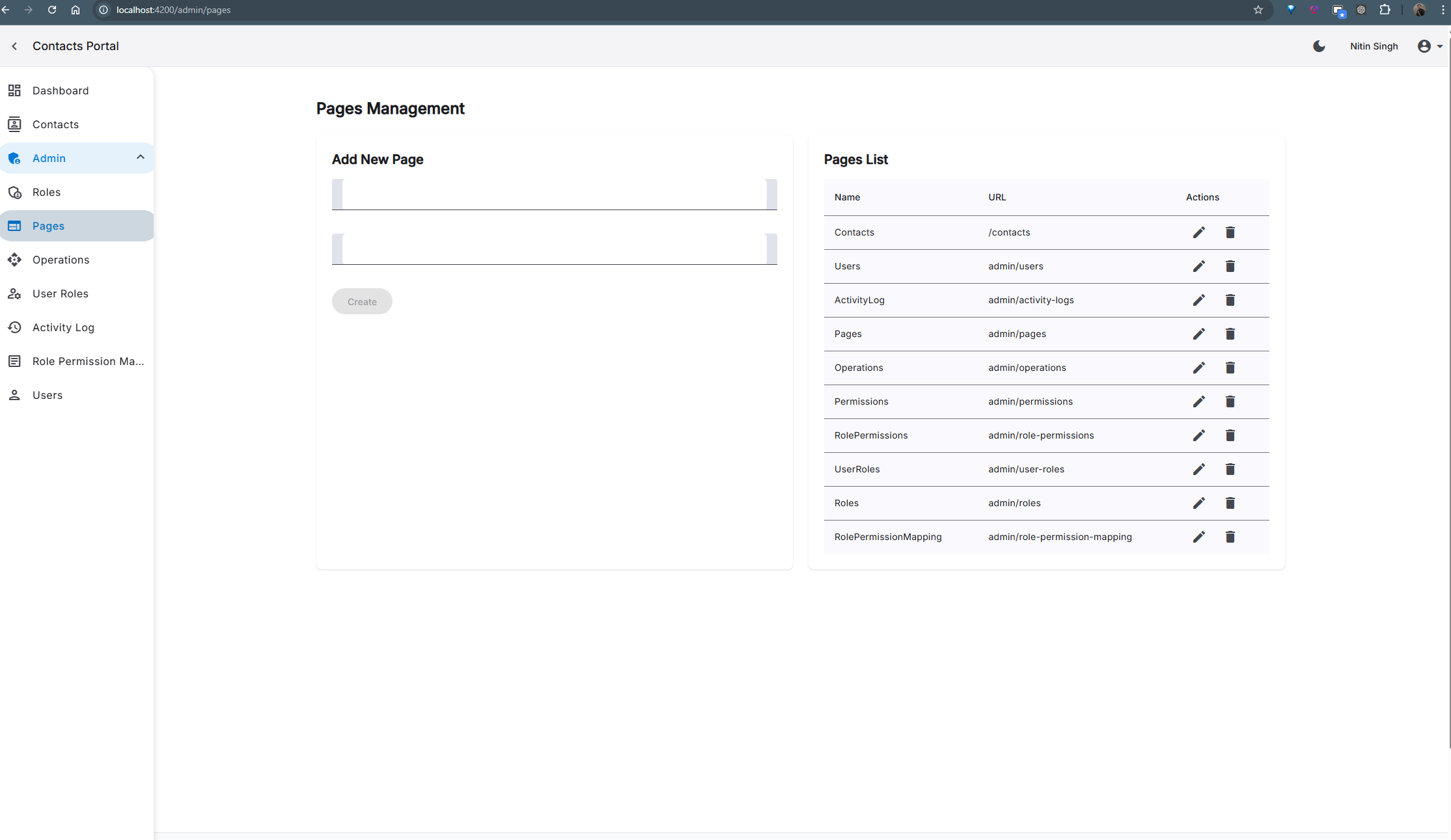
Page management interface for controlling application sections
Operation Management
The operation management system provides granular control over specific actions within the application:
- Operation registration and configuration
- Permission assignment for operations
- API endpoint security mapping
- UI action integration
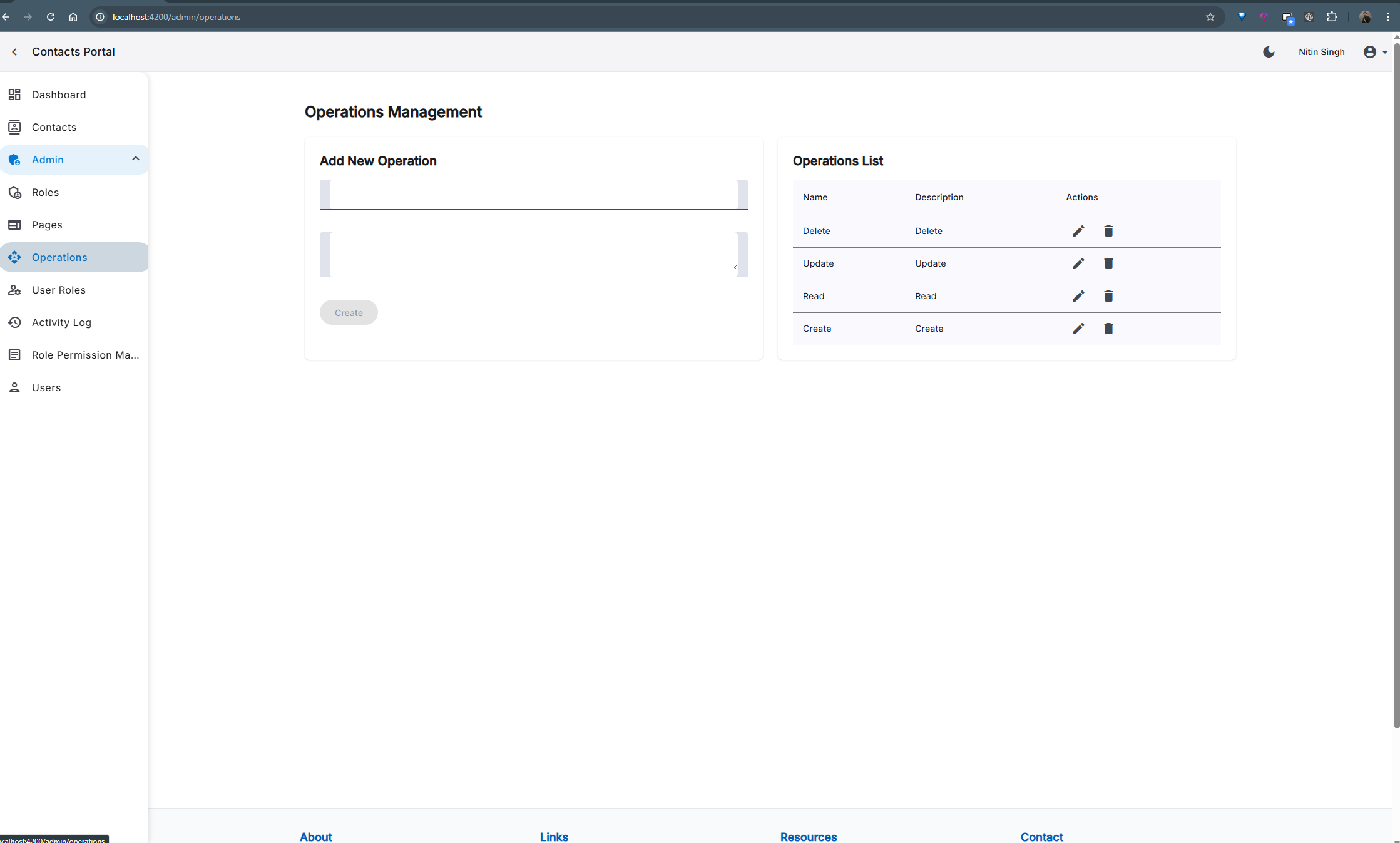
Operation management for controlling user actions
Role Management
The role management module allows administrators to define custom roles with specific permissions:
- Role creation and editing
- Permission assignment to roles
- Role hierarchy management
- Default role configuration
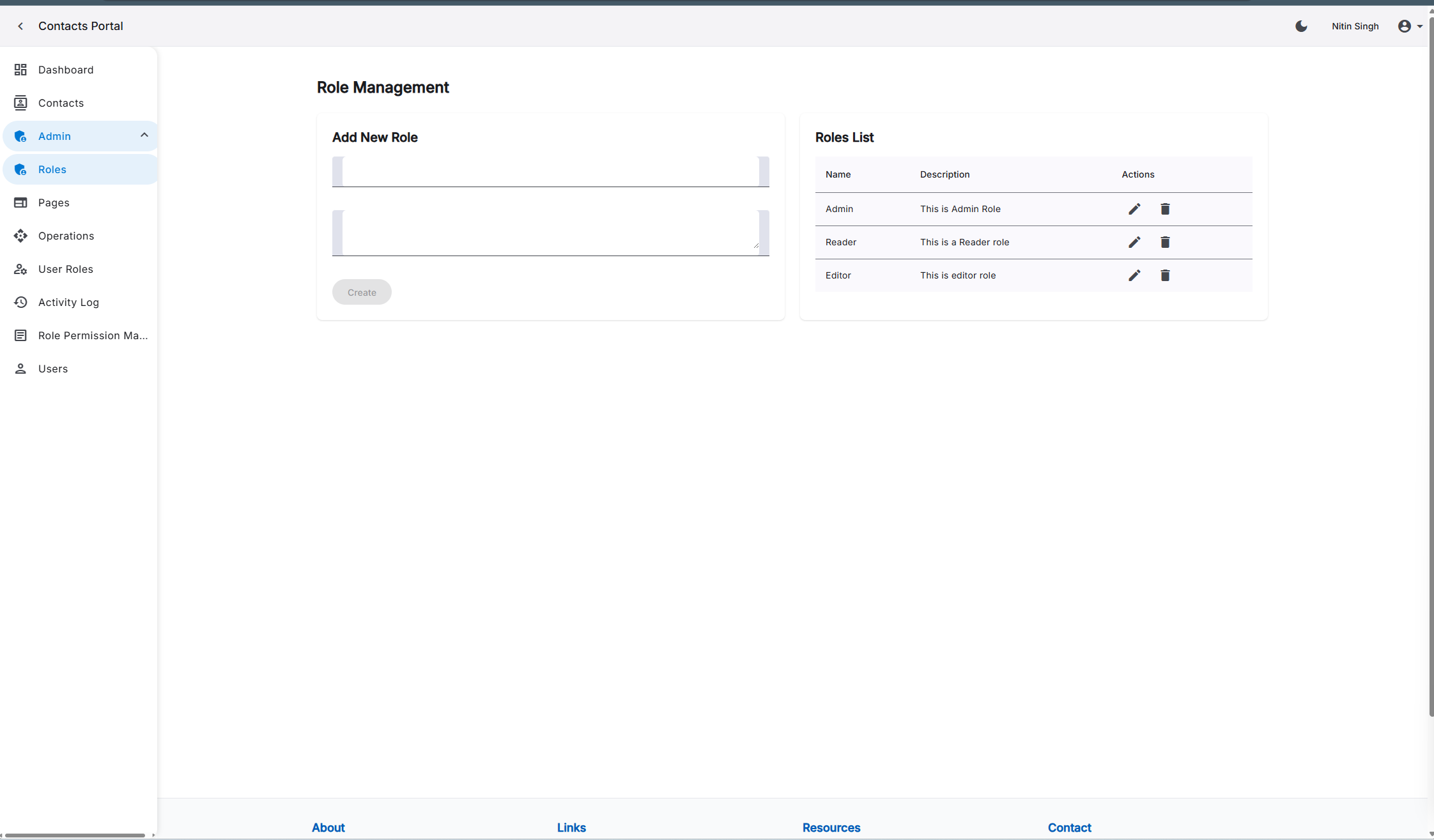
Role management interface for permission control
User Activity Logging
The activity logging system provides a comprehensive audit trail of user actions throughout the application:
- Detailed activity records with timestamps
- User identification and session tracking
- Action categorization and filtering
- Security event highlighting
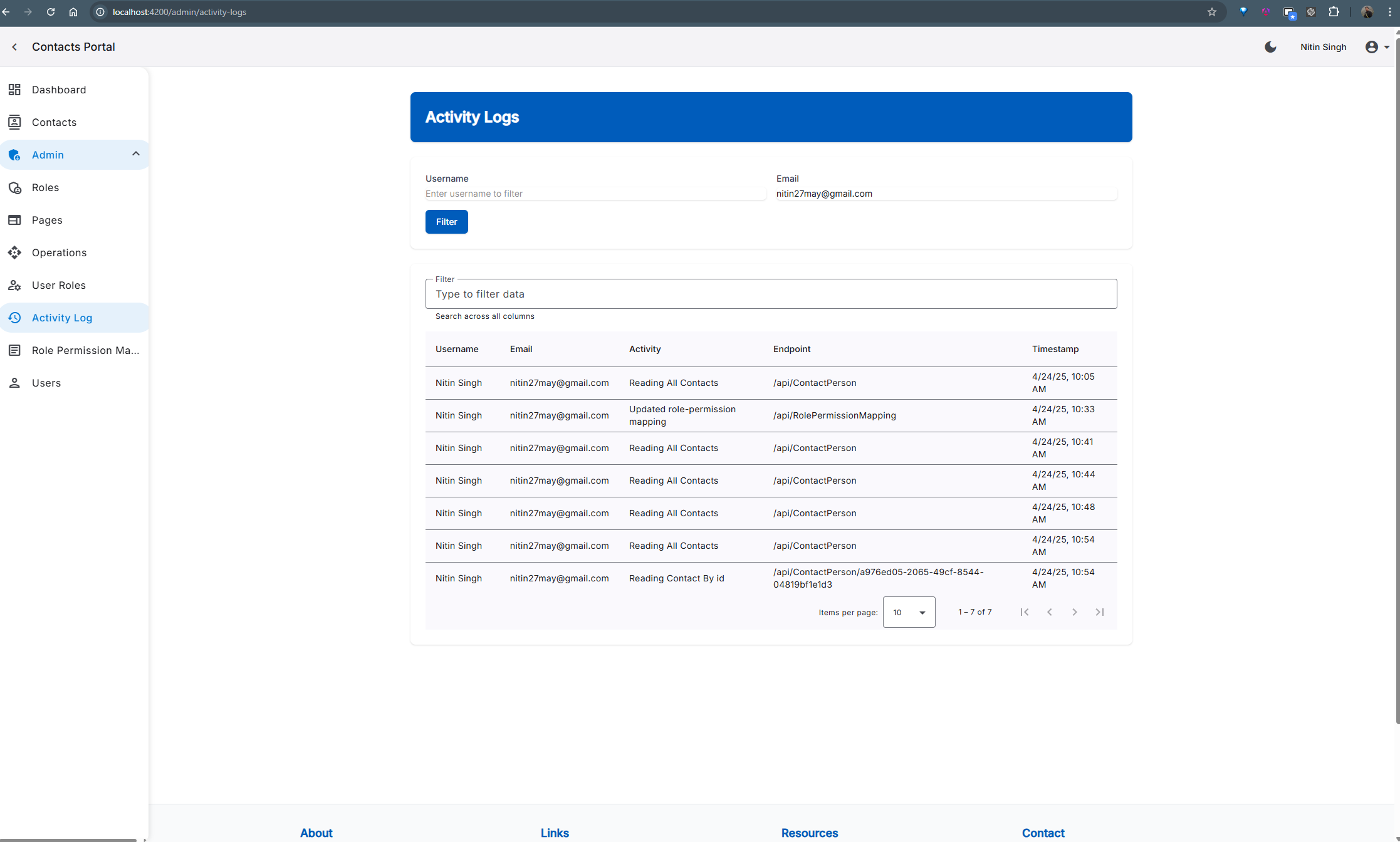
Activity logging system for audit trail and security
Clean Architecture Implementation
Backend Architecture
Our backend strictly follows Clean Architecture principles, providing a maintainable and testable codebase. Key architectural features include:
- Clear separation of Domain, Application, Infrastructure, and Presentation layers
- Domain-driven design with rich domain models
- Dependency inversion throughout the codebase
- Generic repository pattern for data access
- Comprehensive validation pipeline
- Structured exception handling with meaningful responses
- Proper separation of cross-cutting concerns
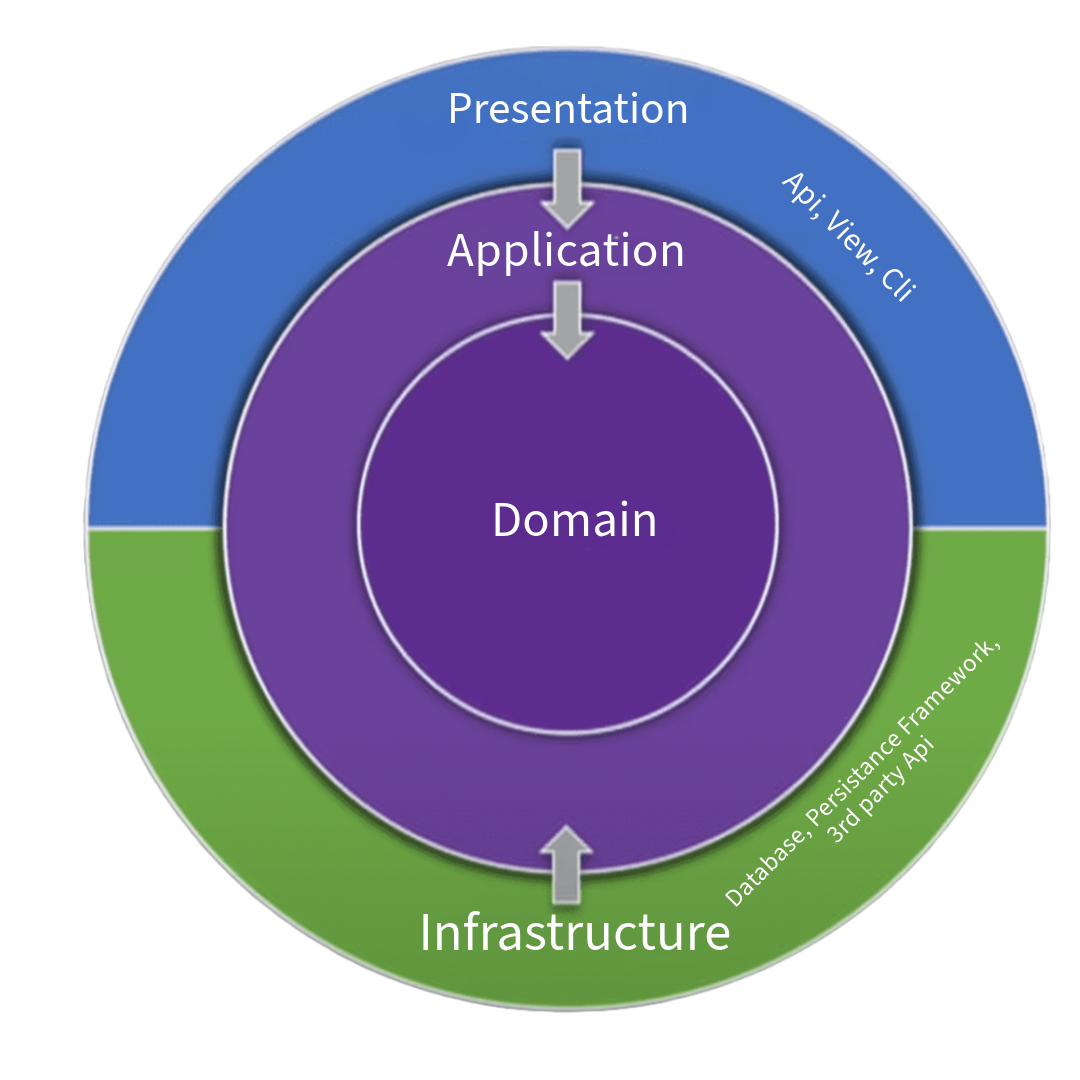
Clean Architecture implementation with clear separation of concerns
Frontend Architecture
Our Angular implementation leverages the latest features for optimal performance and maintainability. The frontend architecture includes:
- Standalone components for improved modularity
- Signal-based state management for reactive UIs
- Modern dependency injection with the inject() function
- Lazy-loaded feature modules to reduce initial load time
- Comprehensive routing with route guards
- HTTP interceptors for authentication and error handling
- Component-based design with clear responsibilities
- Shared UI component library for consistency
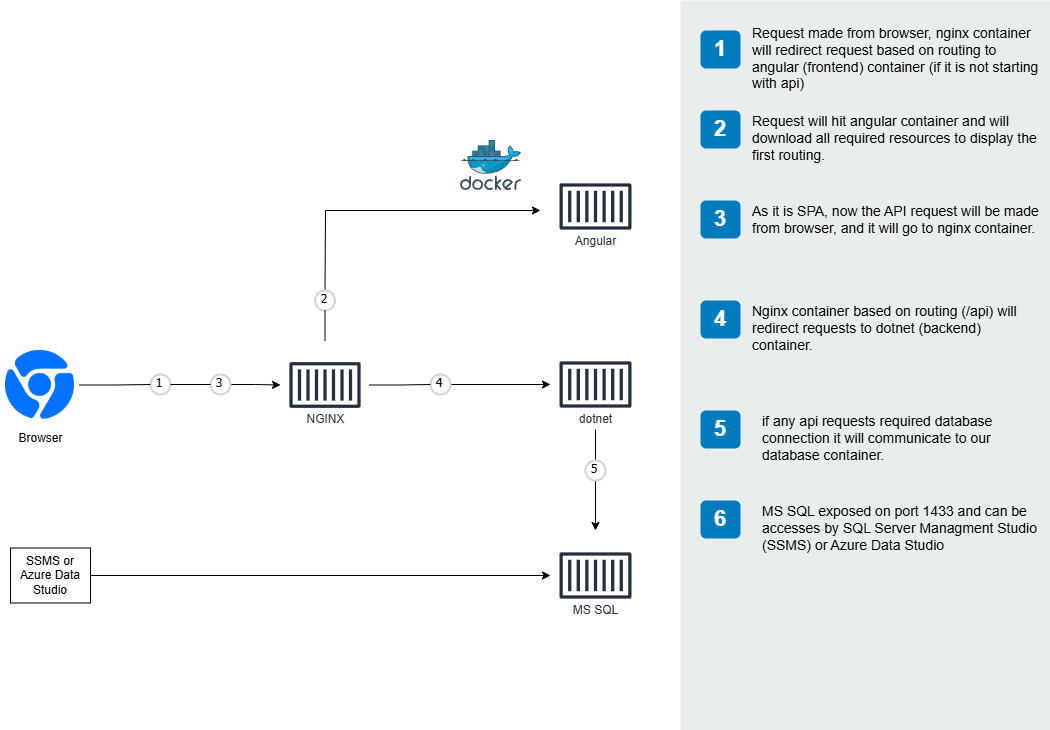
Frontend architecture showing component organization and data flow
DevOps & Infrastructure
Docker Integration
Our application is fully containerized using Docker, providing a consistent environment across development and production. The Docker setup includes:
- Multi-stage builds for optimized production images
- Docker Compose configurations for different environments
- Volume mounting for development workflow
- Proper network configuration for service communication
- Environment variable management
- Optimized caching for faster builds
- Container orchestration ready configuration
See our complete Docker Guide for full details on the containerization approach.
API Documentation
Our API is thoroughly documented using Swagger/OpenAPI, making it easy for developers to understand and use. The documentation features:
- Interactive API explorer with try-it-now functionality
- Detailed request and response schemas
- Authentication requirements for each endpoint
- Comprehensive examples for common operations
- Error response documentation
- Performance expectations and rate limiting details
- Downloadable OpenAPI specification
Available at /swagger endpoint when running the application.
Additional Features
Form Validation
- Client-side validation with reactive forms
- Server-side validation with FluentValidation
- Error messages and visual feedback
- Cross-field validation rules
- Asynchronous validation (e.g., username availability)
- Custom validators for complex business rules
- Validation summary for form-wide errors
Activity Logging
- Comprehensive audit trail of user actions
- Structured logging with contextual information
- User session tracking with IP and device info
- Security event monitoring and alerting
- Log filtering and search capabilities
- Performance impact monitoring
Notification System
- Toast notifications for user feedback
- Success/error/warning message types
- Configurable display duration
- Notification stacking for multiple messages
- Position customization (top, bottom, etc.)
- Progress indicators for long-running operations
- Notification history and management
Internationalization
- Support for multiple languages using i18n
- Localization of dates, numbers, and currencies
- Language selection persistence
- Automatic language detection
- Dynamic content translation
Live Demo
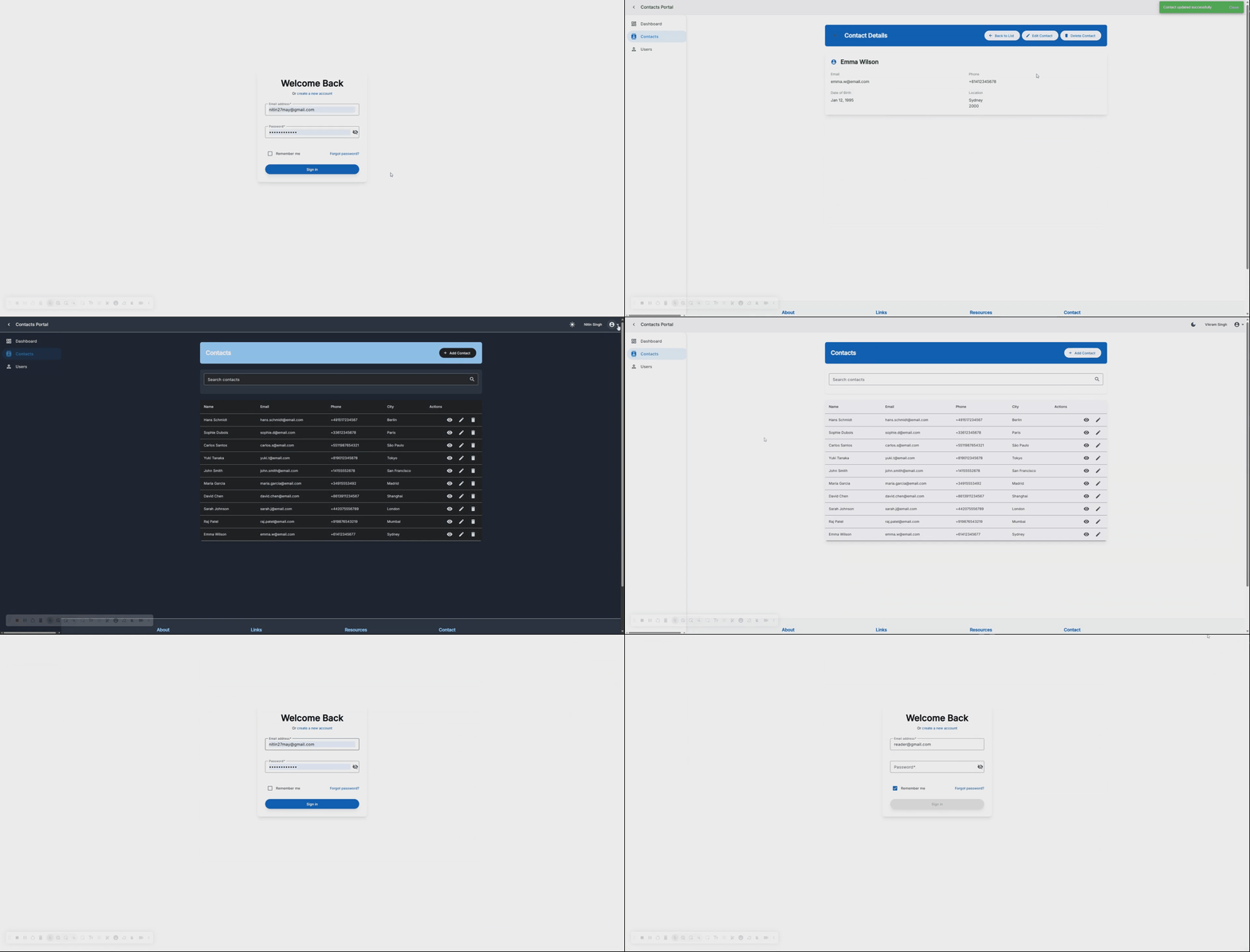
A demonstration of the key features and workflows in the application
Coming Soon Features
For upcoming features, please refer to our roadmap document, which includes:
- Enhanced RBAC & UI Modernization
- Application Logs & Monitoring
- Real-Time Notifications
- Social Media Login
- Mobile Application
Note: For more detailed technical information on implementing features, see our Development Guide.