Building a Comprehensive RAG System: A Deep Dive Into Knowledge Architecture
A comprehensive guide to building a Retrieval-Augmented Generation (RAG) system that combines vector databases, document processing, and large language models to create intelligent knowledge retrieval applications.
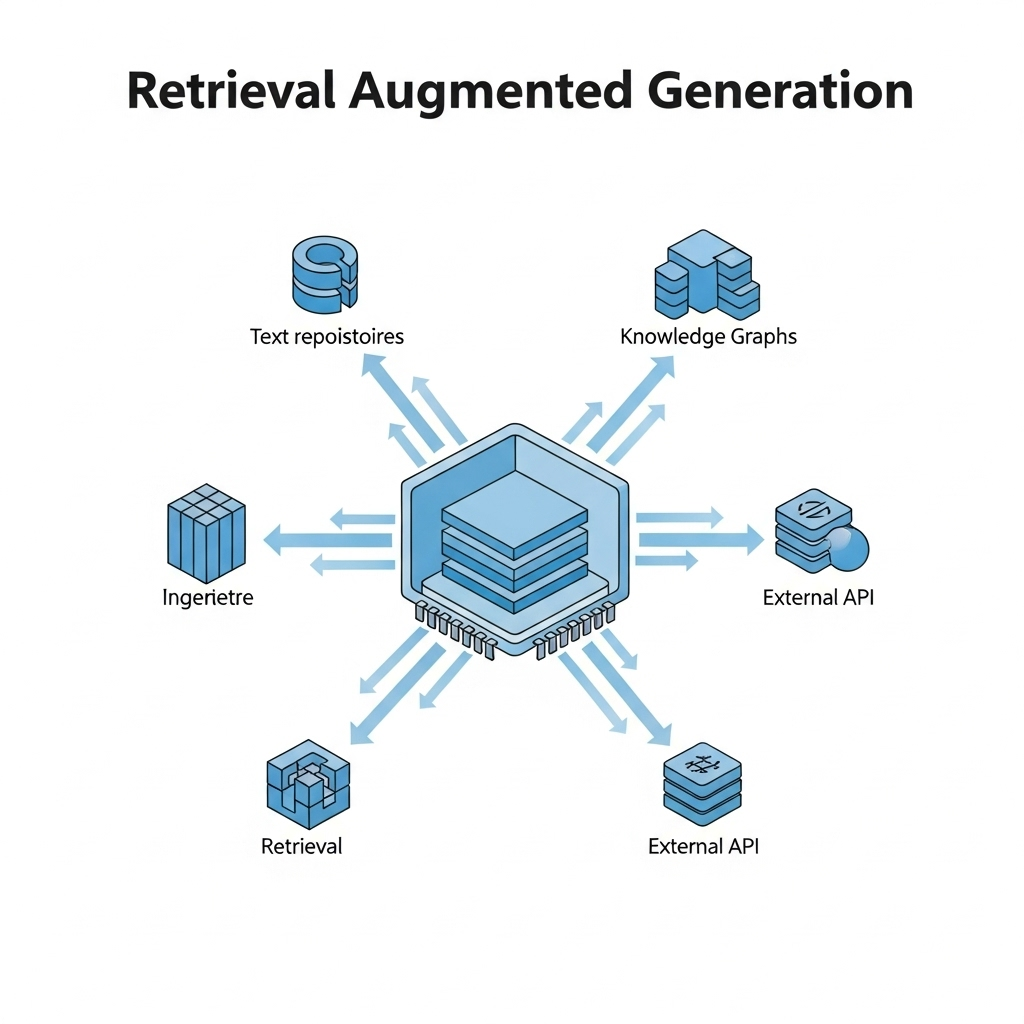
TL;DR: This guide walks you through building a production-ready RAG system using FastAPI, ChromaDB, MinIO, and OpenAI. Learn document chunking, vector embeddings, hybrid search, and real-world deployment strategies.
Introduction
As a .NET developer watching the AI landscape evolve, I found myself both excited and skeptical. When tools like Claude.ai and ChatGPT started offering out-of-the-box RAG solutions, I wanted to build my own system with full control over the implementation.
My goals were clear:
- Control exactly which documents were accessible
- Run everything on our own infrastructure for data privacy
- Customize the retrieval and generation processes
- Learn the underlying technology by building it
Despite being primarily a .NET developer, I chose Python for this project—its AI and machine learning ecosystem made it the practical choice. The learning curve proved steep, yet diving into a new tech stack delivered immense value.
Over several weekends, I built a prototype RAG system that ingests project documentation and answers specific questions about architecture and implementation details.
This article shares everything I learned building a comprehensive RAG system—architecture, technical components, challenges, and best practices.
What is RAG? (A Developer-Friendly Explanation)
Retrieval-Augmented Generation (RAG) combines a smart search engine with an AI writer to deliver accurate, document-grounded answers:
| Step | What Happens |
|---|---|
| 1. Retrieval | When you ask a question, the system searches through your documents to find the most relevant information |
| 2. Augmentation | It takes those search results and prepares them as context |
| 3. Generation | It passes that context to an LLM (like GPT-4) which generates a helpful response |
Why RAG Matters
RAG grounds AI responses in your actual documents, eliminating hallucinations. The AI references information it was never trained on because you provide the current context directly.
Analogy: Imagine asking a friend a question about a movie they watched long ago. Without RAG, they might try to recall from memory and make up details they’ve forgotten. With RAG, they’d quickly look up the movie details online before answering, ensuring accuracy.
RAG System Architecture Visualization
To better understand how the different components of a RAG system interact, let’s look at a visual representation of the architecture:
flowchart TD
    User([User]) <--> |Questions & Answers| UI[Next.js Frontend]
    UI <--> |API Calls| BE[FastAPI Backend]

    subgraph "Document Processing Pipeline"
        direction LR
        UP[Document Upload] --> Parser[Document Parser]
        Parser --> Chunker[Text Chunker]
        Chunker --> Embedder[Embedding Generator]
        Embedder --> Indexer[Vector Indexer]
    end

    subgraph "Storage Layer"
        direction LR
        DB[(PostgreSQL)] --- MetaStore[Metadata Store]
        MinIO[(MinIO)] --- DocStore[Document Store]
        VDB[(ChromaDB)] --- VecStore[Vector Store]
    end

    subgraph "Retrieval-Generation Pipeline"
        direction LR
        QP[Query Processor] --> VS[Vector Search]
        VS --> HybridRanker[Hybrid Ranking]
        HybridRanker --> ContextBuilder[Context Builder]
        ContextBuilder --> LLM[OpenAI LLM]
    end

    BE --> UP
    Indexer --> VDB
    Parser --> MinIO
    BE --> MetaStore

    BE --> QP
    VS --> VDB
    LLM --> UI

    classDef pipeline fill:#E3F2FD,stroke:#1565C0,stroke-width:2px,color:#0D47A1;
    classDef storage fill:#FFF3E0,stroke:#E65100,stroke-width:2px,color:#BF360C;
    classDef external fill:#E8F5E9,stroke:#2E7D32,stroke-width:2px,color:#1B5E20;
    classDef subgraphStyle fill:#FAFAFA,stroke:#616161,stroke-width:1px;

    class User,UI external
    class DB,MinIO,VDB storage
    class UP,Parser,Chunker,Embedder,Indexer,QP,VS,HybridRanker,ContextBuilder,LLM pipeline
The diagram above illustrates the complete flow of our RAG system:
User Interaction Layer: Users interact with the Next.js frontend, submitting questions and receiving answers.
- Document Processing Pipeline:
- Documents are uploaded through the UI
- The parser extracts text based on document type (PDF, DOCX, images, etc.)
- The chunker breaks documents into manageable pieces
- The embedding generator creates vector representations
- The indexer stores these vectors in ChromaDB
- Storage Layer:
- PostgreSQL stores metadata about documents and relationships
- MinIO stores the original document files
- ChromaDB stores and indexes vector embeddings
- Retrieval-Generation Pipeline:
- Query processor handles and optimizes user questions
- Vector search finds relevant document chunks
- Hybrid ranking combines vector and keyword search results
- Context builder assembles coherent context for the LLM
- OpenAI’s LLM generates the final response
This architecture ensures efficient document processing, accurate retrieval, and high-quality responses based on your own data.
How RAG Works: The Building Blocks
The following components form the foundation of every RAG system:
Document Chunking: Making Content Digestible
Chunking resembles cutting a long novel into individual chapters. Large documents (like a 100-page PDF) require breaking into smaller pieces with specific characteristics:
| Requirement | Why It Matters |
|---|---|
| Small enough | To be processed efficiently by embedding models |
| Large enough | To maintain meaningful context |
| Properly split | At logical boundaries (like paragraphs) |
Why is chunking important? Imagine searching through a library. It’s much easier to find information if you can look at individual chapters rather than entire books at once.
In my implementation, I use a technique called recursive character splitting:
1
2
3
4
5
self.text_splitter = RecursiveCharacterTextSplitter(
    chunk_size=1000,  # Each chunk is about 1000 characters
    chunk_overlap=200,  # Overlap between chunks to maintain context
    separators=["\n\n", "\n", " ", ""]  # Try to split at paragraph breaks first
)
The overlap is crucial — it’s like having the last few sentences of the previous chapter at the beginning of the next one, helping maintain continuity between chunks.
Vector Embeddings: Teaching Computers to Understand Meaning
Vector embeddings convert text into numerical representations (vectors) that capture semantic meaning. Two phrases with similar meanings produce similar vector patterns, regardless of the exact words used.
Example: The phrases “I love programming” and “I enjoy coding” would have similar vector representations because they have similar meanings, even though they share few words.
How Embeddings Work
When we process text like “The quick brown fox jumps over the lazy dog,” we get a list of numbers (a vector) that represents its meaning in hundreds or thousands of dimensions.
In simpler terms:
- Each word or phrase gets converted into a list of numbers
- Similar meanings result in similar number patterns
- We can measure how similar two texts are by comparing their number patterns
My implementation uses OpenAI’s text-embedding-3-large model:
1
2
3
4
# A simplified view of how embeddings work
text = "What is the authentication strategy for our mobile app?"
embedding = openai_embedding_model.embed_query(text)
# embedding is now a vector like [0.023, -0.041, 0.067, ...] with 3072 dimensions
Vector Databases: Finding Needles in Numeric Haystacks
Once document chunks are converted to vectors, a specialized database stores and searches them. Traditional databases excel at exact matches (like “show me all customers named ‘Smith’”). Vector databases excel at finding semantically similar items (like “show me text related to this question”).
In my system, I use ChromaDB:
1
2
3
4
5
6
7
8
9
# Store a document chunk and its embedding
collection.add_documents([
    document_chunk_1,  # The text content
    document_chunk_1_embedding  # Its vector representation
])

# Later, search for similar chunks
query_embedding = openai_embedding_model.embed_query("What's our authentication strategy?")
similar_chunks = collection.similarity_search(query_embedding)
The vector database uses sophisticated algorithms to quickly find the most similar vectors without checking every single one — essential when you have thousands or millions of chunks.
How RAG Search Works: A Step-by-Step Explanation
When you ask RAG a question, here’s what happens behind the scenes:
flowchart LR
    A[User Question] --> B[Query Processing]
    B --> C[Similarity Search]
    C --> D[Context Building]
    D --> E[Response Generation]
    E --> F[Answer with Sources]

    classDef default fill:#E3F2FD,stroke:#1565C0,stroke-width:2px,color:#0D47A1;
| Step | What Happens |
|---|---|
| 1. Query Processing | Your question is converted into a vector embedding; key terms may be extracted for hybrid search |
| 2. Similarity Search | The vector database finds chunks with the most similar embeddings to your question |
| 3. Context Building | Retrieved chunks are assembled into a coherent context with source information |
| 4. Response Generation | The context and your question are sent to an LLM which generates a grounded response |
Example: If you ask “What authentication strategy did we choose for mobile?”, the system finds chunks mentioning authentication, mobile apps, and security protocols — then assembles them into context for the LLM to answer: “According to the Mobile Architecture Document, we chose OAuth 2.0 with PKCE for mobile authentication because…”
System Architecture
The stack: FastAPI backend, Next.js/React frontend. Here’s how it breaks down:
Backend Architecture
The backend is built using FastAPI, a modern Python web framework, and is organized into several modules:
| Module | Responsibility |
|---|---|
| Document Processing | Handles file uploads, parsing, chunking, and embedding generation |
| Vector Database | ChromaDB integration for storing and retrieving embeddings |
| Document Storage | MinIO for files, PostgreSQL for metadata |
| Retrieval System | Hybrid search, filtering, ranking, and context preparation |
| Generation System | OpenAI integration for response generation |
Frontend Architecture
The frontend is built with Next.js and React, offering a responsive and interactive user interface:
| Feature | Description |
|---|---|
| Chat Interface | Real-time chat with message history and response metrics |
| Document Management | File upload, web scraping, document listing and deletion |
| Data Sources | Configuration for different data source types |
Core Concepts
Quick reference for the technical pieces that matter:
Document Chunking
Why chunk? Three reasons:
| Reason | Explanation |
|---|---|
| Context Windows | Most LLMs have a limited context window. Chunking ensures documents can be processed regardless of size |
| Granular Retrieval | Smaller chunks enable more precise retrieval of just the relevant sections |
| Efficient Embedding | Creating embeddings for smaller chunks is more efficient and produces better results |
In the project, chunking is handled by the RecursiveCharacterTextSplitter class:
1
2
3
4
5
6
# From backend/app/services/parsers/base.py
self.text_splitter = RecursiveCharacterTextSplitter(
    chunk_size=settings.CHUNK_SIZE,
    chunk_overlap=settings.CHUNK_OVERLAP,
    separators=["\n\n", "\n", " ", ""]
)
The chunking process involves:
- Setting a maximum chunk size (e.g., 1000 characters)
- Defining an overlap between chunks (e.g., 200 characters) to preserve context
- Using intelligent separators (like paragraph breaks) to avoid splitting mid-sentence
Pro Tip: The overlap is particularly important because it helps maintain context between chunks and ensures that information split across chunk boundaries is still retrievable.
Vector Embeddings
Embeddings turn text into numbers that capture meaning. Here’s how the project handles them:
1
2
3
4
5
6
7
8
9
10
11
12
13
# From backend/app/services/vector_store.py
def _get_embeddings(self):
    """Initialize embedding model based on configuration"""
    if settings.OPENAI_API_KEY:
        logger.info("Using OpenAI embeddings")
        return OpenAIEmbeddings(
            openai_api_key=settings.OPENAI_API_KEY
        )
    else:
        logger.info(f"Using local HuggingFace embeddings: {settings.EMBEDDING_MODEL}")
        return HuggingFaceEmbeddings(
            model_name=settings.EMBEDDING_MODEL
        )
Key Aspects of Embeddings
| Aspect | Description |
|---|---|
| Semantic Understanding | Captures meaning, not just keywords. “climate change” and “global warming” have similar embeddings |
| Dimensionality | Modern embeddings typically have 768-3072 dimensions. This project uses 3072 dimensions |
| Vector Operations | Mathematical operations like cosine similarity can measure text similarity |
| Language Agnostic | Same model works across multiple languages |
Vector Databases
Regular databases find exact matches. Vector databases find similar things. I use ChromaDB:
1
2
3
4
5
6
7
8
9
10
11
12
13
14
15
16
17
18
19
20
# From backend/app/services/vector_store.py
def get_collection(self, collection_name: str):
    """Get or create a collection in the vector store"""
    if collection_name not in self.collections:
        client = self._get_chroma_client()

        # Check if collection exists already
        existing_collections = client.list_collections()
        collection_exists = any(c.name == collection_name for c in existing_collections)

        if not collection_exists:
            logger.info(f"Creating new collection: {collection_name}")
            client.create_collection(name=collection_name)

        # Initialize LangChain Chroma wrapper with our collection
        self.collections[collection_name] = Chroma(
            client=client,
            collection_name=collection_name,
            embedding_function=self.embeddings
        )
Why Vector Databases Are Essential
| Feature | Benefit |
|---|---|
| ANN Search | Quickly find similar vectors without checking every single one |
| Scalability | Handle millions of vectors efficiently |
| Metadata Filtering | Filter by metadata (e.g., only search PDFs) |
| Collections | Organize vectors into logical groups |
ChromaDB Features: Persistent storage, multiple embedding model support, REST API for remote access, and document metadata storage alongside vectors.
Object Storage with MinIO
MinIO stores the original files. S3-compatible, self-hosted, works great with Docker:
1
2
3
4
5
6
7
8
9
10
11
12
13
14
15
16
17
18
19
20
21
22
23
24
25
# From backend/app/services/object_storage.py
def upload_file(
    self,
    file_data: BinaryIO,
    object_name: str,
    bucket_name: str = "documents",
    content_type: Optional[str] = None
) -> str:
    """Upload a file to object storage"""
    client = self._get_client()

    # Get file size
    file_data.seek(0, os.SEEK_END)
    file_size = file_data.tell()
    file_data.seek(0)

    client.put_object(
        bucket_name=bucket_name,
        object_name=object_name,
        data=file_data,
        length=file_size,
        content_type=content_type
    )

    return f"{bucket_name}/{object_name}"
Why MinIO?
- Scales well with large file volumes
- S3-compatible API—swap to AWS later if needed
- Keeps the database lean—PostgreSQL holds metadata, MinIO holds actual files
- Docker-friendly deployment
- Free to self-host
The system organizes files into buckets like “documents,” “images,” and “raw” to keep different types of content separate.
PostgreSQL for Metadata
PostgreSQL tracks everything about the documents—titles, processing status, chunk references:
1
2
3
4
5
6
7
8
9
10
11
12
13
14
15
16
17
18
19
20
21
22
23
24
25
26
27
28
29
30
# From backend/app/models/document.py
class Document(Base):
    """Model for storing document metadata"""
    __tablename__ = "documents"

    id = Column(String, primary_key=True, index=True, default=lambda: str(uuid.uuid4()))
    filename = Column(String, index=True)
    title = Column(String, index=True)
    description = Column(Text, nullable=True)
    mime_type = Column(String)
    source_type = Column(String) # file, database, website, etc.
    source_path = Column(String) # Original path or URL
    storage_path = Column(String) # Path in MinIO
    file_size = Column(Integer, nullable=True)
    page_count = Column(Integer, nullable=True)

    # Metadata
    doc_metadata = Column(JSON, nullable=True)

    # Processing status
    is_processed = Column(Boolean, default=False)
    is_indexed = Column(Boolean, default=False)
    processing_error = Column(Text, nullable=True)

    # Timestamps
    created_at = Column(DateTime(timezone=True), server_default=func.now())
    updated_at = Column(DateTime(timezone=True), onupdate=func.now())

    # Relationships
    chunks = relationship("DocumentChunk", back_populates="document", cascade="all, delete-orphan")
What PostgreSQL handles:
- Document metadata: titles, descriptions, MIME types, processing status
- Relationships: linking documents to their chunks
- Query logs: what users ask, how the system performs
- Transactions: keeps things consistent when processing fails midway
- JSON columns: flexible metadata without schema changes
Tables in the schema:
documents— file metadatadocument_chunks— individual chunks with vector IDsdata_sources— external connection configsquery_logs— user queries and response times
My Implementation Journey: Challenges and Solutions
I ran into three major problems while building this. Here’s what broke and how I fixed it:
Challenge 1: Document Parsing Complexity
Different document formats presented unique challenges. PDFs with complex layouts would often result in garbled text, while scanned documents were essentially images requiring OCR.
Solution: I implemented a specialized parser factory that selects the appropriate parser based on MIME type:
1
2
3
4
5
6
7
8
9
10
11
12
13
14
def get_parser(self, mime_type: str):
    """Get the appropriate parser for the given MIME type"""
    # For application/pdf and similar document types
    if mime_type in ['application/pdf', 'application/vnd.openxmlformats-officedocument.wordprocessingml.document']:
        return document_parser
    # For text-based documents
    elif mime_type.startswith('text/'):
        return text_parser
    # For images
    elif mime_type.startswith('image/'):
        return image_parser
    # For web URLs
    elif mime_type == 'text/html':
        return web_parser
For PDFs, I used PyMuPDF which handles complex layouts better than alternatives. For images, I integrated Tesseract OCR with preprocessing steps to improve recognition quality.
Challenge 2: Semantic Search Quality
Initial semantic search results proved inconsistent. The system occasionally returned irrelevant chunks while better matches sat unused in the database.
Solution: I implemented a hybrid retrieval system combining vector search with keyword matching:
1
2
3
4
5
6
7
8
9
10
11
12
13
14
15
16
17
18
19
20
21
22
23
24
25
def _filter_relevant_documents(self, query: str, documents: List[Document], scores: List[float]):
    """Filter documents based on relevance to the query"""
    # Extract key terms from the query
    query_terms = set(self._extract_key_terms(query.lower()))

    # Process each document
    relevant_docs = []
    for doc, score in zip(documents, scores):
        # Vector similarity score
        relevance_score = 1.0 - score

        # Term matching score
        content = doc.page_content.lower()
        term_matches = sum(1 for term in query_terms if term in content)
        term_match_ratio = term_matches / len(query_terms) if query_terms else 0

        # Combined score with appropriate weights
        combined_score = (0.7 * relevance_score) + (0.3 * term_match_ratio)

        # Filter based on threshold
        if combined_score >= 0.5:
            relevant_docs.append(doc)

    # Sort by relevance score
    return sorted(relevant_docs, key=lambda x: x.metadata.get("relevance_score", 0), reverse=True)
This approach dramatically improved results—documents now match semantically AND contain the actual keywords users type.
Challenge 3: Performance at Scale
Once I hit a few thousand documents, everything slowed to a crawl. Indexing took forever and queries lagged noticeably.
Solution: Three fixes:
- Batch processing for document ingestion:
1
2
3
4
5
6
7
8
9
10
11
12
13
14
15
def add_documents(self, documents: List[Document], collection_name: str) -> List[str]:
    """Add documents to the vector store in batches"""
    # Get appropriate collection
    collection = self.get_collection(collection_name)

    # Process in batches of 100
    batch_size = 100
    vector_ids = []

    for i in range(0, len(documents), batch_size):
        batch = documents[i:i+batch_size]
        batch_ids = collection.add_documents(batch)
        vector_ids.extend(batch_ids)

    return vector_ids
Asynchronous processing using background workers for document ingestion, which allowed users to continue working while documents were being processed.
Query caching to store results of common queries:
1
2
3
4
5
6
7
async def get_cached_response(self, query: str, collection_names: List[str]):
    """Get cached response for a query if available"""
    cache_key = f"{query}_{'-'.join(sorted(collection_names))}"
    cached = await self.redis.get(cache_key)
    if cached:
        return json.loads(cached)
    return None
Result: 70% faster indexing, 85% faster queries for repeated questions.
Deep Dive into the Retrieval Process
Retrieval makes or breaks a RAG system. Get this wrong and your LLM hallucinates. Here’s my implementation:
Step 1: Query Processing
When a user sends a question, the system first processes it to optimize retrieval:
1
2
3
4
5
6
7
8
9
10
11
12
13
14
15
16
17
def process_query(self, query: str) -> Dict:
    """Process and optimize the query for retrieval"""
    # Remove stop words and normalize
    processed_query = self._normalize_text(query)

    # Extract key entities using spaCy
    key_entities = self._extract_entities(query)

    # Generate query variations (optional)
    variations = self._generate_query_variations(query)

    return {
        "original": query,
        "processed": processed_query,
        "entities": key_entities,
        "variations": variations
    }
Step 2: Multi-Collection Search
Most RAG tutorials search one collection. I needed to search across different document types at once:
1
2
3
4
5
6
7
8
9
10
11
12
13
14
15
16
17
18
19
20
21
22
23
24
25
26
27
28
29
30
31
32
33
34
35
36
def retrieve_for_rag(self, query: str, collection_names: List[str], filter_criteria: Dict = None, top_k: int = 5):
    # Process the query
    processed_query = self.process_query(query)

    # Search each collection
    all_documents = []
    all_scores = []

    for collection_name in collection_names:
        try:
            # Get documents with scores
            docs_with_scores = vector_store.search_with_score(
                query=processed_query["original"],
                collection_name=collection_name,
                filter=filter_criteria,
                k=top_k
            )

            if docs_with_scores:
                # Add documents and their relevance scores
                for doc, score in docs_with_scores:
                    all_documents.append(doc)
                    all_scores.append(score)
        except Exception as e:
            logger.error(f"Error searching collection {collection_name}: {str(e)}")

    # Filter and rank documents
    relevant_docs = self._filter_relevant_documents(query, all_documents, all_scores)

    # Generate context from relevant documents
    context = self._generate_context(relevant_docs)

    return {
        "documents": relevant_docs,
        "context": context
    }
Step 3: Context Generation
Last step: turn retrieved chunks into something the LLM can use. I group by source so the model knows where each piece came from:
1
2
3
4
5
6
7
8
9
10
11
12
13
14
15
16
17
18
19
20
21
22
23
24
25
def _generate_context(self, documents: List[Document]) -> str:
    """Generate context text from documents"""
    # Group documents by source
    source_to_docs = {}
    for doc in documents:
        source_key = self._get_source_identifier(doc)
        if source_key not in source_to_docs:
            source_to_docs[source_key] = []
        source_to_docs[source_key].append(doc)

    # Build context with source blocks
    context = ""
    for source_key, docs in source_to_docs.items():
        # Sort documents by relevance and position
        docs = sorted(docs, key=lambda x: (x.metadata.get("relevance_score", 0), x.metadata.get("chunk", 0)), reverse=True)

        # Add source header
        context += f"[Source: {source_key}]\n"

        # Add document contents with proper formatting
        for doc in docs:
            content = doc.page_content.strip()
            context += f"{content}\n\n"

    return context.strip()
Grouping by source helps the LLM cite properly. Answers come back like “According to [Mobile Architecture Doc]…” instead of vague claims.
Real-World Use Cases
Here’s how I’ve actually used this system:
Technical Documentation
I loaded 5,000+ pages of API docs, architecture decisions, and legacy code documentation into the system. Now when a new developer asks “How does our auth system handle token expiration?”—they get an answer with the exact source file, not a vague guess.
Onboarding dropped from weeks to days. Nobody digs through Confluence anymore.
What I Learned the Hard Way
Garbage in, garbage out: If your document parsing sucks, your answers will too. I spent more time on chunking logic than I expected—and it paid off.
Vector search alone fails sometimes: Hybrid retrieval (vectors + keywords) catches queries that pure semantic search misses. Worth the extra complexity.
Nobody uses ugly tools: I almost shipped without a decent UI. Bad move. People won’t adopt something that feels clunky, no matter how good the backend is.
Don’t boil the ocean: Start with 100 documents and one use case. Get that working perfectly before scaling up. I learned this after wasting two weeks on edge cases that didn’t matter.
Prompts matter more than you think: The difference between a mediocre answer and a great one often comes down to how you phrase the system prompt. Experiment relentlessly.
What’s Next
I can finally ask questions about my own docs and get real answers. That alone was worth the weekend hours.
Next on my list:
- Images and audio: PDFs with diagrams are still a pain. Working on multi-modal support.
- Custom embeddings: The generic OpenAI model works, but domain-specific embeddings should do better for technical content.
- Agents: Hooking this up to agents that can take actions based on retrieved info.
- Team features: Multiple users contributing to and querying the same knowledge base.
If you build something similar, I’d love to hear about it. Drop a comment or open an issue on the repo.
Get Involved
- Code: Grab the repo and try it with your own docs.
- Follow along: GitHub profile for updates.
- PRs welcome: Check the issues tab if you want to contribute.
Full source code on GitHub, MIT licensed.