The Auth Chapter Every MCP Tutorial Skips: Real SSO for Microsoft Graph
How a production MCP server signs into Microsoft 365 with real SSO: public client + PKCE, delegated permissions, On-Behalf-Of, and 85 Graph tools kept safe.
Most MCP servers I have looked at handle auth in one of two ways: paste a token into mcp.json and hope nobody commits it, or ship a client secret inside a config file that syncs to every machine you own. The pattern is common enough that Hagen Hübel titled his write-up “MCP configuration is a sh1tsh0w”1.
I hit the same wall while extracting ms-graph-mcp from a production agent platform: 85 Microsoft Graph tools that had to survive a real tenant, with MFA, Conditional Access, and an identity team that reads app registrations line by line.
This post is the auth chapter I could not find when I built it. It covers the Entra app registration, browser SSO from a local stdio server, delegated permissions, the On-Behalf-Of exchange for the hosted case, and the tool-surface engineering that keeps a model from drowning in 85 definitions. Everything comes from the shipped code, which is MIT-licensed and on PyPI.
The server in one paragraph
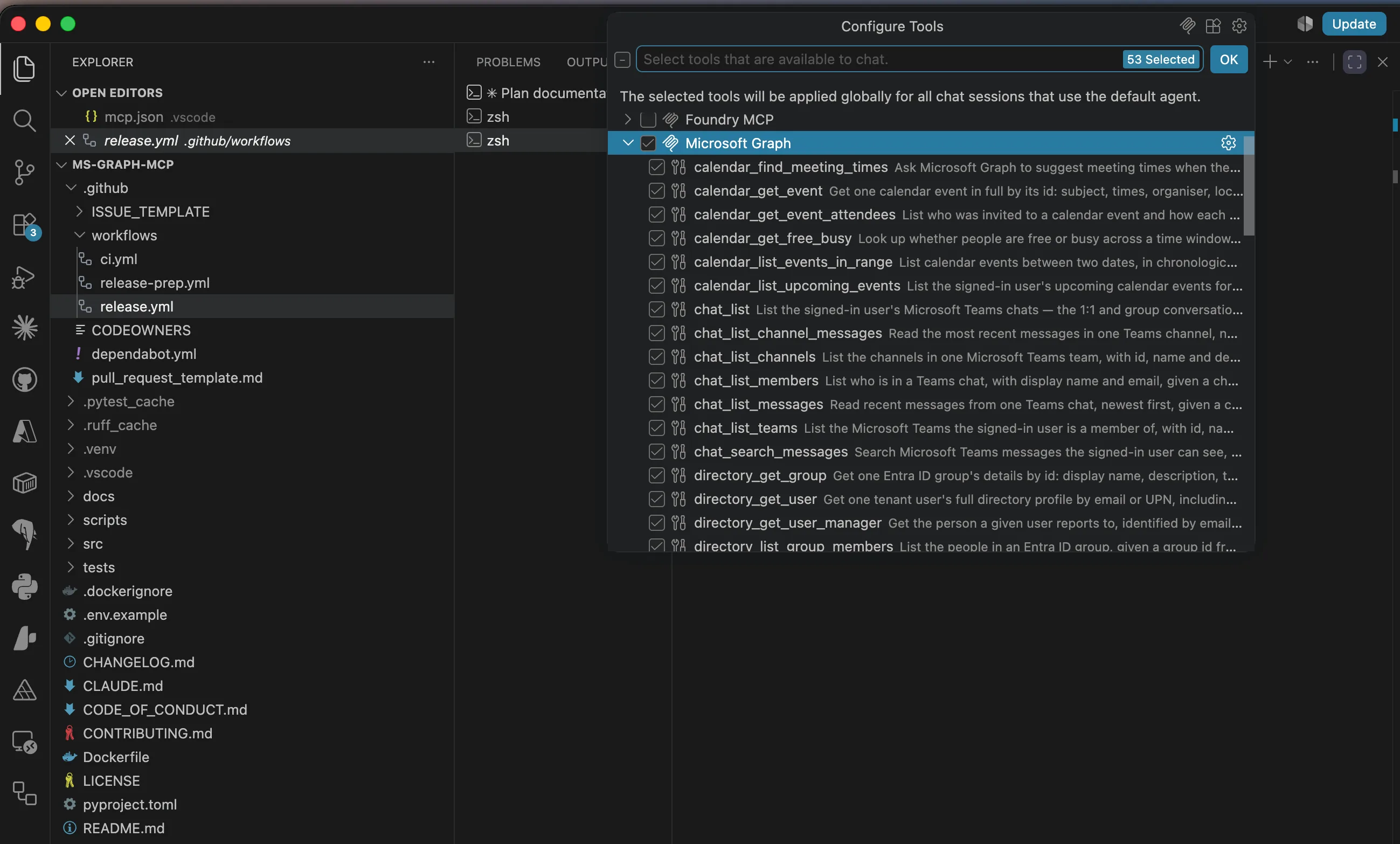
ms-graph-mcp exposes Microsoft Graph over MCP: mail, calendar, meetings with transcripts, Teams chat, OneDrive and SharePoint files, search, people, directory, tasks, and OneNote. 85 tools total: 53 read, 23 write, 9 internal, so a model sees at most 76. It speaks stdio for local clients and Streamable HTTP for hosted deployments.
The Graph client is raw httpx; msgraph-sdk and azure-identity are deliberately absent, because the SDK’s credential-chain model assumes the process owns the identity. This server’s whole design says the opposite: the token belongs to the caller, and it arrives with the request.
The app registration: two IDs, deliberately no secret
Every Graph MCP server starts with an Entra ID app registration. Mine takes about two minutes:
- New registration, single tenant.
- Redirect URI: platform Public client/native, value
http://localhost. - Authentication → turn on Allow public client flows.
- API permissions → Microsoft Graph → Delegated → add a read-only set (more below).
The step people get wrong is the one you skip: do not create a client secret. Microsoft’s own guidance is blunt about why — public clients “can’t be trusted to safely keep application secrets”. A secret in a config file on a laptop is readable by anything that can read the file, and mcp.json files get committed, synced, and shared.
The public-client flow with PKCE was designed so no secret needs to exist. The only two values in your client config are the client ID and tenant ID, and neither is sensitive:
{ "command": "uvx", "args": ["--from", "ms-graph-mcp", "ms-graph-mcp"], "env": { "GRAPH_MCP_CLIENT_ID": "<application-client-id>", "GRAPH_MCP_TENANT_ID": "<directory-tenant-id>" }}Two loopback details from the Entra docs that save debugging time: http:// is only valid for localhost (everything else must be https), and the port is ignored when matching a localhost redirect URI. So http://localhost matches whatever ephemeral port MSAL binds for the redirect listener. Do not register multiple localhost URIs that differ only by port; the login server picks one arbitrarily.
Local stdio: the server signs you in
The MCP spec is clear on this split: HTTP transports get the OAuth treatment, while stdio servers should pull credentials from the environment rather than run their own OAuth dance. Fine, but which credentials? A Graph access token lives 60 to 90 minutes (Microsoft randomizes the lifetime, averaging 75). Nobody will paste a fresh token into their client config every session. So when no token is supplied, the server signs the user in itself.
The implementation is MSAL’s PublicClientApplication with two flows, tried in order:
- Interactive browser. Opens the system browser, the user completes normal Microsoft 365 SSO, and the redirect lands on a loopback port. MFA and Conditional Access work because it is a real sign-in, in a real browser, against
login.microsoftonline.com. - Device code. Prints a short code and a URL, and the user finishes sign-in on any device. This is the fallback when there is no display: the server checks for
SSH_CONNECTION, a missingDISPLAYon Linux, and an explicitGRAPH_MCP_FORCE_DEVICE_CODEoverride before wasting a browser attempt.
def get_token(self) -> str: """Return a valid access token, signing in only if the cache cannot serve one.""" token = self._silent() # MSAL cache first: no network unless expired if token: return token result = self._sign_in() # browser SSO, then device code _save_cache(self._cache) return resultThe result is cached in ~/.ms-graph-mcp/token_cache.json. MSAL’s SerializableTokenCache does not persist itself; the docs say so directly, and it is your job to write it somewhere sensible. The cache holds refresh tokens, so the file gets chmod 600 on every write.
Sign in once, and MSAL refreshes silently until the refresh token itself dies. The token provider runs before every Graph call, which sounds expensive and is not: it reads the in-process cache and only touches the network when the access token has actually expired.
Delegated permissions cap the agent at the human
Graph offers two permission models, and the choice decides what your agent can ever do. Application permissions grant the app itself tenant-wide access: Files.Read.All as an application permission reads every file in the company. Delegated permissions act on behalf of a signed-in user, and the effective access is an intersection: what the app was granted and what that user can already reach. Files.Read.All delegated to an app acting for Tom reads only what Tom could open himself.
For agent tools the delegated model is the only defensible default. Security write-ups on MCP’s confused-deputy problem keep landing on the same root cause: servers running one shared, over-scoped credential for every user. Delegated tokens dissolve that class of problem, because there is no shared credential. The agent acting for me can read my mailbox and not yours, and no prompt injection changes that boundary.
ms-graph-mcp requests a read-only scope set by default:
User.Read Mail.Read Calendars.Read Files.Read.All People.ReadChat.Read Tasks.Read Notes.Read Contacts.ReadThat is an opinion encoded in a default: a user running an MCP server for the first time should not be consenting to Mail.Send. Write scopes are added explicitly, when write tools are actually wanted.
One honest exception. Tenant-wide directory group reads cannot be covered by delegated permissions, so those lookups prefer an app-only token when one is configured, with a delegated fallback. There is even a test that asserts this by source inspection, because the exception should stay exactly one exception.
Hosted: act like a real OAuth resource server
Run the same server over Streamable HTTP for a team, and the picture changes: the server now acts for many users and never sees a browser. The MCP authorization spec (stable since the 2025-06-18 revision) casts the server as an OAuth 2.1 resource server. It must publish RFC 9728 protected-resource metadata, and unauthenticated requests get a 401 that points the client at it:
HTTP/1.1 401 UnauthorizedWWW-Authenticate: Bearer resource_metadata="https://graph-mcp.example.com/.well-known/oauth-protected-resource", scope="User.Read Mail.Read"That header is what lets a spec-compliant client discover how to authenticate on its own; without it, the client only knows it was refused. Two serving details matter. The /.well-known/ paths are public, because a client that has no token yet is exactly who needs to read them. And /health stays open so container probes work; everything else is validated.
No gateway-trust mode, ever
The most requested “optimization” for a server like this is a flag that skips token validation because the API gateway in front already did it. ADR 0003 refuses it permanently, and the reasoning generalizes to any service you put behind a gateway.
A flag meaning “something else is checking” depends on a fact the server cannot verify. Eventually someone deploys with the flag set and without the gateway: a copied Helm values file, a local repro promoted to an environment. The result is an unauthenticated proxy to Microsoft Graph.
With validation always in-server, the gateway becomes purely additive (WAF, rate limiting, logging), and there is one code path that every test exercises. The cost is a JWKS-cached RSA verify measured in microseconds, against Graph calls measured in tens of milliseconds. A test enforces the decision by asserting that no config field named auth_mode, skip_auth, trust_gateway, disable_auth, or allow_anonymous exists. Adding one fails the build and forces you to read the ADR first.
The same instinct drove a default flip in 0.2.0: GRAPH_MCP_JWT_VERIFY used to default to false so a server without JWKS connectivity would still start. That made the unsafe value the one you got by doing nothing, and documentation does not prevent that class of mistake. It defaults to true now; turning it off is a deliberate, auditable act.
Two postures for the inbound token
The hosted server accepts one of two token shapes, selected by GRAPH_MCP_DOES_OBO:
def to_auth_config(self) -> AuthConfig: if self.mcp_does_obo: # Resource server: the inbound token is audienced to THIS MCP. return AuthConfig( jwt_verify=self.jwt_verify, tenant_id=self.tenant_id, client_id=self.client_id, audience=self.obo_audience, # empty -> api://<client_id> derived allowed_azp="", # audience binding is the gate shared_secret=self.shared_secret, ) # Interim: the caller forwards an already-exchanged Graph token. return AuthConfig( jwt_verify=self.jwt_verify, tenant_id=self.tenant_id, audience=GRAPH_AUDIENCE, # https://graph.microsoft.com allowed_azp=self.client_id, # only OBO tokens minted by our app shared_secret=self.shared_secret, )Interim is for a platform that already does its own token exchange: the agent backend forwards a Graph token, and the server validates the signature, the Graph audience, and that azp equals our client ID. The azp check is the part people skip. A Graph token is generic across applications; without the check, any Graph token from any app in the tenant would be accepted. Pinning azp means only tokens minted through this app registration get in.
Resource server is the spec-shaped posture: the inbound token is audienced to the MCP itself, which brings us to OBO.
The On-Behalf-Of exchange
In resource-server mode the server holds a user token whose audience is api://<client_id>. Graph will not accept it, and the MCP spec forbids forwarding it anywhere2: a server that calls upstream APIs must obtain its own downstream token rather than relay what the client sent.
The Microsoft identity platform’s answer is the On-Behalf-Of flow: present the inbound token as an assertion, prove your own identity with a client credential, and receive a Graph token that still carries the user’s identity and delegated scopes.
app = msal.ConfidentialClientApplication( client_id=client_id, client_credential=client_secret, authority=f"https://login.microsoftonline.com/{tenant_id}",)result = app.acquire_token_on_behalf_of(user_assertion=user_token, scopes=scopes)Notes from running this in production:
- This is where a client secret belongs. The confidential client runs on infrastructure you control, not on a user’s laptop. It is the only place in the whole system a secret exists.
- Entra checks the audience for you. An assertion whose
audis not your client ID is rejected at the token endpoint. Microsoft’s docs spell it out: an API handed a token meant for Graph cannot redeem it via OBO and should reject it outright. - Scopes default to
https://graph.microsoft.com/.default, which resolves to exactly the delegated permissions the app registration was consented for. The resource owner bounds the surface; agents do not negotiate their own scopes. Mind the classic trap:.defaultcannot be combined with named scopes in one request, or Entra answers withAADSTS70011. - Cache the exchange. MSAL’s confidential client keeps an in-process cache keyed on assertion and scopes, so back-to-back tool calls in one request reuse the Graph token instead of hitting Entra each time. I deliberately skipped a Redis L2 cache; each process caching in memory is the right scope for a dependency-light package.
- Fail closed. A failed exchange returns a structured tool error. The server never falls through to calling Graph unauthenticated.
Delegated permissions keep doing their work through the exchange: the OBO’d Graph token is still capped at what the signed-in user can reach. As Saima Khan puts it3, without OBO even minimal-role users may invoke tools that touch data they should never see, because the tool runs with the server’s authority instead of theirs.
85 tools is too many to show a model
Auth decides who may call a tool. The other production problem is what the model sees. Tool definitions are context: Anthropic’s own engineering docs show five typical MCP servers consuming about 55K tokens of definitions4 before a conversation starts, and Stefano Demiliani measured tool schemas eating 22% of a 200K context window5 in a real setup. Past a point, more tools also means worse tool selection.
ms-graph-mcp handles this with named toolset profiles. A profile is a set of namespace prefixes, not a hand-maintained list of tool names, so a newly added mail_ tool joins the mail profile automatically instead of being forgotten:
PROFILES: dict[str, frozenset[str]] = { "core": frozenset({"search", "mail", "calendar", "files", "people"}), "mail": frozenset({"mail"}), "meetings": frozenset({"meetings", "calendar"}), "directory": frozenset({"directory", "people"}), # ... one per namespace}The default is core: 23 read tools, roughly 4,200 tokens of definitions, against about 9,200 for the full surface. Two rules make the mechanism safe:
- The startup value is a ceiling.
GRAPH_MCP_TOOLSETSis the deployment’s decision. A caller may narrow it per request with anX-Toolsetsheader and can never widen it, which is exactly what makes the header safe to honour from an untrusted caller. - An unknown profile name raises at startup. Silently skipping a typo would serve a surface nobody asked for, with no signal that the config did not take effect.
The tool definition is the product
A model chooses tools by their descriptions and nothing else. Terse descriptions are not a token saving; they are the main cause of mis-selection. The repo enforces 200 to 400 characters per description, by test, and each one says what the tool does, when to use it, what it returns, how it differs from its neighbours, and which delegated permission it needs:
@tool( description=( "List the signed-in user's upcoming calendar events for the next N days, " "soonest first. Returns id, subject, start and end times, organiser and " "whether it is online. This is the tool for 'what's on my calendar'. Use " "calendar_list_events_in_range for a specific window, and calendar_get_event " "for full detail including the join URL. Requires Calendars.Read." ), annotations=READ_ONLY, aliases=("get_upcoming_meetings",),)async def calendar_list_upcoming_events(params: GetUpcomingMeetingsInput, context: dict): token = context["access_token"] ...Annotations get the same rigour. MCP’s tool annotations are a risk vocabulary for clients: read-only tools can be auto-approved, destructive ones get a confirmation gate. A tool that declares nothing inherits MCP’s most cautious defaults, potentially destructive and non-idempotent, so an unannotated read tool can make a client prompt the user before reading a calendar. Surveys keep finding that a large fraction of published tools declare no annotations at all. Here every tool must pass one of five presets:
READ_ONLY = ToolAnnotations(read_only=True, destructive=False, idempotent=True)WRITE_CREATE = ToolAnnotations(read_only=False, destructive=False, idempotent=False)WRITE_UPDATE = ToolAnnotations(read_only=False, destructive=False, idempotent=True)WRITE_SEND = ToolAnnotations(read_only=False, destructive=False, idempotent=False)WRITE_DESTRUCTIVE = ToolAnnotations(read_only=False, destructive=True, idempotent=True)WRITE_SEND is deliberately not idempotent: a retried send mails twice. Errors follow the same model-first thinking. Tools return structured errors instead of raising, because a raised exception becomes a JSON-RPC protocol error that clients are told not to feed back to the model. Every error carries a retryable flag, which is what stops a model from looping on a 403.
Three tiers, and dispatch that fails closed
The Invariant Labs GitHub MCP exploit made the case better than any argument: a prompt injection planted in a public issue walked an agent into exfiltrating private-repo data through its own over-broad token, and the researchers were explicit that the flaw was architectural, not a bug in the server. The lesson I took: write authority must be a separate, explicit grant, enforced at dispatch.
The tool surface splits into three tiers:
| Tier | Count | Exposed when |
|---|---|---|
| Read | 53 | always |
| Write | 23 | caller sends X-Write-Scope: true, and the deployment is not read-only |
| Internal | 9 | machine principal + X-Internal-Scope: true; never advertised to agents |
GRAPH_MCP_READ_ONLY removes the write tier from the deployment entirely, enforced at dispatch rather than by hiding tools, so an operator can run a provably read-only instance without trusting every caller to omit a header. mail_send and mail_forward add a recipient-domain allowlist checked before the Graph call; replies are exempt because the thread already fixes who they go to.
The internal tier carries one security audit finding worth passing on. It originally gated on the principal being app-only. But a genuine Entra client-credentials token also presents as app-only, which would have let any daemon in the tenant reach the internal passthrough tools. The gate now keys on is_machine, set only by the shared-secret path, and real app-only tokens are additionally rejected at the edge.
If you copy one thing from this section, copy the habit: enumerate which principals can set each flag, then check the flag that only the intended principal can set.
Where I’d start
Register the public client (two minutes, no secret), then point your MCP client at the package and sign in with your own account:
claude mcp add ms-graph \ --env GRAPH_MCP_CLIENT_ID=<application-client-id> \ --env GRAPH_MCP_TENANT_ID=<directory-tenant-id> \ -- uvx --from ms-graph-mcp ms-graph-mcpStart with the read-only defaults and the core toolset, and only widen either after you have watched the request log for a week. The repo’s permissions matrix maps every tool to the exact delegated permission it needs, and the configuration guide covers both hosted postures. If you find a sharp edge, open an issue; the config surface is still settling before 1.0, and field reports move it.
References
-
“MCP configuration is a sh1tsh0w” — 0xhagen.medium.com ↩
-
forbids forwarding it anywhere — modelcontextprotocol.io ↩
-
Saima Khan puts it — medium.com ↩
-
about 55K tokens of definitions — anthropic.com ↩
-
22% of a 200K context window — demiliani.com ↩
Comments
Comments are GitHub discussions. Sign in with GitHub to post; reactions need no account.