

Agents access real data and take real actions. A chatbot that browses a catalog is harmless. An agent that cancels orders, issues refunds, and queries inventory across warehouses is not. Without proper auth, any user could view any order or access admin tools. And none of the security work matters if a new developer cannot clone the repo and run the system.
This article covers both production readiness concerns together: securing the agent platform (JWT authentication, RBAC, user-scoped data isolation), then packaging it for deployment (Docker Compose architecture, one-command startup, environment configuration).
Part A: Authentication, RBAC, and Security#
JWT Authentication#
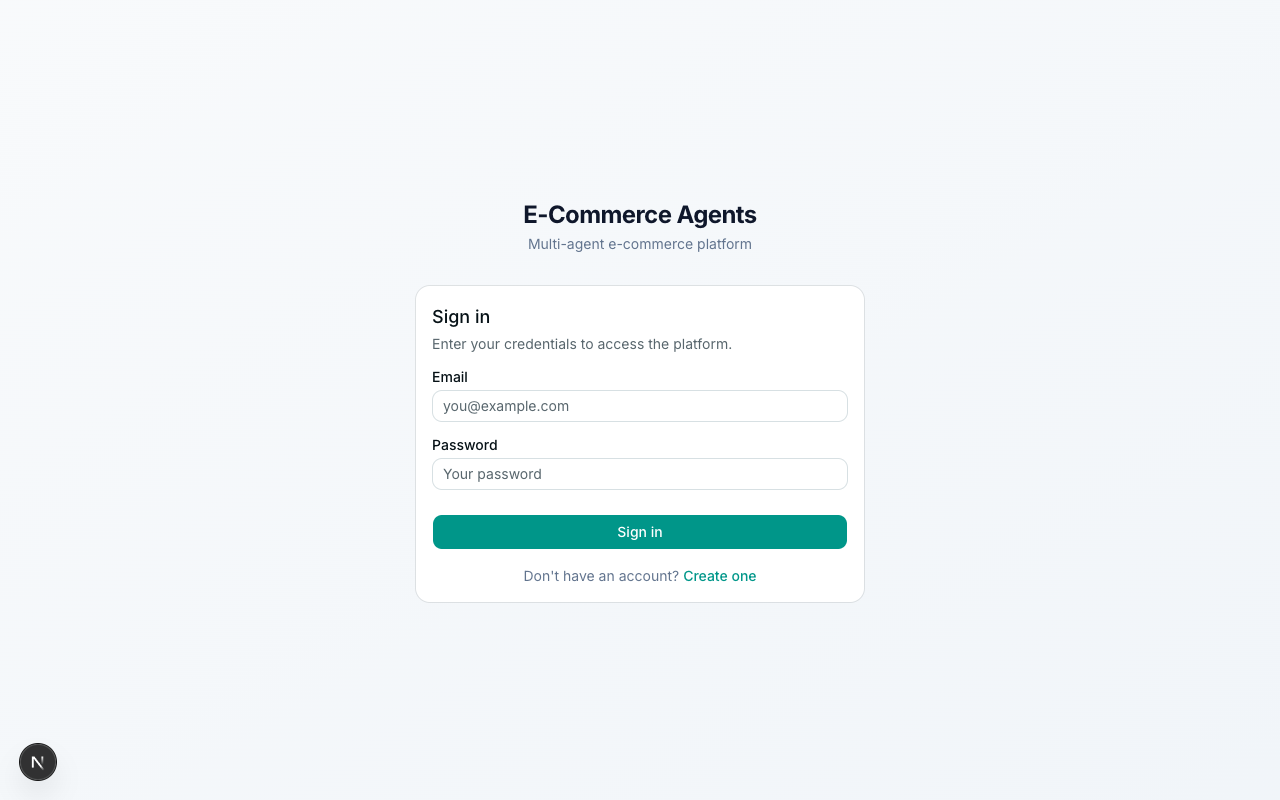
ECommerce Agents uses a self-contained JWT scheme with two token types: access tokens (60-minute expiry) and refresh tokens (7-day expiry). No external identity provider – bcrypt for password hashing and PyJWT for token management.
# Python — Microsoft Agent Framework (Python SDK)
# agents/shared/jwt_utils.py

ALGORITHM = "HS256"
ACCESS_TOKEN_EXPIRE_MINUTES = 60
REFRESH_TOKEN_EXPIRE_DAYS = 7


def hash_password(password: str) -> str:
    return bcrypt.hashpw(password.encode(), bcrypt.gensalt()).decode()


def verify_password(password: str, password_hash: str) -> bool:
    return bcrypt.checkpw(password.encode(), password_hash.encode())


def create_access_token(email: str, role: str, user_id: str) -> str:
    expire = datetime.now(timezone.utc) + timedelta(minutes=ACCESS_TOKEN_EXPIRE_MINUTES)
    payload = {
        "sub": email,
        "role": role,
        "user_id": user_id,
        "exp": expire,
        "type": "access",
    }
    return jwt.encode(payload, settings.JWT_SECRET, algorithm=ALGORITHM)


def decode_token(token: str) -> dict:
    """Raises jwt.InvalidTokenError on failure."""
    return jwt.decode(token, settings.JWT_SECRET, algorithms=[ALGORITHM])
A few design decisions worth calling out:
The type field distinguishes access tokens from refresh tokens. Without this, a refresh token could be used as an access token – same secret, same algorithm, same decode function. The middleware explicitly rejects tokens where type != "access".
Role is embedded in the token. Role (customer, seller, admin) is baked into the JWT at login. Authorization decisions downstream don’t require a database round-trip. The tradeoff: role changes don’t take effect until the current access token expires (at most 60 minutes).
The login flow:
# Python — Microsoft Agent Framework (Python SDK)
@router.post("/api/auth/login", response_model=AuthResponse)
async def login(body: LoginRequest) -> AuthResponse:
    row = await pool.fetchrow(
        "SELECT id, email, password_hash, role, is_active FROM users WHERE email = $1",
        body.email,
    )

    if not row:
        raise HTTPException(status_code=401, detail="Invalid email or password")
    if not row["is_active"]:
        raise HTTPException(status_code=403, detail="Account is deactivated")
    if not verify_password(body.password, row["password_hash"]):
        raise HTTPException(status_code=401, detail="Invalid email or password")

    access_token = create_access_token(row["email"], row["role"], str(row["id"]))
    refresh_token = create_refresh_token(row["email"])
    # ... return AuthResponse
Same “Invalid email or password” message for both missing user and wrong password – prevents email enumeration.
Role-Based Access Control#
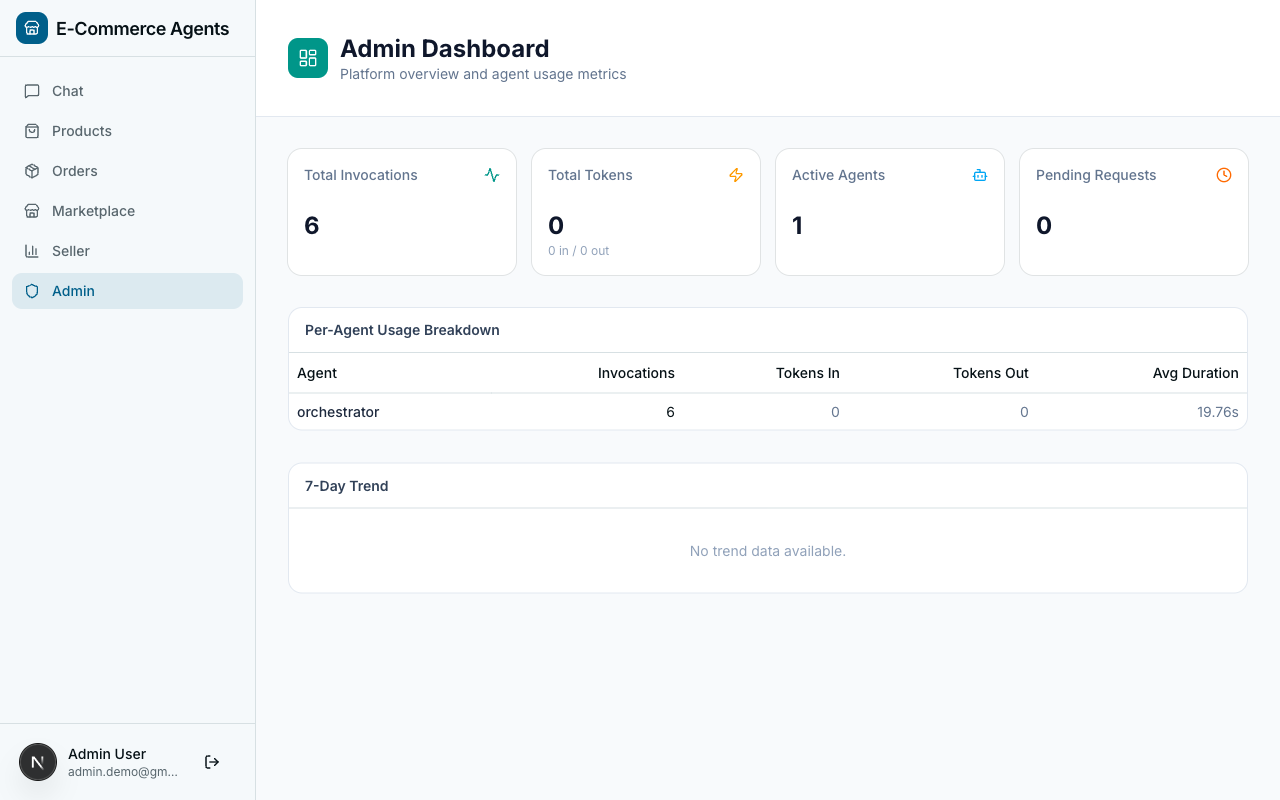
ECommerce Agents defines four roles:
| Role | What They Access |
|---|---|
customer | Their own orders, products, reviews, promotions, and loyalty status |
power_user | Same as customer, plus early access to promotions and higher API rate limits |
seller | Their own products, inventory levels, order fulfillment, and reviews on their products |
admin | Everything – all users, all data, platform-wide metrics, agent management |
The role is enforced at two levels. At the API level, FastAPI dependencies gate entire endpoints. At the agent level, role-specific prompt instructions change what the agent does with the same underlying tools.
User-Scoped Data with ContextVars#
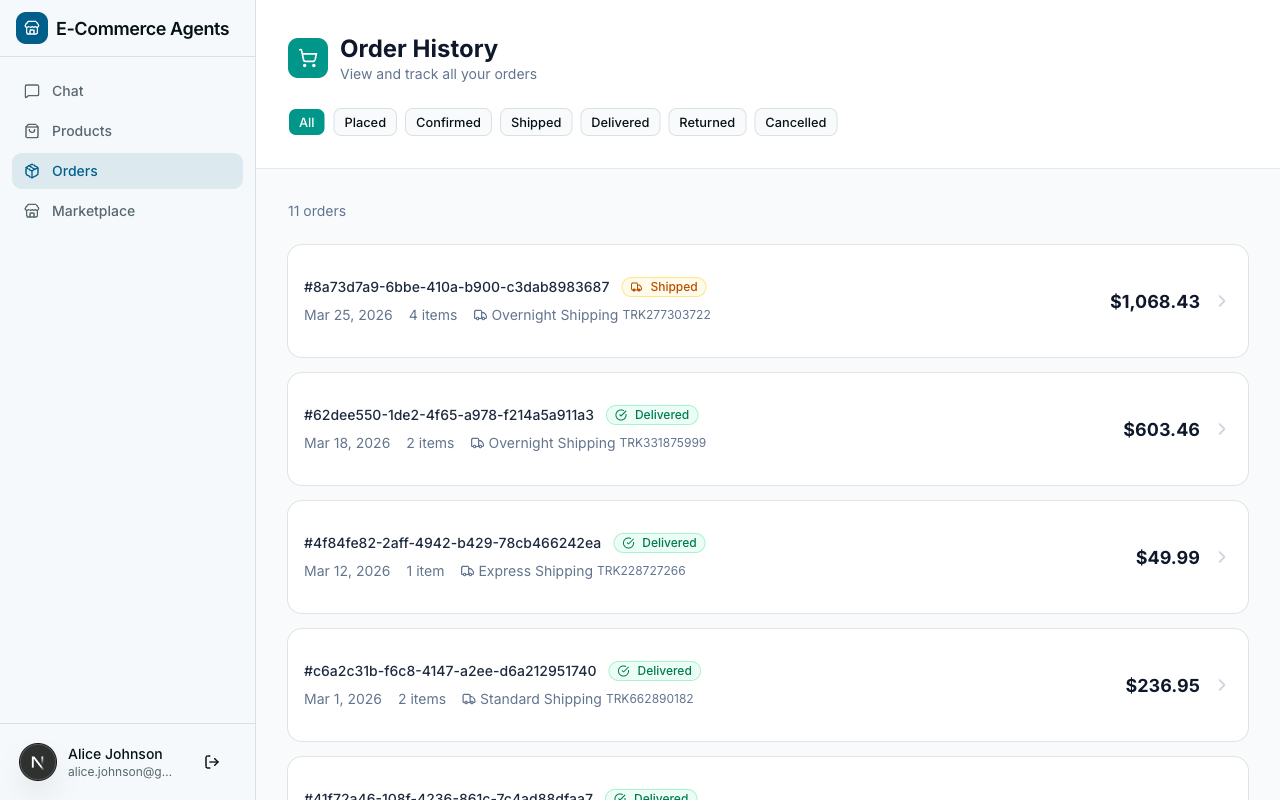
This is the most important security pattern in the entire system. Every tool that touches user data reads the current user’s identity from a ContextVar – not from a function parameter, and critically, not from the LLM’s output.
# Python — Microsoft Agent Framework (Python SDK)
# agents/shared/context.py

from contextvars import ContextVar

current_user_email: ContextVar[str] = ContextVar("current_user_email", default="")
current_user_role: ContextVar[str] = ContextVar("current_user_role", default="")
current_session_id: ContextVar[str] = ContextVar("current_session_id", default="")
The auth middleware sets these values when a request arrives. Then every tool reads them implicitly:
# Python — Microsoft Agent Framework (Python SDK)
@tool(name="get_user_orders", description="List orders for the current user.")
async def get_user_orders(
    status: Annotated[str | None, Field(description="Filter by order status")] = None,
    limit: Annotated[int, Field(description="Max number of orders to return")] = 10,
) -> list[dict]:
    email = current_user_email.get()
    if not email:
        return [{"error": "No user context available"}]

    conditions = ["u.email = $1"]
    args: list = [email]
    # ... build query with user email as the mandatory first filter
The critical line is conditions = ["u.email = $1"]. The user’s email is always the first filter in the WHERE clause. The LLM never decides which user’s data to fetch – that is hardcoded from the authenticated context.
Why ContextVars instead of function parameters? Two reasons. First, MAF’s @tool decorator exposes function parameters to the LLM as tool arguments. If user_email were a parameter, the model could hallucinate a different user’s email and pass it in. ContextVars are invisible to the LLM – they exist outside the tool’s schema entirely. Second, ContextVars are natively async-safe in Python. Each asyncio task gets its own copy of the context, so concurrent requests never leak user identity between each other.
Inter-Agent Authentication#
When the orchestrator calls a specialist via A2A, it uses a two-mode middleware:
# Python — Microsoft Agent Framework (Python SDK)
# agents/shared/auth.py

class AgentAuthMiddleware(BaseHTTPMiddleware):
    async def dispatch(self, request, call_next):
        if request.url.path in {"/health", "/.well-known/agent-card.json"}:
            return await call_next(request)

        # Mode 1: Inter-agent trust (shared secret from orchestrator)
        agent_secret = request.headers.get("x-agent-secret")
        if agent_secret:
            if agent_secret != settings.AGENT_SHARED_SECRET:
                return JSONResponse({"error": "Invalid agent secret"}, status_code=401)

            current_user_email.set(request.headers.get("x-user-email", "system"))
            current_user_role.set(request.headers.get("x-user-role", "system"))
            return await call_next(request)

        # Mode 2: User JWT (for direct API calls)
        auth_header = request.headers.get("authorization", "")
        token = auth_header.removeprefix("Bearer ")
        payload = decode_token(token)  # raises on invalid/expired
        current_user_email.set(payload.get("sub", ""))
        current_user_role.set(payload.get("role", "customer"))
        return await call_next(request)
Specialist agents don’t need to know whether they were called by the orchestrator or directly by a user with a JWT. Either way, ContextVars get set with the authenticated identity, and every downstream tool calls current_user_email.get().
Role-Aware Prompts#
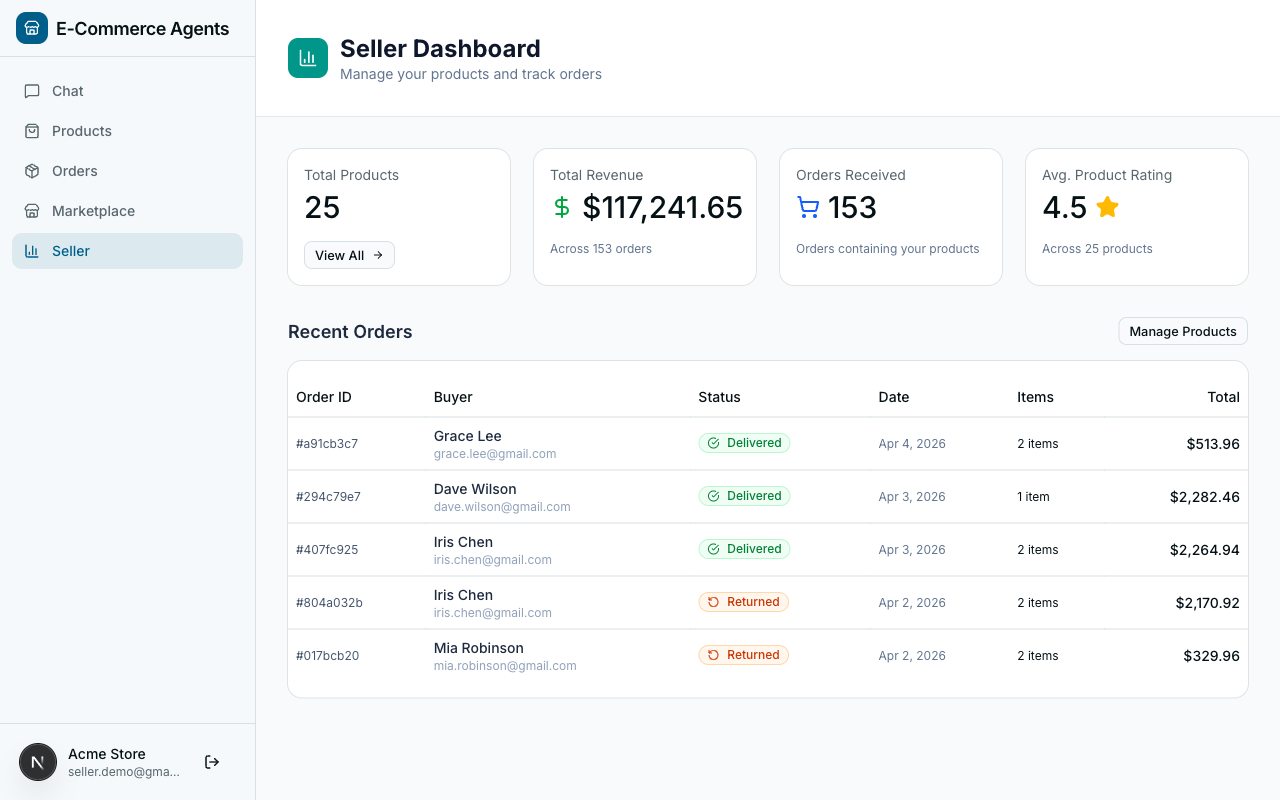
The orchestrator loads different system prompts based on the authenticated user’s role:
# agents/config/prompts/orchestrator.yaml
system_prompt:
  base: |
    You are the Customer Support orchestrator for this e-commerce platform.
    # ... base instructions for all roles

  role_instructions:
    customer: |
      This user is a customer. Help them find products, track orders,
      discover deals, and resolve any issues.
    seller: |
      This user is a seller on the platform. They may ask about their
      own products, inventory levels, and customer reviews on their products.
    admin: |
      This user is an admin with full access to all data and agents.
      They can query any user's data and view platform-wide metrics.
Same agent, same tools, different behavior – driven entirely by the authenticated role flowing into the prompt.
API Endpoint RBAC#
FastAPI dependencies gate entire endpoints by role:
# Python — Microsoft Agent Framework (Python SDK)
async def require_auth(request: Request) -> dict:
    token = request.headers.get("authorization", "").removeprefix("Bearer ")
    payload = decode_token(token)  # raises HTTPException 401 on failure
    if payload.get("type") != "access":
        raise HTTPException(status_code=401, detail="Invalid token type")
    current_user_email.set(payload.get("sub", ""))
    current_user_role.set(payload.get("role", "customer"))
    return payload


async def require_admin(user: dict = Depends(require_auth)) -> dict:
    if user.get("role") != "admin":
        raise HTTPException(status_code=403, detail="Admin access required")
    return user


async def require_seller(user: dict = Depends(require_auth)) -> dict:
    if user.get("role") not in ("seller", "admin"):
        raise HTTPException(status_code=403, detail="Seller access required")
    return user

# Usage:
@router.get("/api/admin/usage")
async def get_usage_stats(admin: dict = Depends(require_admin)):
    ...

@router.get("/api/seller/products")
async def list_seller_products(user: dict = Depends(require_seller)):
    ...
Authentication always runs first (401 = “who are you?”). Role check runs after (403 = “are you allowed?”). Clear signals to the frontend for handling each case.
Security Checklist#
- Parameterized SQL everywhere. Every query uses asyncpg’s
$1, $2syntax. No string interpolation of user input. SQL injection eliminated at the driver level. - User-scoped queries as default. Every tool that touches user data includes
u.email = $1. There is no “get all orders” tool exposed to the LLM. - Token type enforcement. The
typefield prevents cross-use of access and refresh tokens. - Constant-time password comparison. bcrypt’s
checkpwis inherently timing-safe. - Account deactivation. Login checks
is_activebefore issuing tokens. - Error message uniformity. “Invalid email or password” for all failed logins – no email enumeration.
- Shared secret rotation.
AGENT_SHARED_SECRETis externalized to environment variables. Rotation requires restarting agents, no code changes.
Part B: Docker Compose Deployment#
Architecture#
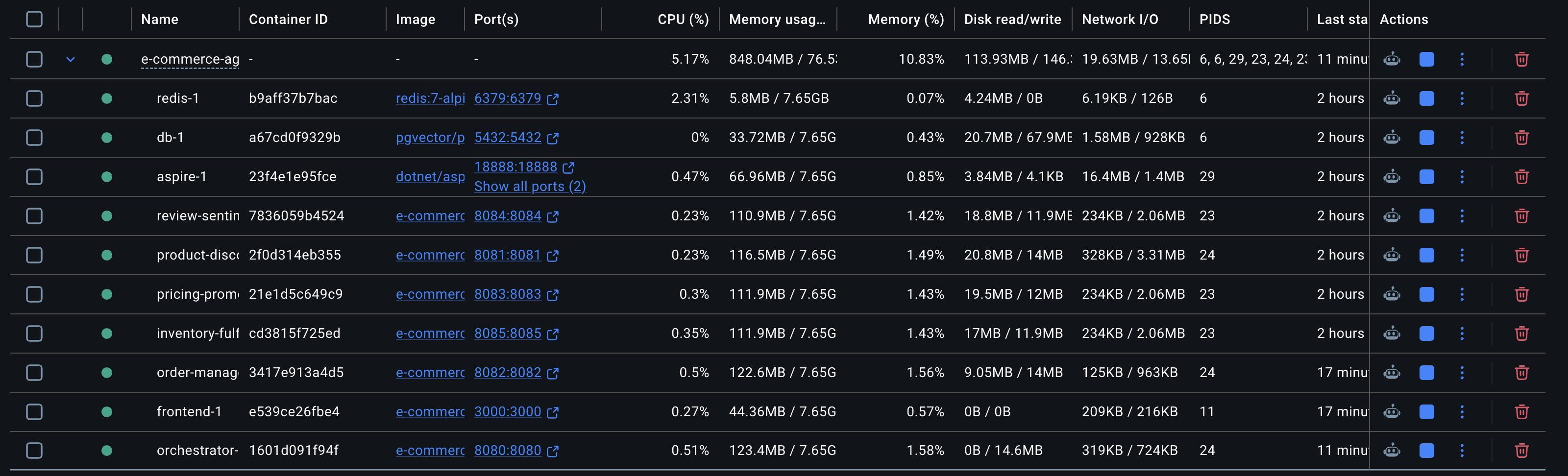
ECommerce Agents runs 11 services organized into four groups using Docker Compose profiles:
Profiles let you start subsets of the stack independently – docker compose up -d db redis aspire for just infrastructure, or docker compose --profile agents up -d for agents without the frontend.
YAML Anchors for Shared Configuration#
Every agent needs the same 20+ environment variables. Rather than duplicating them, the orchestrator defines the canonical set and specialists merge it:
orchestrator:
  environment: &agent-env
    DATABASE_URL: postgresql://ecommerce:ecommerce_secret@db:5432/ecommerce_agents
    REDIS_URL: redis://redis:6379
    LLM_PROVIDER: ${LLM_PROVIDER:-openai}
    OPENAI_API_KEY: ${OPENAI_API_KEY:-}
    LLM_MODEL: ${LLM_MODEL:-gpt-4.1}
    JWT_SECRET: ${JWT_SECRET:-change-me-in-production}
    AGENT_SHARED_SECRET: ${AGENT_SHARED_SECRET:-agent-internal-shared-secret}
    OTEL_ENABLED: "true"
    OTEL_EXPORTER_OTLP_ENDPOINT: http://aspire:18889
    OTEL_SERVICE_NAME: ecommerce.orchestrator
    AGENT_REGISTRY: >-
      {
        "product-discovery": "http://product-discovery:8081",
        "order-management": "http://order-management:8082",
        ...
      }

product-discovery:
  environment:
    <<: *agent-env
    OTEL_SERVICE_NAME: ecommerce.product-discovery
The &agent-env anchor defines the base. <<: *agent-env merges it into each specialist. Only OTEL_SERVICE_NAME is overridden per agent so traces are properly attributed in the Aspire Dashboard.
Multi-Target Dockerfile#
One Dockerfile builds all 6 agents using AGENT_NAME and AGENT_PORT build arguments:
FROM python:3.12-slim AS base

RUN apt-get update && \
    apt-get install -y --no-install-recommends gcc libpq-dev curl && \
    rm -rf /var/lib/apt/lists/*

COPY --from=ghcr.io/astral-sh/uv:latest /uv /uvx /bin/

# Create non-root user
RUN groupadd -r agent && useradd -r -g agent -d /app -s /sbin/nologin agent

WORKDIR /app

# Install Python dependencies (cached -- same for all agents)
COPY pyproject.toml .
RUN uv sync --no-dev --no-install-project

# Copy shared library
COPY shared/ shared/
COPY config/ config/

# Agent-specific copy
ARG AGENT_NAME=orchestrator
ARG AGENT_PORT=8080

COPY ${AGENT_NAME}/ ${AGENT_NAME}/

RUN chown -R agent:agent /app

ENV AGENT_NAME=${AGENT_NAME}
ENV AGENT_PORT=${AGENT_PORT}
ENV PYTHONPATH=/app
ENV UV_CACHE_DIR=/app/.cache/uv

USER agent
EXPOSE ${AGENT_PORT}

HEALTHCHECK --interval=15s --timeout=5s --start-period=30s --retries=3 \
    CMD curl -f http://localhost:${AGENT_PORT}/health || exit 1

CMD uv run --no-project uvicorn ${AGENT_NAME}.main:app --host 0.0.0.0 --port ${AGENT_PORT}
Every agent shares the same Python dependencies and shared/ library. The uv sync layer is cached once and reused for all 6 builds. Only the final COPY ${AGENT_NAME}/ layer differs.
In docker-compose.yml:
product-discovery:
  build:
    context: ./agents
    args: { AGENT_NAME: product_discovery, AGENT_PORT: 8081 }
The --start-period=30s on the health check is important. Agents need time to initialize: uv resolves the virtual environment, Python imports the module, the database pool is created, and OpenTelemetry starts. Without a start period, Docker would mark containers unhealthy before they boot.
The dev.sh Script#
One command gets everything running:
./scripts/dev.sh              # Full rebuild and start everything
./scripts/dev.sh --clean      # Nuke volumes, rebuild from scratch
./scripts/dev.sh --seed-only  # Re-run seeder against existing DB
./scripts/dev.sh --infra-only # Start db + redis + aspire only
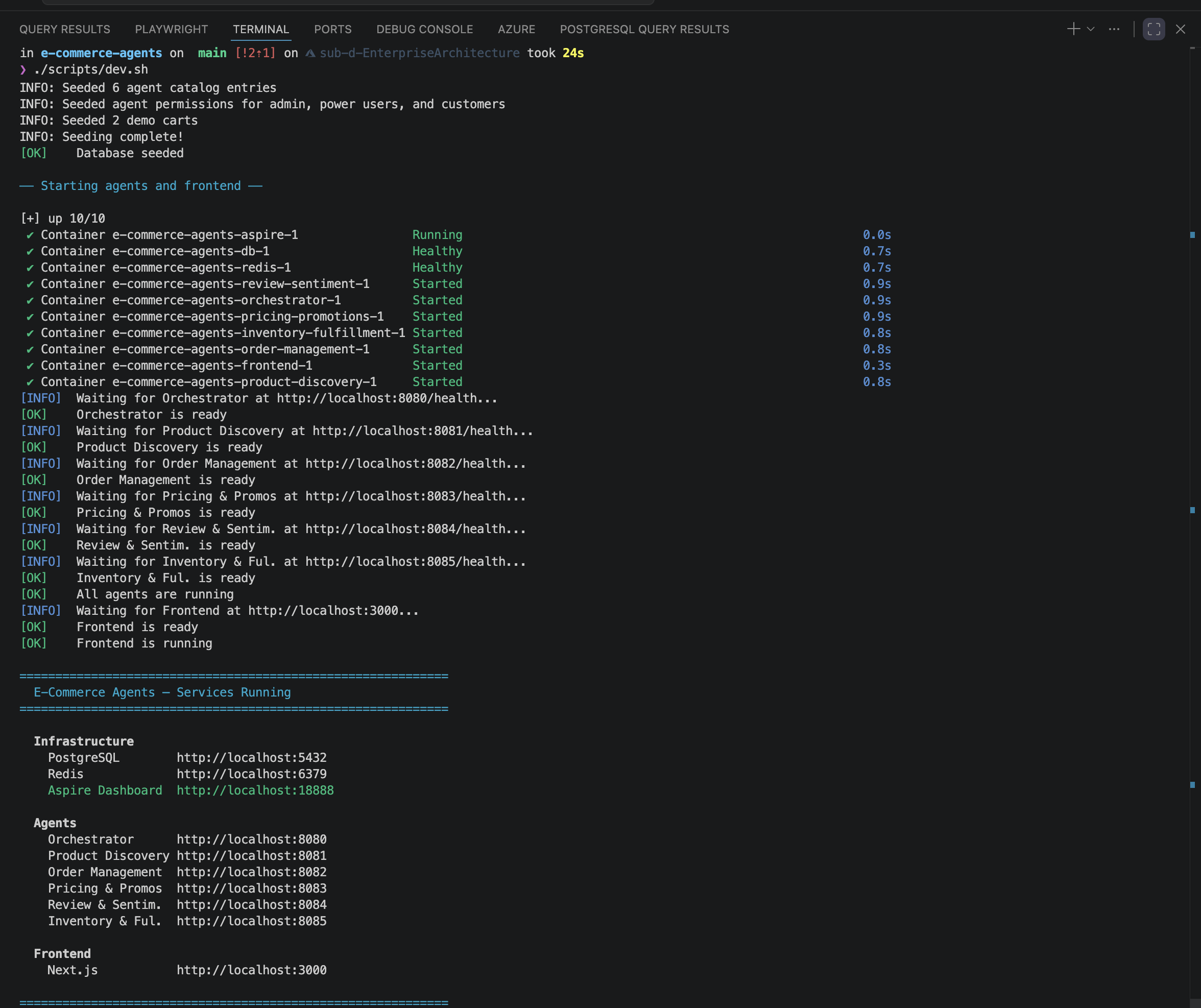
The script follows a strict sequence with health checks at each gate:
- Prerequisite check (Docker and Docker Compose v2)
- Environment check (create
.envfrom.env.exampleif missing) - Build all agent images
- Start infrastructure (
db,redis,aspire) - Wait for health (
pg_isready,redis-cli ping) - Run seeder (one-shot container that exits after seeding)
- Start agents – poll each agent’s
/healthendpoint - Start frontend – poll
http://localhost:3000 - Print service URL summary
Environment Configuration#
Copy .env.example to .env and configure your LLM provider:
OpenAI (default for local development):
LLM_PROVIDER=openai
OPENAI_API_KEY=sk-your-key-here
LLM_MODEL=gpt-4.1
Azure OpenAI:
LLM_PROVIDER=azure
AZURE_OPENAI_ENDPOINT=https://your-resource.openai.azure.com/
AZURE_OPENAI_KEY=your-key
AZURE_OPENAI_DEPLOYMENT=gpt-4.1
AZURE_OPENAI_API_VERSION=2025-03-01-preview
Both providers use the same ChatClient interface. Switching requires changing one variable – no code changes.
Generate proper secrets:
python -c "import secrets; print(secrets.token_hex(32))"Port Map#
| Service | Host Port | Purpose |
|---|---|---|
| PostgreSQL | 5432 | Database (pgvector) |
| Redis | 6379 | Cache |
| Aspire Dashboard UI | 18888 | Telemetry visualization |
| Orchestrator | 8080 | Customer Support agent (API gateway) |
| Product Discovery | 8081 | Product search and recommendations |
| Order Management | 8082 | Order CRUD and tracking |
| Pricing & Promotions | 8083 | Pricing rules and coupon engine |
| Review & Sentiment | 8084 | Review analysis and sentiment |
| Inventory & Fulfillment | 8085 | Stock management and shipping |
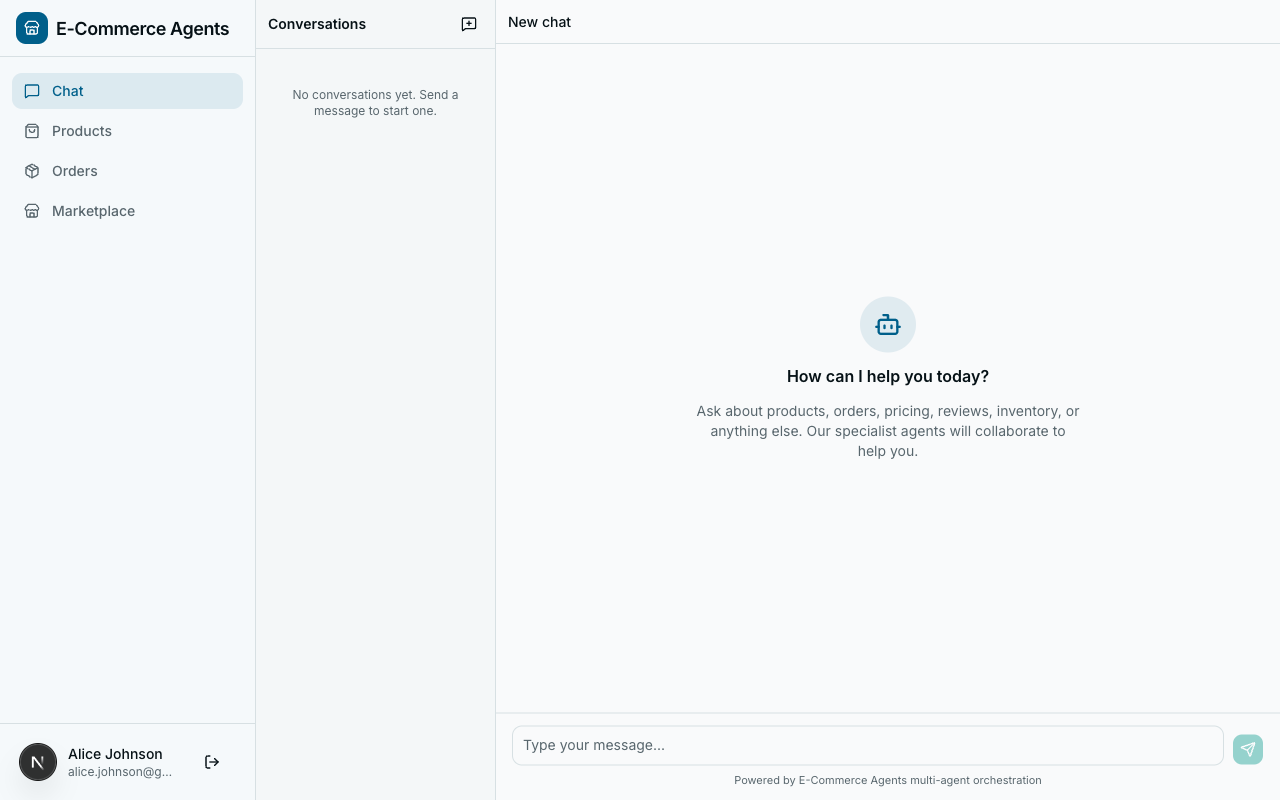
| Frontend (Next.js) | 3000 | Web UI |
Database Seeding#
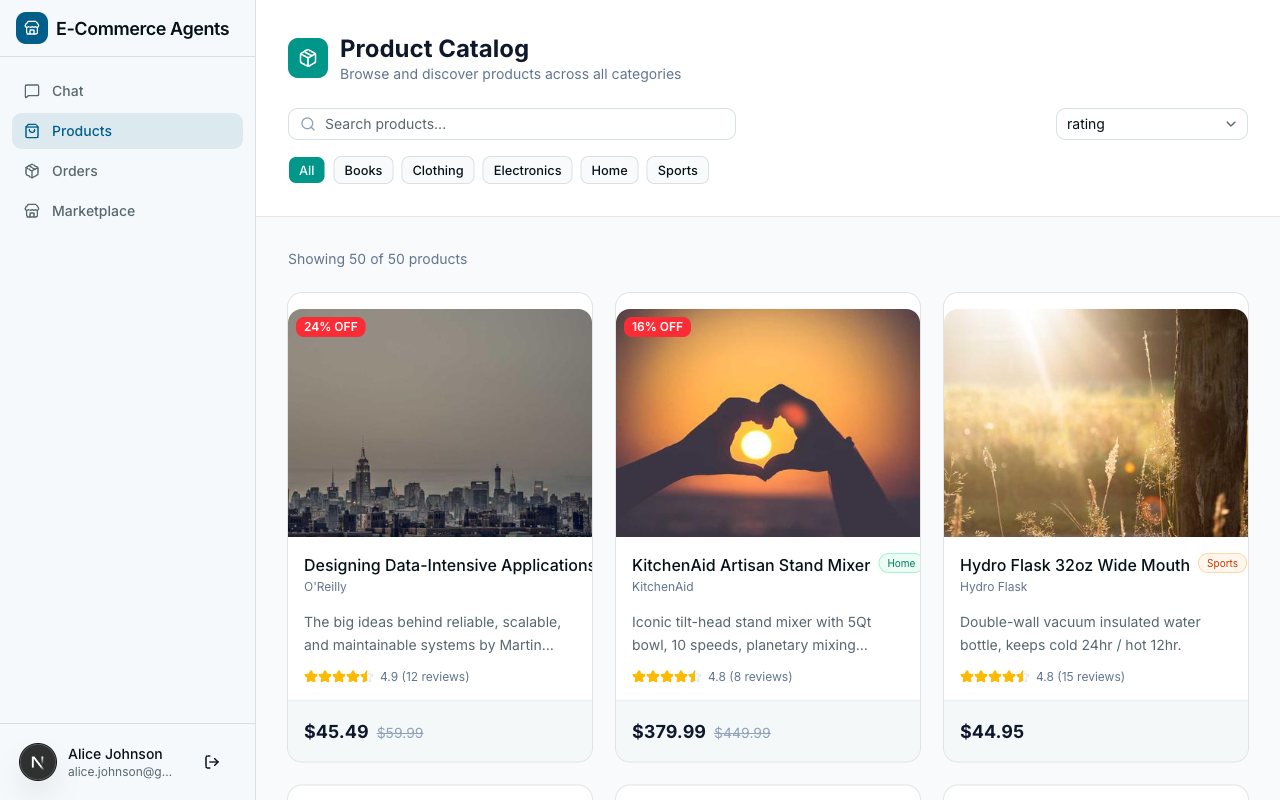
The seeder runs as a one-shot container and populates:
- 20 users with hashed passwords (bcrypt) and assigned roles
- 50 products across categories (electronics, clothing, home, sports)
- 200 orders with line items, shipping addresses, and status history
- 500 reviews with star ratings and text content
To re-seed:
./scripts/dev.sh --seed-onlyThe seed script is idempotent – it truncates existing data before inserting.
Troubleshooting#
Port already in use. Find the process with lsof -i :5432 and stop it, or change the host port in docker-compose.yml.
Missing API key. Open .env and replace the placeholder with your actual key. If using Azure OpenAI, set LLM_PROVIDER=azure and fill in Azure-specific variables.
Database connection refused. Run docker compose ps to check container status. If db shows as unhealthy, check docker compose logs db. Common cause: the init.sql script has a syntax error.
Health check timeout. Check docker compose logs orchestrator for the root cause. Common: LLM credentials wrong (agent validates at startup), missing environment variable (Pydantic Settings logs exactly which field), or memory pressure (docker stats to check).
uv cache permission denied. Rebuild with ./scripts/dev.sh --clean.
What’s Next#
The platform is running, secured, and observable. Advanced capabilities are next:
In Part 8: Agent Memory, we give agents the ability to remember user preferences and past interactions across sessions – so every conversation feels personal rather than starting from scratch.
The complete source code is available at github.com/nitin27may/e-commerce-agents.