

When a user asks “Where is my order?”, the request travels through 3 services, 2 LLM calls, and 4 database queries. The orchestrator receives the message, calls the LLM to classify intent, delegates to the order management agent via A2A protocol, which calls its own LLM, executes a tool that queries the database, and returns a response that the orchestrator synthesizes into a human-readable answer.
That is the happy path. Now imagine it takes 12 seconds instead of 3. Which step is slow? Is the LLM taking longer than usual? Did a database query miss an index? Is the network hop between agents introducing latency? Without observability, you are guessing. With six agents, three LLM providers, a database, and Redis all in play, guessing does not scale.
This article covers how ECommerce Agents instruments every agent with OpenTelemetry – a single function call that gives you distributed traces across all services, auto-instrumented LLM calls and database queries, and a visual dashboard to see exactly what happened during any request.
Source code: github.com/nitin27may/e-commerce-agents – clone, run
docker compose up, and follow along.
Why Observability Is Critical for Agents#
Traditional web services are relatively predictable. A REST endpoint receives a request, runs some business logic, queries a database, returns a response. The call graph is deterministic.
AI agents are different in four fundamental ways:
Non-deterministic execution paths. The same user input can produce different tool call sequences depending on the LLM’s reasoning. “Show me running shoes under $100” might trigger a semantic search tool one time and a category filter tool the next. You cannot predict which code path will execute.
Multi-service call chains. A single user message can fan out across multiple specialist agents. The orchestrator might call product discovery for search results, then pricing for discount calculations, then inventory for stock checks. Each hop adds latency and failure potential.
LLM latency dominates. In a traditional microservices system, database queries are usually the bottleneck. In agent systems, LLM calls routinely take 1-5 seconds each. When you have two LLM calls in a single request (orchestrator classification + specialist reasoning), that is 2-10 seconds of wall time from LLM inference alone.
Tool failures are silent by default. When a tool function raises an exception, the LLM receives an error message and tries to recover. From the user’s perspective, the response might just seem slightly off. Without tracing, you have no visibility into which tool failed or why.
These characteristics make traditional logging insufficient. You need distributed traces that show the full lifecycle of a request across every service boundary, every LLM call, and every database query.
OpenTelemetry Primer#
OpenTelemetry (OTel) is the industry-standard framework for collecting telemetry data. It provides three signal types, each solving a different observability need.
Traces represent the full lifecycle of a request. A trace is a tree of spans – when a user sends “Where is my order?”, the trace captures every operation from the initial HTTP request through LLM calls, inter-agent communication, tool execution, and database queries. Each trace has a unique trace_id that correlates all these operations.
Spans are the individual operations within a trace. Each span has a name, duration, status, and attributes. Spans nest – an HTTP request span contains an LLM call span, which contains a tool execution span, which contains a database query span. The parent-child relationships show you exactly where time is spent.
Metrics are aggregated measurements: request counts, latency histograms, error rates. Unlike traces (which capture individual requests), metrics give you the big picture. How many requests per minute? What is the p99 latency? What percentage of LLM calls are failing?
Logs with trace correlation bridge traditional logging with distributed tracing. When a Python logger.warning("User not found") fires during a traced request, OTel injects the trace_id and span_id into the log record. You can jump from a log entry straight to the trace that produced it.
In ECommerce Agents, all four signals flow to a single destination: the .NET Aspire Dashboard.
Setup: One Function Call#
Every agent in ECommerce Agents initializes telemetry with a single call during startup. Here is the orchestrator’s lifespan:
@asynccontextmanager
async def lifespan(app: FastAPI):
    setup_telemetry("ecommerce.orchestrator")
    instrument_fastapi(app)
    await init_db_pool()
    logger.info("orchestrator.started")
    yield
    await close_db_pool()
And a specialist agent follows the same pattern:
async def on_startup(app):
    setup_telemetry("ecommerce.product-discovery")
    instrument_fastapi(app)
    await init_db_pool()
That setup_telemetry() call does all the heavy lifting. Here is what happens inside:
def setup_telemetry(service_name: str, service_version: str = "1.0.0") -> None:
    global _initialized
    if _initialized:
        return

    if not settings.OTEL_ENABLED:
        logger.info("OpenTelemetry disabled (OTEL_ENABLED=false)")
        _initialized = True
        return

    try:
        _do_setup(service_name, service_version)
        _initialized = True
        logger.info("OpenTelemetry initialized for %s", service_name)
    except Exception:
        logger.exception(
            "Failed to initialize OpenTelemetry — continuing without telemetry"
        )
        _initialized = True
Three design decisions worth noting:
Idempotent. The _initialized guard means you can call setup_telemetry() multiple times without side effects. This matters when running tests or when agent initialization order is unpredictable.
Graceful degradation. If the Aspire Dashboard is unreachable or an OTel dependency is missing, the agent logs a warning and continues operating normally. Telemetry failure never takes down the application.
Environment-controlled. The OTEL_ENABLED setting (default false) means telemetry adds zero overhead in environments where you do not want it. Flip it to true in Docker Compose or your deployment manifests.
The _do_setup() function configures the three OTel providers – traces, metrics, and logs – with OTLP exporters pointed at the Aspire Dashboard:
def _do_setup(service_name: str, service_version: str) -> None:
    endpoint = settings.OTEL_EXPORTER_OTLP_ENDPOINT.rstrip("/")

    resource = Resource.create({
        SERVICE_NAME: service_name,
        SERVICE_VERSION: service_version,
        "deployment.environment": settings.ENVIRONMENT,
    })

    # Try gRPC first (Aspire default), fall back to HTTP
    try:
        from opentelemetry.exporter.otlp.proto.grpc.trace_exporter import OTLPSpanExporter
        from opentelemetry.exporter.otlp.proto.grpc.metric_exporter import OTLPMetricExporter
        span_exporter = OTLPSpanExporter(endpoint=endpoint, insecure=True)
        metric_exporter = OTLPMetricExporter(endpoint=endpoint, insecure=True)
    except ImportError:
        from opentelemetry.exporter.otlp.proto.http.trace_exporter import OTLPSpanExporter
        from opentelemetry.exporter.otlp.proto.http.metric_exporter import OTLPMetricExporter
        span_exporter = OTLPSpanExporter(endpoint=f"{endpoint}/v1/traces")
        metric_exporter = OTLPMetricExporter(endpoint=f"{endpoint}/v1/metrics")

    # Traces
    tracer_provider = TracerProvider(resource=resource)
    tracer_provider.add_span_processor(BatchSpanProcessor(span_exporter))
    trace.set_tracer_provider(tracer_provider)

    # Metrics
    metric_reader = PeriodicExportingMetricReader(
        metric_exporter, export_interval_millis=15000
    )
    meter_provider = MeterProvider(resource=resource, metric_readers=[metric_reader])
    metrics.set_meter_provider(meter_provider)

    # Auto-instrument libraries
    _instrument_httpx()
    _instrument_asyncpg()
    _instrument_logging()
The Resource object tags every span, metric, and log with the service name. This is how the Aspire Dashboard distinguishes between ecommerce.orchestrator and ecommerce.product-discovery in the trace view. The deployment.environment attribute lets you filter by development, staging, or production if you deploy the same telemetry pipeline across environments.
Auto-Instrumentation (Zero Code)#
The real power of OTel is auto-instrumentation. After setup_telemetry() runs, four instrumentors silently wrap the libraries your agents already use. No code changes in your agent logic, tools, or routes.
httpx – LLM and A2A Calls#
def _instrument_httpx() -> None:
    try:
        from opentelemetry.instrumentation.httpx import HTTPXClientInstrumentor
        HTTPXClientInstrumentor().instrument()
    except Exception:
        logger.warning("Failed to instrument httpx — LLM and A2A call spans may be missing")
This single call intercepts every outbound HTTP request made by httpx. In ECommerce Agents, that covers two critical paths: OpenAI/Azure OpenAI API calls (every LLM inference) and A2A inter-agent calls (orchestrator to specialist agents). Each request becomes a span with URL, method, status code, and duration. When the orchestrator calls POST https://api.openai.com/v1/chat/completions, you see it in the trace with the exact latency.
asyncpg – Database Queries#
def _instrument_asyncpg() -> None:
    try:
        from opentelemetry.instrumentation.asyncpg import AsyncPGInstrumentor
        AsyncPGInstrumentor().instrument()
    except Exception:
        logger.warning("Failed to instrument asyncpg — DB query spans may be missing")
Every PostgreSQL query executed via asyncpg becomes a span. The span captures the SQL text with parameterized placeholders ($1, $2) – not the actual values – so you get query visibility without leaking sensitive data. When a tool runs SELECT * FROM orders WHERE user_email = $1 AND id = $2, you see exactly that in the trace.
FastAPI / Starlette – HTTP Request Spans#
def instrument_fastapi(app: Any) -> None:
    if not settings.OTEL_ENABLED:
        return
    try:
        from opentelemetry.instrumentation.fastapi import FastAPIInstrumentor
        FastAPIInstrumentor.instrument_app(app)
    except Exception:
        logger.exception("Failed to instrument FastAPI")
The orchestrator uses FastAPI; specialist agents run on Starlette via A2AAgentHost. Both get instrumented. Every inbound HTTP request creates a root span with the route, method, status code, and duration. These root spans become the top of your trace tree.
Python Logging – Trace Correlation#
def _instrument_logging() -> None:
    try:
        from opentelemetry.instrumentation.logging import LoggingInstrumentor
        LoggingInstrumentor().instrument(set_logging_format=False)
    except Exception:
        logger.warning("Failed to instrument logging")
This injects otelTraceID and otelSpanID into every Python LogRecord. When you see a warning in your logs, you can correlate it back to the exact trace and span that produced it. The set_logging_format=False flag preserves your existing log format – OTel adds the fields without changing how logs look in stdout.
Each instrumentor is wrapped in its own try/except. If one fails (say, the asyncpg instrumentor is not installed), the others still load. Partial observability is better than no observability.
Custom Spans#
Auto-instrumentation handles the common cases, but two operations in ECommerce Agents need custom spans.
A2A Call Span#
When the orchestrator delegates to a specialist, you want to see “orchestrator called product-discovery” as a logical unit in the trace, wrapping the HTTP call and everything the specialist does. The a2a_call_span() context manager creates this:
@contextmanager
def a2a_call_span(source_agent: str, target_agent: str, target_url: str):
    tracer = get_tracer("ecommerce.orchestrator")
    with tracer.start_as_current_span(
        "agent.a2a_call",
        attributes={
            "agent.source": source_agent,
            "agent.target": target_agent,
            "agent.target_url": target_url,
        },
    ) as span:
        try:
            yield span
        except Exception as e:
            span.record_exception(e)
            span.set_status(StatusCode.ERROR, str(e))
            raise
Usage in the orchestrator:
with a2a_call_span("orchestrator", "product-discovery", "http://product-discovery:8081/a2a"):
    result = await a2a_client.send(task)
The span attributes let you filter by source/target agent in the dashboard. If the specialist raises an exception, the span records it and sets the error status – so failures are immediately visible in the trace waterfall as red spans.
Traced Tool Decorator#
MAF’s @tool decorator defines the tool for the LLM. The @traced_tool decorator adds observability:
def traced_tool(fn: Callable) -> Callable:
    tracer = get_tracer("ecommerce")

    @wraps(fn)
    async def wrapper(*args: Any, **kwargs: Any) -> Any:
        if not settings.OTEL_ENABLED:
            return await fn(*args, **kwargs)

        with tracer.start_as_current_span(
            "agent.tool_call",
            attributes={"tool.name": fn.__name__},
        ) as span:
            try:
                result = await fn(*args, **kwargs)
                span.set_attribute("tool.success", True)
                return result
            except Exception as e:
                span.record_exception(e)
                span.set_status(StatusCode.ERROR, str(e))
                span.set_attribute("tool.success", False)
                raise

    return wrapper
Apply it after the MAF @tool decorator:
@tool(name="search_products", description="Search the product catalog")
@traced_tool
async def search_products(query: Annotated[str, "Search query"]) -> str:
    ...
Now every tool invocation appears in the trace with its name and success/failure status. When an LLM decides to call search_products, you see exactly how long it took and whether it succeeded.
Cross-Agent Trace Correlation#
The most valuable aspect of distributed tracing in a multi-agent system is seeing a single user request as one trace across all services. Here is how it works.
When the orchestrator makes an HTTP call to a specialist agent via httpx, the httpx instrumentor automatically injects the W3C traceparent header into the outbound request. This header carries the current trace_id and span_id. On the specialist side, the Starlette instrumentor reads the traceparent header from the inbound request and creates a child span under the same trace.
The result: one trace, spanning two services, with full parent-child span relationships preserved.
FastAPI root span"] B["POST api.openai.com
httpx auto-span - LLM intent classification"] C["agent.a2a_call
target=order-management
custom span"] D["POST order-management:8082/a2a
httpx auto-span - carries traceparent"] end subgraph Specialist["ecommerce.order-management"] style Specialist fill:#34a853,stroke:#2d8f47,color:#fff E["Starlette request span
reads traceparent, joins trace"] F["POST api.openai.com
httpx auto-span - LLM reasoning"] G["agent.tool_call: get_order_status
traced_tool span"] H["SELECT ... FROM orders
asyncpg auto-span"] end A --> B B --> C C --> D D --> E E --> F F --> G G --> H
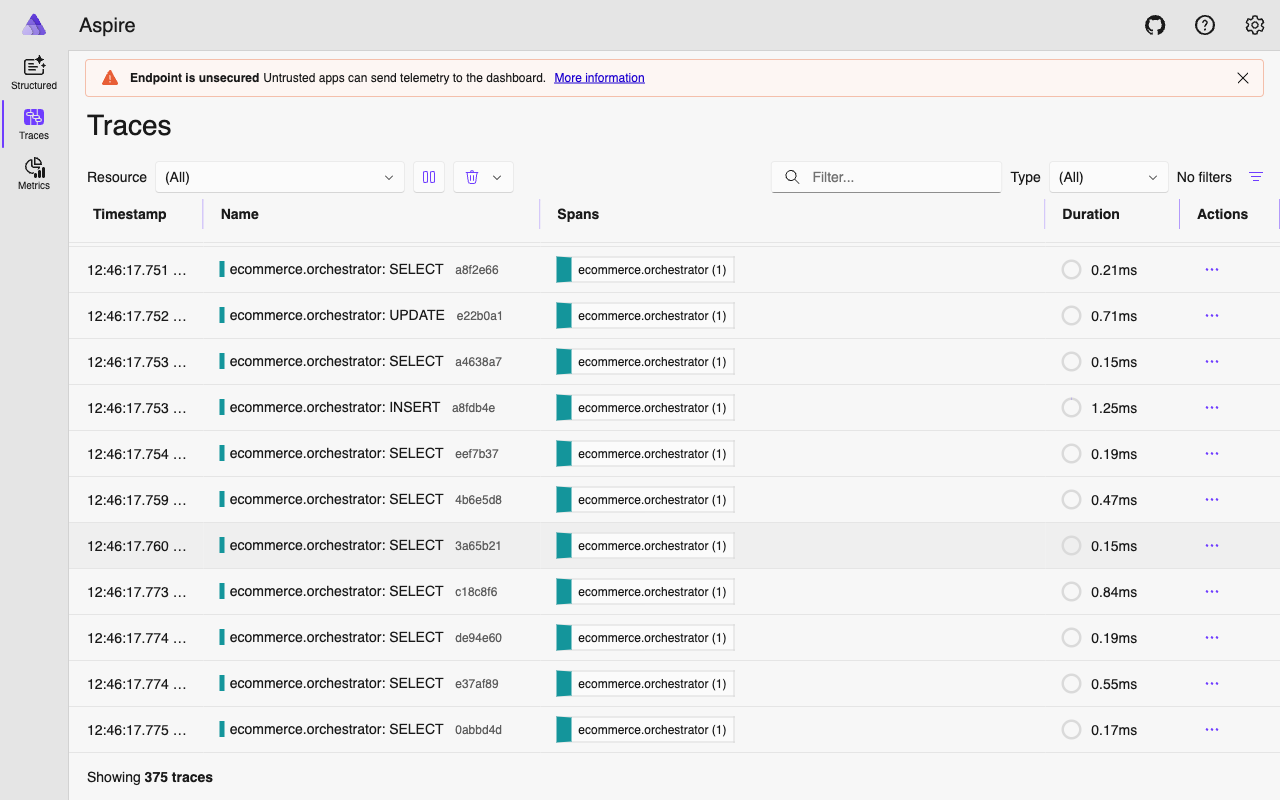
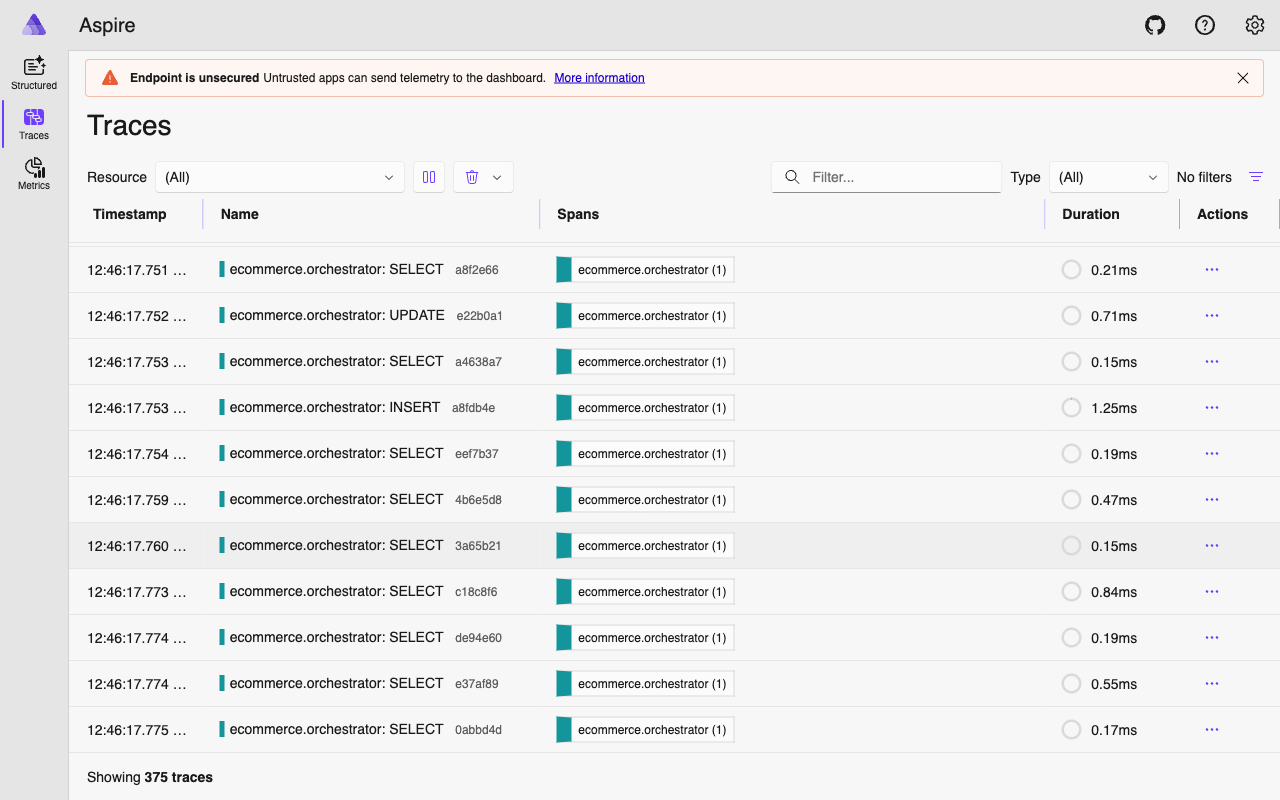
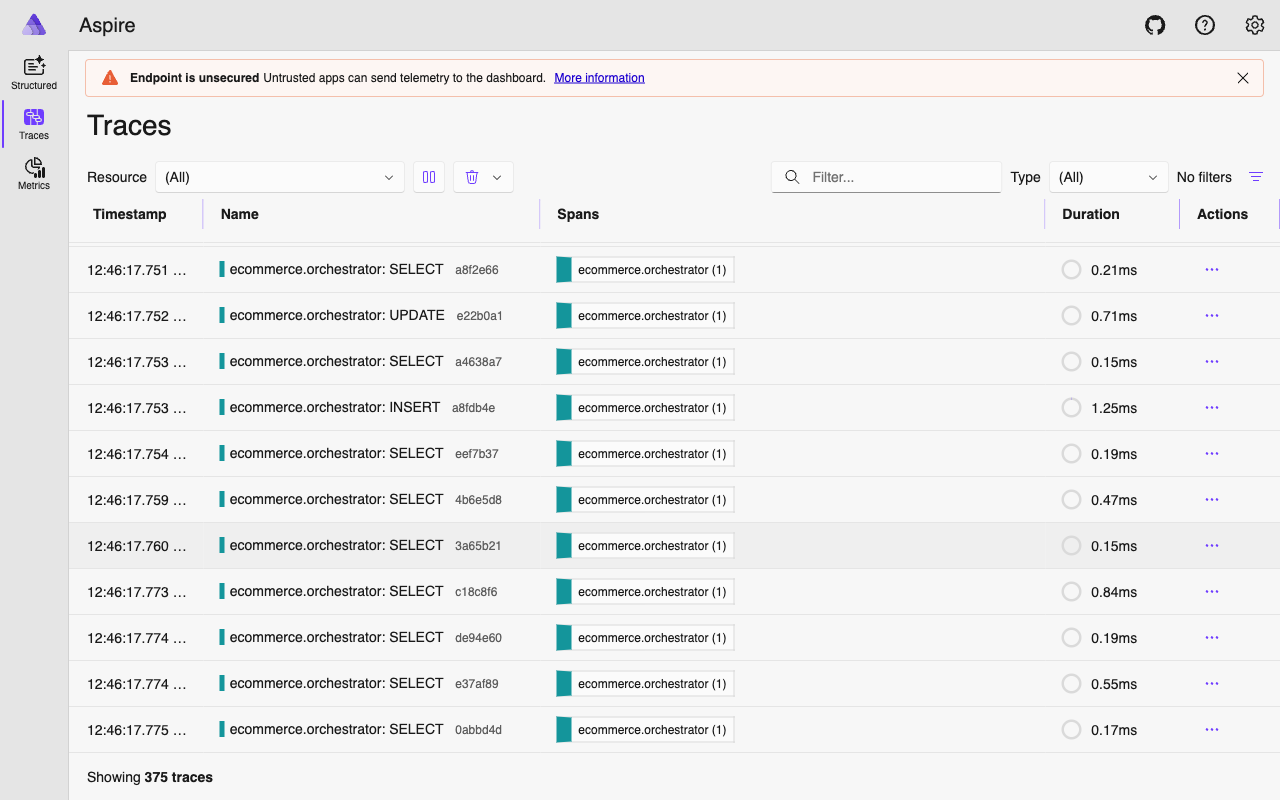
In the Aspire Dashboard, this renders as a single trace with a waterfall view. You see the orchestrator’s HTTP entry, the LLM call for intent classification, the A2A delegation, the specialist’s processing, the specialist’s LLM call, the tool execution, and the database query – all nested correctly with timing information.
This is what makes debugging a 12-second response possible. You open the trace, see that the order management LLM call took 8 seconds, and know exactly where to look.
Aspire Dashboard#
The .NET Aspire Dashboard is the observability UI for ECommerce Agents. It runs as a Docker container and provides a unified view of traces, metrics, logs, and resources – no need for separate Jaeger, Prometheus, and Grafana instances.
Access: http://localhost:18888
The Docker Compose configuration is straightforward:
aspire:
  image: mcr.microsoft.com/dotnet/aspire-dashboard:latest
  ports:
    - "18888:18888"   # Dashboard UI
    - "18890:18889"   # OTLP receiver
  environment:
    DASHBOARD__FRONTEND__AUTHMODE: Unsecured
Every agent depends on the Aspire container and exports telemetry to http://aspire:18889 inside the Docker network. The dashboard UI is exposed on port 18888 on the host.
What You See#
Trace list. All traces across all agents, filterable by service name, duration, and status. Sort by duration to find the slowest requests instantly.
Span waterfall. Click any trace to see the full span tree with timing bars. Parent-child relationships, durations, and attributes are all visible. Error spans appear in red.
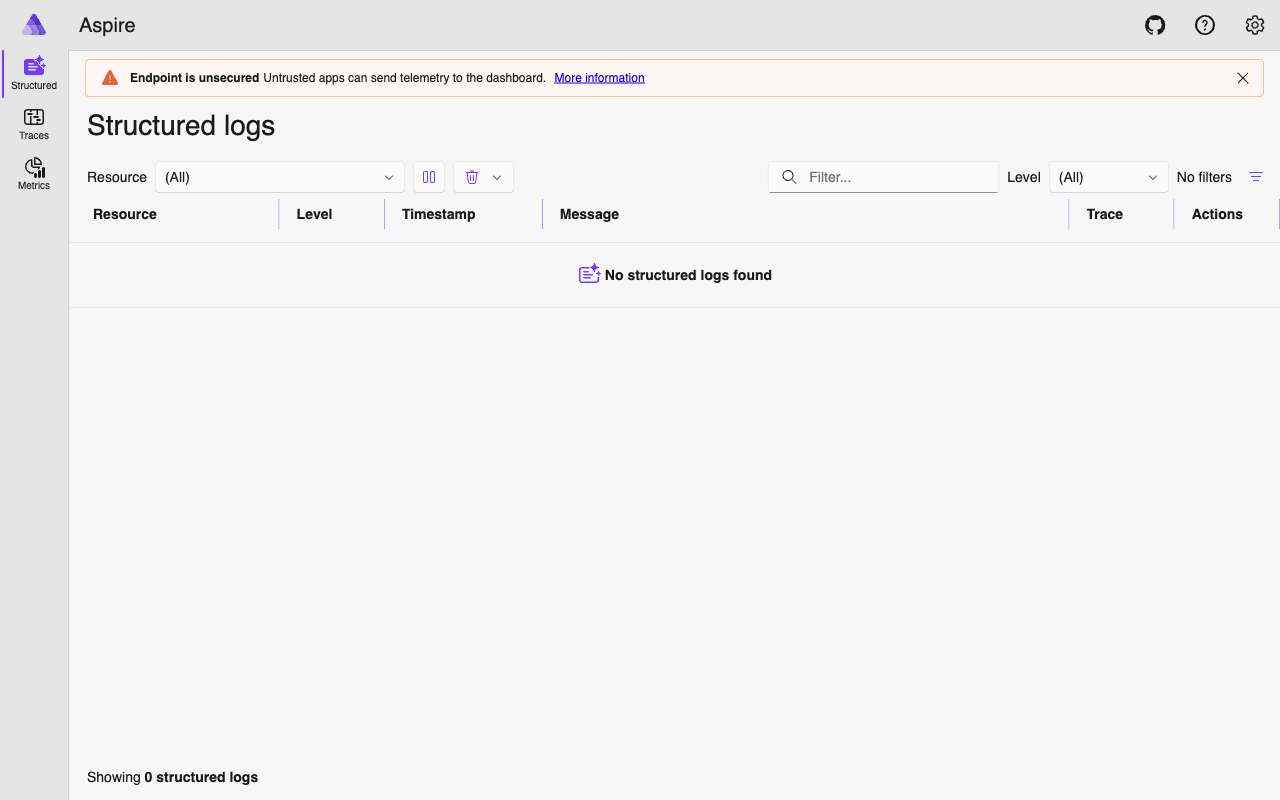
Structured logs. Correlated with traces via trace_id. Click a trace to see every log statement emitted during that request across all agents involved.
Metrics. Request counts, latency distributions, and error rates per service. Metrics export every 15 seconds.
Resources. All registered services with their service.name, service.version, and deployment.environment attributes.
Typical Investigation Flow#
- User reports a slow response – go to Traces, filter by
ecommerce.orchestrator, sort by duration descending. - Open the slow trace – expand the span waterfall to find which child span took the longest. Is it an LLM call? A database query? An A2A delegation?
- If the bottleneck is an A2A call – the specialist’s spans are nested inside the same trace. Drill into them.
- Cross-reference with Structured Logs to see any warnings or errors logged during that request.
- Check the
trace_idagainst the admin audit API (GET /api/admin/audit) for the application-level usage record.
Usage Tracking#
Beyond operational observability, ECommerce Agents records agent usage for analytics and billing. The log_agent_usage() function writes to the usage_logs table with a critical detail: it captures the current trace_id from the active OTel span.
async def log_agent_usage(
    user_id: UUID | str | None,
    agent_name: str,
    session_id: UUID | str | None = None,
    input_summary: str = "",
    tokens_in: int = 0,
    tokens_out: int = 0,
    tool_calls_count: int = 0,
    duration_ms: int = 0,
    status: str = "success",
    error_message: str | None = None,
) -> UUID | None:
    pool = get_pool()
    trace_id = get_current_trace_id()

    row = await pool.fetchrow(
        """INSERT INTO usage_logs
           (user_id, agent_name, session_id, trace_id, input_summary,
            tokens_in, tokens_out, tool_calls_count, duration_ms, status, error_message)
           VALUES ($1, $2, $3, $4, $5, $6, $7, $8, $9, $10, $11)
           RETURNING id""",
        str(user_id) if user_id else None,
        agent_name, str(session_id) if session_id else None,
        trace_id, input_summary[:500] if input_summary else None,
        tokens_in, tokens_out, tool_calls_count,
        duration_ms, status, error_message,
    )
    return row["id"] if row else None
The trace_id column creates a bridge between the application’s audit log and the distributed trace in Aspire. When the admin dashboard shows a usage record, you can take the trace_id and search for it in the Aspire Dashboard to see the full execution trace. This bidirectional link between business-level analytics and operational telemetry is surprisingly useful during incident investigation.
The get_current_trace_id() helper extracts the trace ID from the active OTel context:
def get_current_trace_id() -> str | None:
    span = trace.get_current_span()
    ctx = span.get_span_context()
    if ctx and ctx.is_valid:
        return format(ctx.trace_id, "032x")
    return None
A companion UsageTimer context manager handles duration measurement, and log_execution_step() records individual tool invocations within a request for detailed step-by-step audit trails.
Gotchas and Production Concerns#
A few things we learned the hard way:
gRPC vs HTTP exporters. The Aspire Dashboard supports both. We try gRPC first (lower overhead, better for high-throughput) and fall back to HTTP if the gRPC exporter is not installed. In production, pick one and pin it.
Batch vs simple processors. Traces use BatchSpanProcessor (SDK defaults: 5s interval, 512 span batch) for efficiency. Logs use SimpleLogRecordProcessor (immediate export) for real-time correlation in Aspire. This trade-off is fine for development but review the batch settings for production workloads.
Token counts are not auto-captured. OTel does not instrument OpenAI token usage out of the box. The usage_logs table captures token counts, but these come from parsing the LLM response, not from OTel spans. If you need per-span token attribution, you will need custom span attributes.
Instrumentor isolation. Each auto-instrumentor is wrapped in its own try/except. If asyncpg instrumentation fails (say, version mismatch), httpx and logging instrumentation still load. Partial visibility beats total blindness.
What’s Next#
Observability gives you visibility into what your agents are doing. But your users do not look at traces – they look at a UI. In Part 6, we build the frontend experience with Next.js 15 and React 19, turning agent text responses into interactive product cards, order timelines, and clickable action buttons that feed back into the conversation.