

Every agent in ECommerce Agents has hand-coded tools. The inventory agent has check_stock, get_warehouses, and estimate_shipping as @tool-decorated Python functions that query PostgreSQL directly. The product discovery agent has search_products and semantic_search. The order management agent has get_orders and create_order. Each tool is tightly coupled to the agent that owns it, written in the same language, deployed in the same container, and imported as a Python module.
This works. It works well, in fact, and for many production systems it is the right approach. But it has a limitation: those tools are invisible to anything outside of our MAF agents. If a different team builds an agent with LangChain, they cannot use our inventory tools. If someone prototypes an agent in Claude Desktop or Cursor, they cannot check stock levels against our database. The tools exist, but they are locked inside our codebase.
The Model Context Protocol (MCP) solves this. MCP is an open standard – originally created by Anthropic, now adopted across the industry – that defines how agents discover and invoke tools over a standard interface. Instead of importing a Python function, an MCP client reads a tool manifest from a well-known URL, understands the tool’s parameters, and executes it via HTTP. The tool server and the agent client can be written in different languages, run on different infrastructure, and be maintained by different teams. The interface between them is the protocol, not a shared codebase.
In this article, we will build an MCP server that wraps our inventory tools, examine how the protocol works at each layer, and discuss when MCP is the right choice versus native tool integration.
Source code: github.com/nitin27may/e-commerce-agents – clone, run
docker compose up, and follow along.
What Is MCP?#
The easiest way to understand MCP is through an analogy. Before USB-C, every device had its own charging cable. Your phone used micro-USB, your laptop used a barrel connector, your camera used mini-USB, and your tablet used something proprietary. They all did the same thing – deliver power and data – but they were incompatible. USB-C standardized the interface. Now the same cable works with everything.
MCP does the same thing for AI tool integration. Before MCP, every agent framework had its own way of defining and invoking tools. LangChain has @tool, MAF has @tool, AutoGen has function registration, and custom agents use raw OpenAI function-calling JSON. They all do the same thing – let an LLM call external functions – but the integration is different for each one.
MCP standardizes the interface between agents and tools. A tool server exposes its capabilities through a discovery endpoint and accepts execution requests through a standard API. Any MCP-compatible client – regardless of which agent framework it uses – can discover and invoke those tools.
The protocol defines three things:
Discovery. A tool server publishes a manifest at a well-known URL that describes what tools are available, what parameters they accept, and what they return. This is analogous to the A2A agent card, but for tools rather than agents.
Execution. A client sends a tool invocation request with the tool name and parameters, and receives a structured response. The transport is typically HTTP, though the spec supports stdio for local tool servers.
Schema. Tool parameters and return types use JSON Schema, which is the same format that OpenAI function calling already uses. This means the parameter definitions from an MCP manifest can be passed directly to an LLM as tool schemas – no translation layer needed.
MCP vs A2A: Complementary Protocols#
We covered A2A in Part 4 and the distinction is worth restating clearly, because the two protocols are often confused.
A2A (Agent-to-Agent) is for communication between autonomous agents. When the orchestrator asks the product discovery agent to find headphones, that is A2A. Both sides are agents with their own reasoning capabilities, system prompts, and tool access. The orchestrator does not dictate how the product discovery agent fulfills the request – it sends a natural language message and the specialist decides what tools to call and how to format the response.
MCP (Model Context Protocol) is for communication between an agent and a tool. When the inventory agent calls check_stock, that is a tool invocation. The tool has no reasoning capability. It receives structured parameters, executes a function, and returns structured data. The agent decides when to call it and what to do with the result.
The protocols operate at different layers of the stack:
User
  |
  v
Orchestrator Agent  ───A2A───>  Specialist Agent
                                      |
                                      v
                                 MCP Tool Server
                                      |
                                      v
                                   Database
In ECommerce Agents, the orchestrator talks to specialists via A2A, and specialists use tools to access data. Today those tools are native Python functions. With MCP, those same tools could be served over the protocol, making them accessible to agents outside our system without changing how our own agents work internally.
You do not choose between A2A and MCP. You use both. A2A for agent collaboration. MCP for tool access.
Building an MCP Server#
Let’s make this concrete. We will build an MCP server that exposes the same inventory tools that our inventory fulfillment agent uses internally – stock checking, warehouse listing, and shipping estimation – but through the MCP protocol so that any compatible client can use them.
The server lives at agents/mcp/inventory_server.py. It is a standalone FastAPI application that connects to the same PostgreSQL database as the rest of ECommerce Agents.
Server Setup#
# agents/mcp/inventory_server.py

"""MCP Server for Inventory Data — demonstrates Model Context Protocol integration.

This server exposes inventory tools via the MCP standard, allowing any
MCP-compatible agent to check stock, get warehouse info, and estimate shipping
without custom tool integration.

Run: uvicorn mcp.inventory_server:app --port 9000
"""

from __future__ import annotations

import json
import os
from contextlib import asynccontextmanager

import asyncpg
from fastapi import FastAPI
from fastapi.responses import JSONResponse


DATABASE_URL = os.environ.get(
    "DATABASE_URL",
    "postgresql://ecommerce:ecommerce_secret@localhost:5432/ecommerce_agents",
)

pool: asyncpg.Pool | None = None


@asynccontextmanager
async def lifespan(app: FastAPI):
    global pool
    pool = await asyncpg.create_pool(DATABASE_URL, min_size=2, max_size=5)
    yield
    if pool:
        await pool.close()


app = FastAPI(title="Inventory MCP Server", lifespan=lifespan)
This is a standard FastAPI application with a connection pool managed through the lifespan context manager – identical to how our regular agents set up their database connections. The only difference is that this service does not create a MAF agent. It is a pure tool server with no LLM interaction.
MCP Discovery: The Manifest#
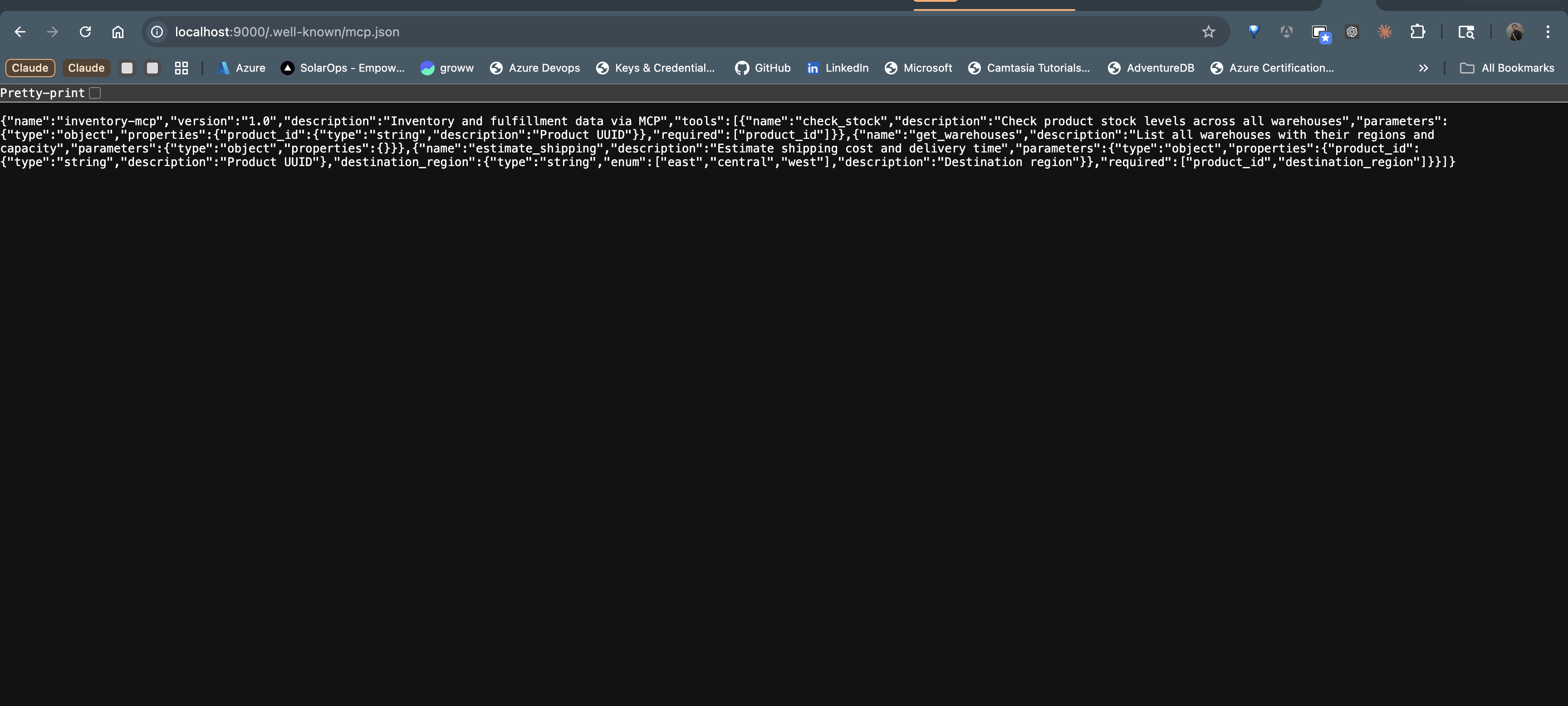
The first thing any MCP client needs is to discover what tools are available. The server publishes a manifest at /.well-known/mcp.json – the standard MCP discovery endpoint, analogous to /.well-known/agent-card.json in A2A.
@app.get("/.well-known/mcp.json")
async def mcp_manifest():
    """MCP capability manifest — advertises available tools."""
    return {
        "name": "inventory-mcp",
        "version": "1.0",
        "description": "Inventory and fulfillment data via MCP",
        "tools": [
            {
                "name": "check_stock",
                "description": "Check product stock levels across all warehouses",
                "parameters": {
                    "type": "object",
                    "properties": {
                        "product_id": {
                            "type": "string",
                            "description": "Product UUID",
                        }
                    },
                    "required": ["product_id"],
                },
            },
            {
                "name": "get_warehouses",
                "description": "List all warehouses with their regions and capacity",
                "parameters": {"type": "object", "properties": {}},
            },
            {
                "name": "estimate_shipping",
                "description": "Estimate shipping cost and delivery time",
                "parameters": {
                    "type": "object",
                    "properties": {
                        "product_id": {
                            "type": "string",
                            "description": "Product UUID",
                        },
                        "destination_region": {
                            "type": "string",
                            "enum": ["east", "central", "west"],
                            "description": "Destination region",
                        },
                    },
                    "required": ["product_id", "destination_region"],
                },
            },
        ],
    }
The manifest contains everything a client needs to understand the server’s capabilities:
- Server metadata – name, version, description. A client connecting to multiple MCP servers can display these to the user or use them for routing.
- Tool definitions – name, description, and parameter schema for each tool. The parameter schemas use JSON Schema, which is the same format that OpenAI, Anthropic, and other LLM providers use for function calling. An MCP client can pass these definitions directly to the LLM’s tool configuration without any transformation.
Notice that each tool description is written for the LLM, not for a human developer. “Check product stock levels across all warehouses” tells the model exactly what this tool does, so it can decide when to invoke it. Clear, specific tool descriptions are just as important in MCP as they are in native @tool definitions – the LLM still needs to understand what each tool does to make good selection decisions.
Tool Execution Endpoint#
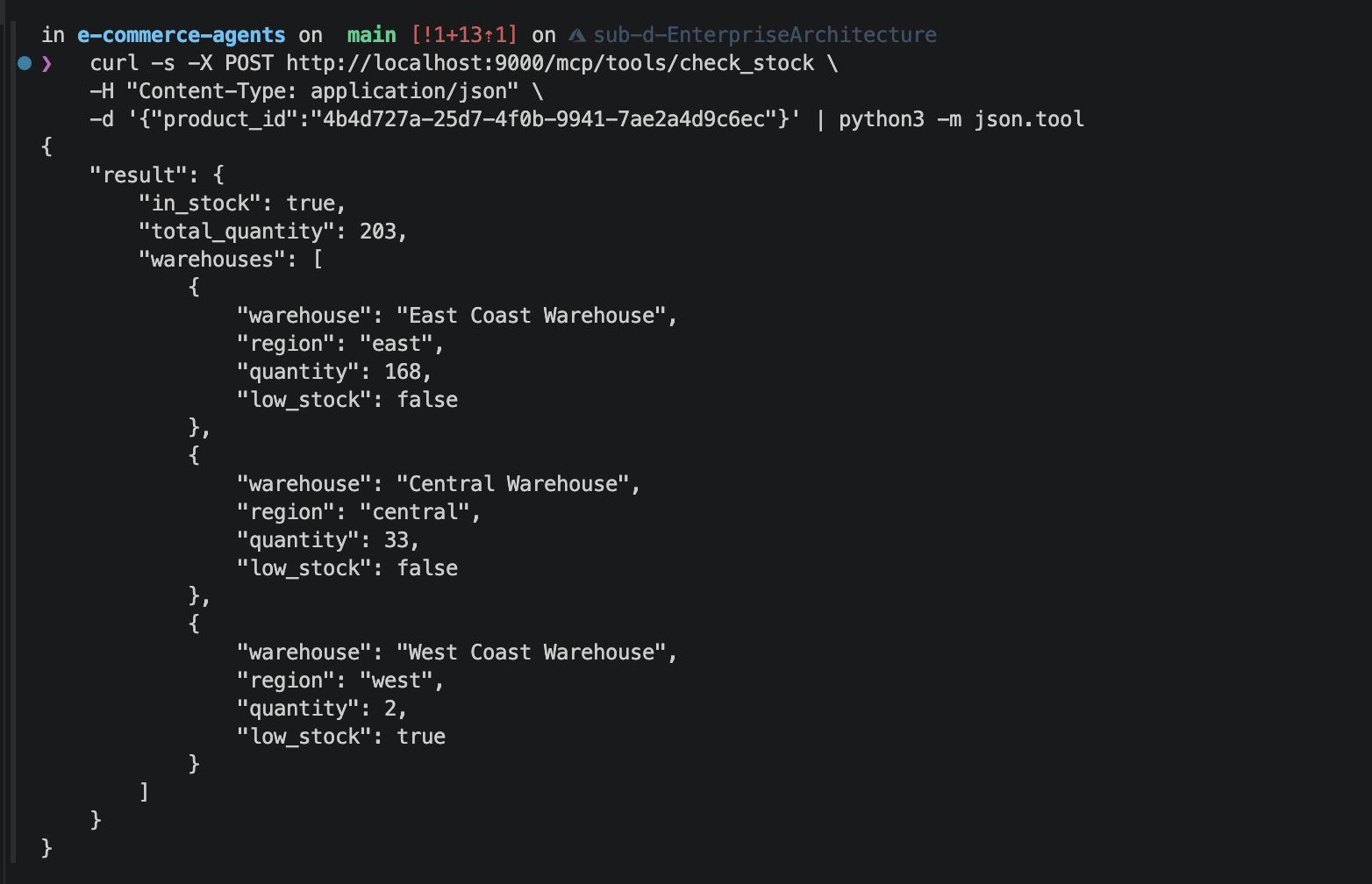
When a client decides to invoke a tool, it sends a POST request to /mcp/tools/{tool_name} with the parameters as the request body:
@app.post("/mcp/tools/{tool_name}")
async def execute_tool(tool_name: str, body: dict = {}):
    """Execute an MCP tool by name."""
    if not pool:
        return JSONResponse({"error": "Database not connected"}, status_code=503)

    handlers = {
        "check_stock": _check_stock,
        "get_warehouses": _get_warehouses,
        "estimate_shipping": _estimate_shipping,
    }

    handler = handlers.get(tool_name)
    if not handler:
        return JSONResponse({"error": f"Unknown tool: {tool_name}"}, status_code=404)

    try:
        result = await handler(body)
        return {"result": result}
    except Exception as e:
        return JSONResponse({"error": str(e)}, status_code=500)
The dispatch pattern is straightforward: look up the handler by tool name, pass the parameters, return the result. Error handling returns structured JSON errors with appropriate HTTP status codes – 404 for unknown tools, 503 for infrastructure issues, 500 for execution failures. Clients can handle these consistently regardless of which tool failed.
The tool implementations are standard async functions that hit the database. Here is _check_stock:
async def _check_stock(params: dict) -> dict:
    product_id = params.get("product_id", "")
    async with pool.acquire() as conn:
        rows = await conn.fetch(
            """SELECT w.name as warehouse, w.region, wi.quantity,
                      wi.quantity <= wi.reorder_threshold as low_stock
               FROM warehouse_inventory wi
               JOIN warehouses w ON wi.warehouse_id = w.id
               WHERE wi.product_id = $1""",
            product_id,
        )
        if not rows:
            return {"in_stock": False, "total_quantity": 0, "warehouses": []}

        warehouses = [
            {
                "warehouse": r["warehouse"],
                "region": r["region"],
                "quantity": r["quantity"],
                "low_stock": r["low_stock"],
            }
            for r in rows
        ]
        total = sum(r["quantity"] for r in rows)
        return {
            "in_stock": total > 0,
            "total_quantity": total,
            "warehouses": warehouses,
        }
And _estimate_shipping, which finds the nearest warehouse with stock and returns available carrier options:
async def _estimate_shipping(params: dict) -> dict:
    product_id = params.get("product_id", "")
    dest = params.get("destination_region", "east")

    async with pool.acquire() as conn:
        row = await conn.fetchrow(
            """SELECT w.region, wi.quantity
               FROM warehouse_inventory wi
               JOIN warehouses w ON wi.warehouse_id = w.id
               WHERE wi.product_id = $1 AND wi.quantity > 0
               ORDER BY CASE w.region
                   WHEN $2 THEN 0
                   WHEN 'central' THEN 1
                   ELSE 2
               END
               LIMIT 1""",
            product_id, dest,
        )
        if not row:
            return {
                "available": False,
                "message": "Product out of stock in all warehouses",
            }

        rates = await conn.fetch(
            """SELECT c.name as carrier, sr.price,
                      sr.estimated_days_min, sr.estimated_days_max
               FROM shipping_rates sr
               JOIN carriers c ON sr.carrier_id = c.id
               WHERE sr.region_from = $1 AND sr.region_to = $2
               ORDER BY sr.price""",
            row["region"], dest,
        )
        return {
            "available": True,
            "ships_from": row["region"],
            "options": [
                {
                    "carrier": r["carrier"],
                    "price": float(r["price"]),
                    "days": f"{r['estimated_days_min']}-{r['estimated_days_max']}",
                }
                for r in rates
            ],
        }
These are essentially the same queries that exist in agents/inventory_fulfillment/tools.py. The difference is the interface: instead of being called by MAF’s tool-calling machinery inside a single process, they are exposed over HTTP and callable by anything that speaks MCP.
Connecting MAF Agents to MCP#
With the server running, how does a MAF agent consume MCP tools? The integration follows three steps.
Step 1: Discover available tools. At startup (or lazily on first request), the agent fetches the MCP manifest:
import httpx

async def discover_mcp_tools(server_url: str) -> list[dict]:
    """Fetch the tool manifest from an MCP server."""
    async with httpx.AsyncClient() as client:
        resp = await client.get(f"{server_url}/.well-known/mcp.json")
        resp.raise_for_status()
        manifest = resp.json()
        return manifest["tools"]
Step 2: Convert MCP tool definitions to MAF tools. The JSON Schema definitions from the manifest need to become callable tool objects that MAF’s ChatAgent can use. Since MCP tool schemas and OpenAI function schemas share the same JSON Schema format, the conversion is mechanical:
from typing import Any

def mcp_tool_to_callable(
    server_url: str, tool_def: dict
) -> tuple[dict, callable]:
    """Convert an MCP tool definition into an OpenAI function schema
    and a callable that executes the tool via HTTP."""

    schema = {
        "type": "function",
        "function": {
            "name": tool_def["name"],
            "description": tool_def["description"],
            "parameters": tool_def["parameters"],
        },
    }

    async def execute(**kwargs: Any) -> dict:
        async with httpx.AsyncClient() as client:
            resp = await client.post(
                f"{server_url}/mcp/tools/{tool_def['name']}",
                json=kwargs,
            )
            resp.raise_for_status()
            return resp.json()["result"]

    return schema, execute
Step 3: Register the tools with the agent. The converted tools are added to the agent alongside its native tools. From the agent’s perspective, MCP tools and native tools are indistinguishable – both have a schema the LLM can read and a callable the agent can execute.
This approach means you can incrementally migrate tools from native functions to MCP servers. Start with the tools that have the highest cross-team value, move them to an MCP server, and leave single-agent tools as native functions. The agent handles both transparently.
When to Use MCP vs Native Tools#
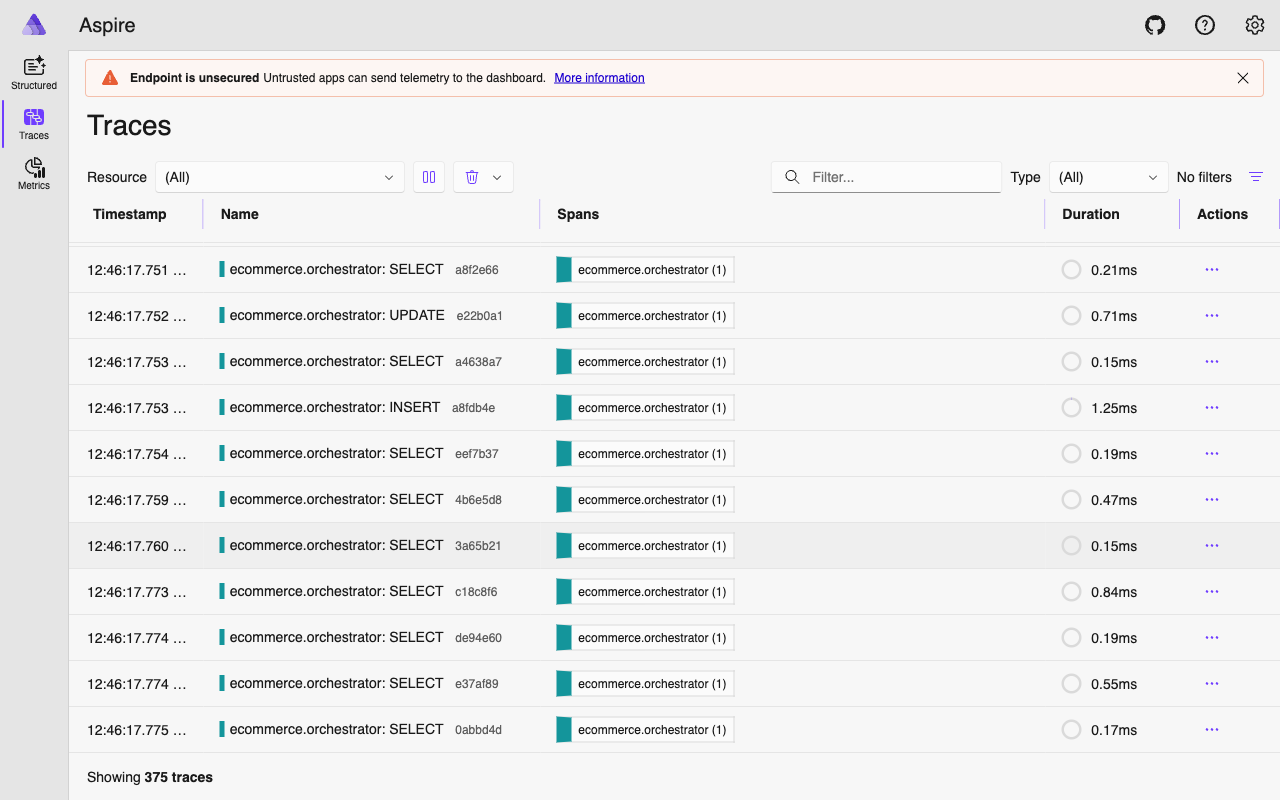
MCP introduces a network hop. Every tool invocation goes from the agent process, over HTTP, to the MCP server, to the database, and back. For our native tools, the path is agent process to database and back – one fewer hop. That matters for latency-sensitive tools that get called frequently.
Use MCP when:
- Multiple agents or frameworks need the same tools. If your inventory data is needed by a MAF agent, a LangChain agent, and an internal Slack bot, putting the tools behind an MCP server means one implementation serves all three.
- Tool servers are owned by a different team. MCP provides a clean contract between the team that maintains the data/logic and the teams that build agents consuming it. The tool server can be versioned, deployed, and scaled independently.
- You want to support external tool clients. MCP is supported by Claude Desktop, Cursor, and other developer tools. Exposing your data through MCP lets developers query it directly from their IDE without building a custom integration.
- You are building a tool marketplace. MCP’s discovery mechanism makes it possible to catalog and browse available tools across an organization. A central registry can aggregate manifests from multiple servers.
Use native tools when:
- The tool is tightly coupled to a single agent. If
search_productsis only used by the product discovery agent and no one else needs it, the overhead of a separate service is not justified. - Latency is critical. An in-process function call is always faster than an HTTP round-trip. For tools that get called multiple times in a single agent turn (like iterative search refinement), the cumulative latency of MCP calls adds up.
- You need access to agent-local state. Native tools can read ContextVars, access the agent’s memory, or reference in-process data. MCP tools are stateless by design – they receive parameters and return results, with no access to the calling agent’s internal state.
For ECommerce Agents, the pragmatic path is to keep most tools native and selectively expose high-value tools via MCP. The inventory tools are a good candidate because they are useful beyond our agent system – operations dashboards, partner integrations, and developer tooling all benefit from standardized inventory access.
Security Considerations#
MCP servers expose data and functionality over HTTP, which means the standard web security concerns apply.
Authentication. The MCP spec does not mandate a specific authentication mechanism. For internal servers, you can use API keys, mutual TLS, or service mesh authentication. Our example server runs without authentication for demonstration purposes, but a production deployment would add middleware:
from fastapi import Header, HTTPException

async def verify_mcp_token(authorization: str = Header(...)):
    if not authorization.startswith("Bearer "):
        raise HTTPException(status_code=401, detail="Missing bearer token")
    token = authorization.removeprefix("Bearer ")
    if token != os.environ["MCP_API_KEY"]:
        raise HTTPException(status_code=403, detail="Invalid token")
Authorization. The current tools return data without user scoping. check_stock returns inventory levels for any product, which is fine for inventory data (it is not user-specific). But if you expose order management tools via MCP, you need to ensure that user A cannot read user B’s orders. This means either accepting a user identity token alongside the tool parameters, or scoping MCP servers to specific data domains where user isolation is not a concern.
Rate limiting. MCP clients can invoke tools rapidly, especially if an LLM enters a loop. Apply rate limits at the server level to prevent runaway tool calls from overloading your database. Standard FastAPI middleware like slowapi handles this.
Input validation. The JSON Schema in the manifest documents what parameters a tool expects, but it does not enforce them. The server must validate all incoming parameters independently. Never trust that the client sent well-formed data just because the schema says so.
Network segmentation. MCP servers that access production databases should not be publicly accessible. Run them in the same network as your agents and databases, behind a gateway or service mesh. The MCP manifest endpoint can be public (for discovery), but the tool execution endpoints should require authentication and network-level access controls.
Running the MCP Server#
To start the inventory MCP server locally:
cd agents
uv run uvicorn mcp.inventory_server:app --port 9000
Test discovery:
curl http://localhost:9000/.well-known/mcp.json | jq .Test a tool invocation:
curl -X POST http://localhost:9000/mcp/tools/get_warehouses \
  -H "Content-Type: application/json" \
  -d '{}'
The server connects to the same PostgreSQL instance as the rest of ECommerce Agents. If you are running the full stack via docker compose, the MCP server can join the same network and connect to the db service.
For Docker Compose integration, you would add a service entry:
mcp-inventory:
  build:
    context: ./agents
    target: runtime
    args:
      AGENT_NAME: mcp
  ports:
    - "9000:9000"
  environment:
    - DATABASE_URL=postgresql://ecommerce:ecommerce_secret@db:5432/ecommerce_agents
  command: uvicorn mcp.inventory_server:app --host 0.0.0.0 --port 9000
  depends_on:
    db:
      condition: service_healthy
What’s Next#
MCP gives your agent tools a standard interface that works across frameworks and clients. A2A gives your agents a standard interface for collaborating with each other. Together, they form the interoperability layer of a multi-agent system: tools are accessible via MCP, agent coordination happens via A2A, and the choice of agent framework becomes an implementation detail rather than a lock-in decision.
In the next and final article, we move beyond LLM-driven routing to deterministic graph-based workflows – sequential pipelines, parallel execution with asyncio.gather, and conditional branching for complex multi-step operations where the sequence matters more than flexibility.