
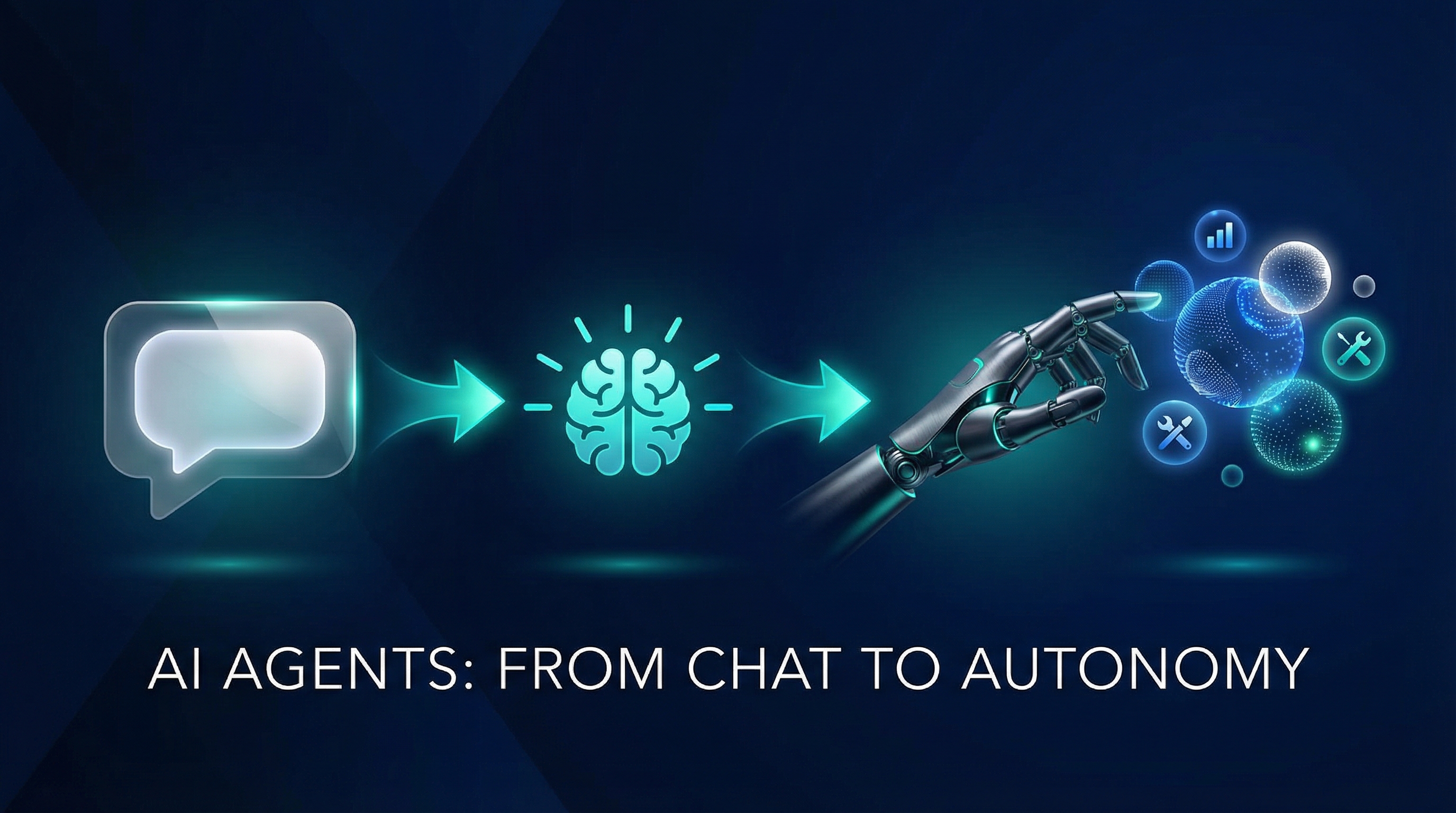
An average e-commerce support team fields thousands of customer queries every day. “Where is my order?” “Are these headphones any good?” “I was charged twice.” “Is this jacket in stock in medium?” Each question touches a different system – order management, product catalogs, payment processing, inventory databases. A single human agent needs access to half a dozen internal tools and the training to use them all.
Now imagine six specialized AI agents, each an expert in its own domain, collaborating to handle those queries autonomously. One searches products. Another tracks orders. A third analyzes reviews. A fourth manages pricing and promotions. They communicate with each other through a shared protocol, hand off tasks when the question crosses domain boundaries, and return accurate, real-time answers grounded in your actual data.
That is not a hypothetical. That is what we are building in this series.
This is Part 1 of a 12-part series on building multi-agent AI systems with the Microsoft Agent Framework (MAF). We go from foundational concepts to a fully deployed, production-grade e-commerce platform with six AI agents, a Next.js frontend, PostgreSQL with vector search, Redis caching, and OpenTelemetry observability.
Everything we build is open source. The complete codebase lives at github.com/nitin27may/e-commerce-agents. Clone it, run one command, and you have the entire platform running locally.
This article covers two things: what AI agents are (so the rest of the series makes sense), and how to build your first one. By the end, you will have a working agent that searches a product catalog and holds a coherent multi-turn conversation – all in about 100 lines of Python.
Part A: Understanding AI Agents#
Chatbot vs Assistant vs Agent#
The terms “chatbot,” “assistant,” and “agent” get thrown around interchangeably. They are not the same thing. The differences matter, and they are easiest to understand through a concrete example.
Imagine a customer types: “Where is my order?”
The Chatbot Response#
A traditional chatbot matches keywords against a decision tree. It sees “order” and “where” and returns a canned response:
“You can track your order at mystore.com/orders. If you need further help, contact support@mystore.com.”
This is a lookup table dressed up as a conversation. The chatbot has no understanding of the question. It does not know who the customer is, which order they mean, or what the current status is.
The Assistant Response#
An LLM-powered assistant actually understands the question. It can parse ambiguity, handle follow-ups, and explain things in natural language:
“To check your order status, go to your account page and look under ‘My Orders.’ There you’ll find tracking information for all recent purchases. Most orders ship within 2-3 business days.”
Better. But it still cannot actually look up your order. It gives generic advice because it has no access to your data. It is a very smart encyclopedia that cannot take action.
The Agent Response#
An AI agent takes the same question, recognizes it needs to take action, and calls a tool:
- It identifies the customer from the session context.
- It calls
get_user_orders(email="sarah@example.com")against the order database. - It receives the result: Order #4821, shipped via FedEx, tracking number 7891234, expected delivery April 7.
- It composes a personalized response:
“Your order #4821 shipped on April 2 via FedEx. The tracking number is 7891234 and it’s expected to arrive by April 7. Want me to check anything else about this order?”
The agent did not just understand the question – it took autonomous action to answer it with real data.
What Makes an Agent “Agentic”?#
An AI agent has four core properties that distinguish it from a standard LLM interaction.
Autonomy. An agent decides what to do without step-by-step instructions from the user. When a customer asks “What are the best-reviewed wireless headphones under $200?”, the agent independently determines it needs to search for products matching those criteria, fetch reviews for the top results, then synthesize a recommendation. The user did not say “first search, then filter, then rank.” The agent figured out the plan.
Tool Use. An agent can call external functions – database queries, API requests, calculations, file operations – to interact with the real world. Without tools, an LLM is limited to what it learned during training. With tools, it becomes an actor that can read from databases, write records, send notifications, and trigger workflows.
Reasoning. An agent does not just react – it reasons about multi-step problems. If a customer says “I want to return my order because the reviews say the battery life is terrible,” the agent needs to: identify which order the customer means, check the return policy for that product category, verify the return window has not expired, then initiate the return. Each step depends on the result of the previous one.
Memory. An agent maintains context across a conversation and, in some implementations, across sessions. If a customer asks about headphones, then says “add the second one to my cart,” the agent remembers what “the second one” refers to. Short-term memory comes from the conversation history. Long-term memory comes from databases or vector stores.
The LLM + Function Calling Loop#
Understanding the tool-calling loop is the single most important concept in this series. Every agent interaction follows the same pattern, whether you are building a simple FAQ bot or a complex multi-agent system.
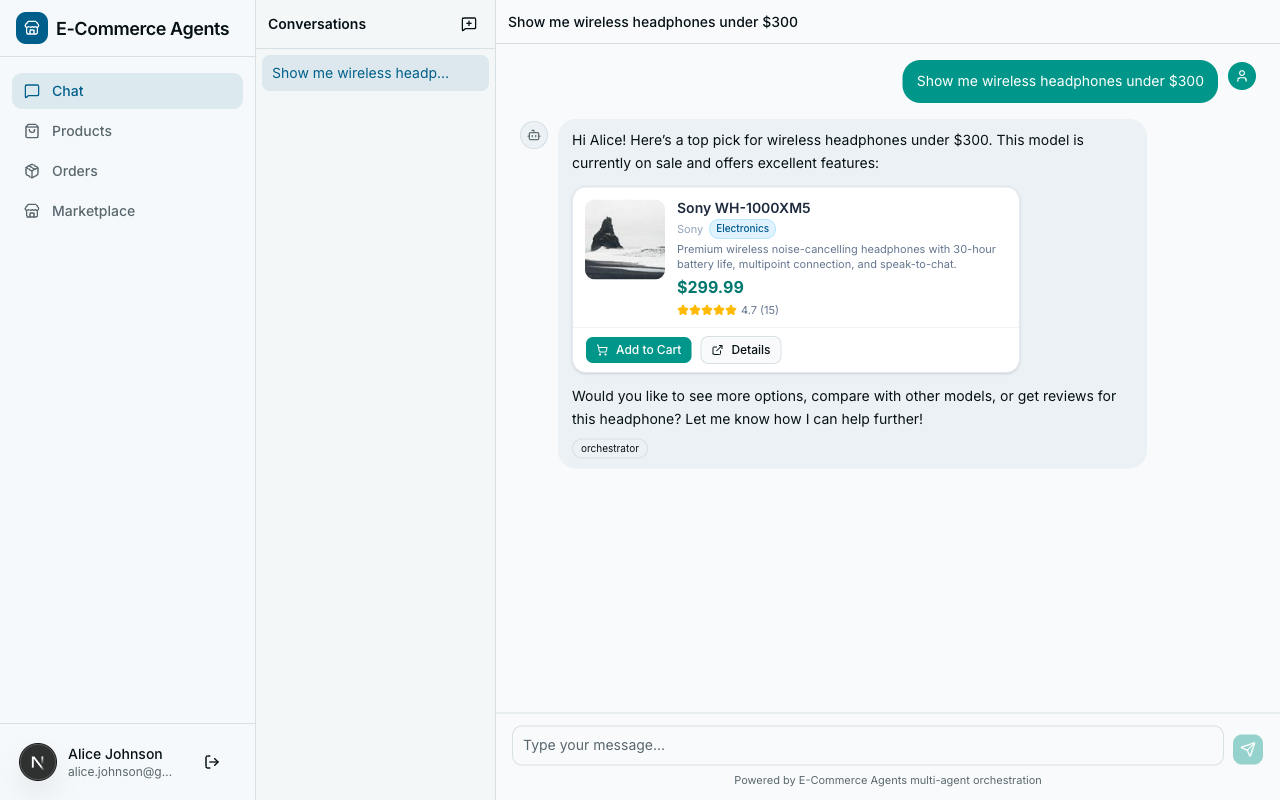
Here is a real example traced step by step: a customer asks “Find me headphones under $300.”
What happens at each step:
- User sends a message. The agent receives “Find me headphones under $300.”
- Agent sends everything to the LLM. System prompt, user message, and schemas for all available tools.
- LLM decides to call a tool. It returns
search_products(query="headphones", max_price=300)– the LLM extracted search terms and price constraint from natural language and mapped them to function parameters. - Agent executes the tool. The agent calls the actual Python function, which queries PostgreSQL.
- Agent sends the result back to the LLM. The tool’s return value goes back into the conversation.
- LLM generates the final response. Armed with real data, the LLM composes a natural-language answer.
The key insight: the LLM never touches your database directly. It decides which tool to call and with what parameters. Your code executes the actual operation.
Why Multi-Agent Systems?#
The single-agent approach works well for simple use cases. It breaks down at scale.
The 30-tool problem. Give one agent every tool it could possibly need: product search, order creation, order cancellation, refund processing, inventory checks, price lookups, promotion validation, review analysis, and fifteen more. The LLM now has to reason about 30+ tools on every single request. It gets confused, picks the wrong tool, hallucinates parameters. Anyone who has built a production agent with more than 8-10 tools has seen this degradation firsthand.
The hospital analogy. You do not have one doctor who handles cardiology, orthopedics, neurology, radiology, and pharmacy. You have specialists. Each specialist has deep knowledge of their domain and a focused set of tools. When you walk in with chest pain, triage routes you to the cardiologist. A receptionist sits at the front desk, listens to your symptoms, and routes you. If the cardiologist needs a scan, they send you to radiology. That is exactly how a multi-agent system works.
In our platform, the orchestrator is the receptionist. Each specialist agent has 3-5 tools instead of 30. It never gets confused about whether to search products or process refunds because it only knows how to do one of those things.
When Agents Make Sense (And When They Don’t)#
Agents add complexity and cost. Use them when the tradeoffs are worth it.
Good fit:
- Multi-step workflows that require reasoning across several data sources
- Dynamic tool selection where the right action depends on user intent, not a fixed sequence
- Natural language interfaces to complex internal systems (ERPs, CRMs, inventory management)
- Customer-facing support where personalization and real-time data access matter
- Tasks that currently require human judgment combined with system access
Bad fit:
- Simple CRUD operations – a REST API is simpler, cheaper, and faster
- Deterministic workflows where every request follows the exact same sequence of steps
- High-frequency, low-latency operations – each LLM round-trip adds hundreds of milliseconds
- Cost-sensitive batch processing – processing a million records through an agent costs far more than a SQL query
Every tool-calling loop involves at least one LLM API call. Complex requests might involve 3-5 calls. A single customer interaction might cost $0.01-0.05 depending on complexity. Plan accordingly.
What We’re Building: ECommerce Agents#
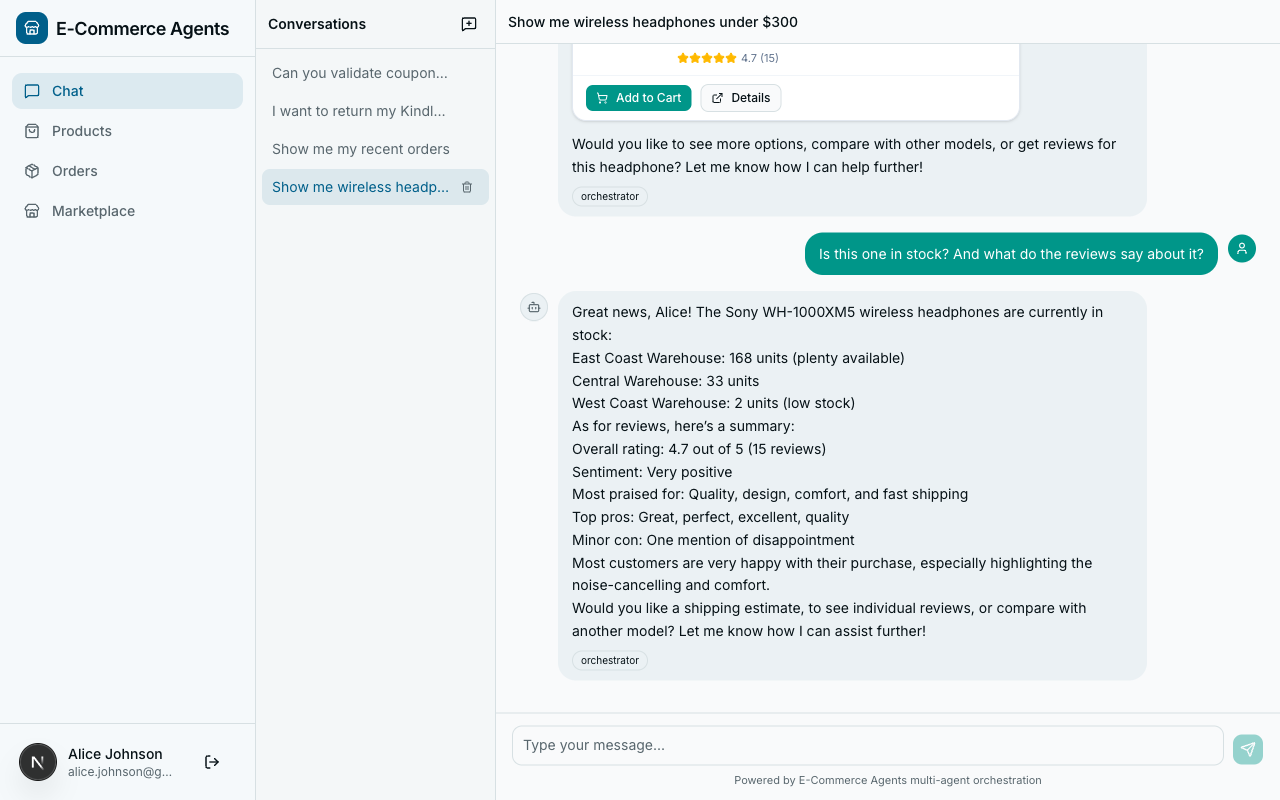
Across this series, we are building ECommerce Agents – a fully functional e-commerce platform powered by six AI agents. This is not a toy demo. It has a real database, real product data, a real frontend, and real observability.
(React 19, Tailwind, shadcn/ui)"] OR["Customer Support Orchestrator
(FastAPI, Port 8080)"] PD["Product Discovery Agent
(Port 8081)"] OM["Order Management Agent
(Port 8082)"] PP["Pricing & Promotions Agent
(Port 8083)"] RS["Review & Sentiment Agent
(Port 8084)"] IF["Inventory & Fulfillment Agent
(Port 8085)"] DB["PostgreSQL 16
+ pgvector"] RD["Redis 7
(Cache)"] AS[".NET Aspire Dashboard
(Telemetry)"] FE -->|"REST API"| OR OR -->|"A2A Protocol"| PD OR -->|"A2A Protocol"| OM OR -->|"A2A Protocol"| PP OR -->|"A2A Protocol"| RS OR -->|"A2A Protocol"| IF PD --> DB OM --> DB PP --> DB RS --> DB IF --> DB OR --> RD PD --> RD OR -.->|"OpenTelemetry"| AS PD -.->|"OpenTelemetry"| AS OM -.->|"OpenTelemetry"| AS PP -.->|"OpenTelemetry"| AS RS -.->|"OpenTelemetry"| AS IF -.->|"OpenTelemetry"| AS
Customer Support Orchestrator receives every user request, understands the intent, and routes it to the right specialist via the A2A protocol. It does not handle domain logic itself – it orchestrates.
Product Discovery Agent handles everything related to finding and exploring products. Semantic search via pgvector embeddings, filtering by category and price, product comparisons. “I need a good laptop for video editing under $1500” lands here.
Order Management Agent owns the order lifecycle: creating orders, tracking shipments, processing returns, looking up order history.
Pricing & Promotions Agent manages pricing rules, discount codes, seasonal promotions, and cart-level pricing calculations.
Review & Sentiment Agent analyzes product reviews. Summarizes sentiment, surfaces common complaints or praise, provides review-based recommendations.
Inventory & Fulfillment Agent tracks stock levels, warehouse availability, shipping estimates, and restocking timelines.
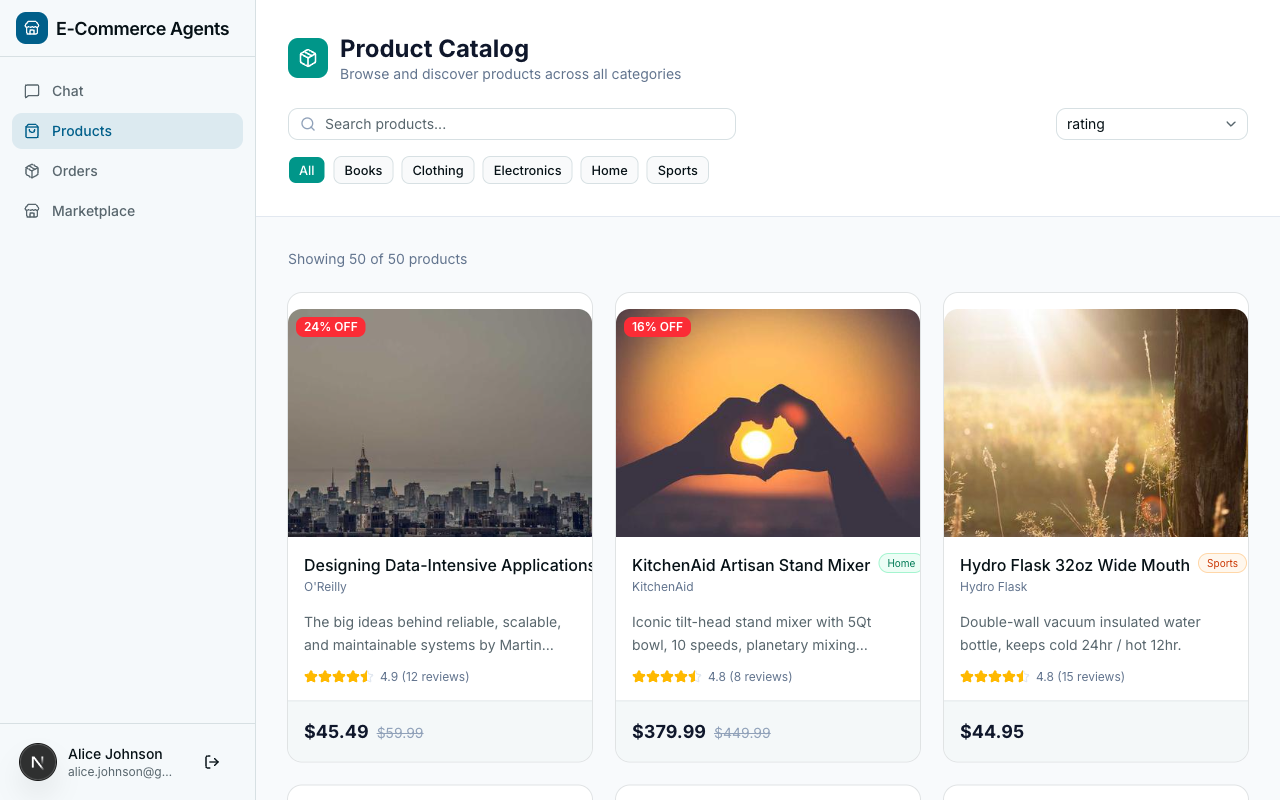
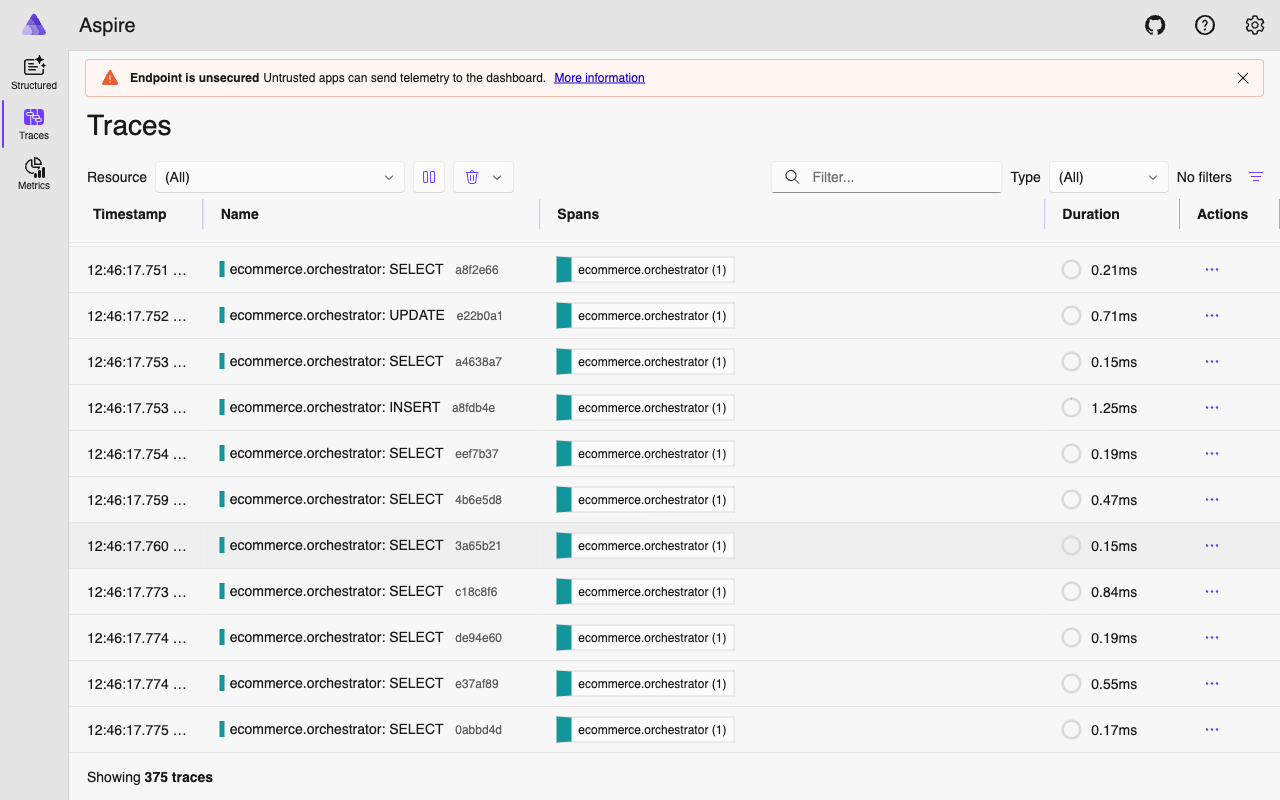
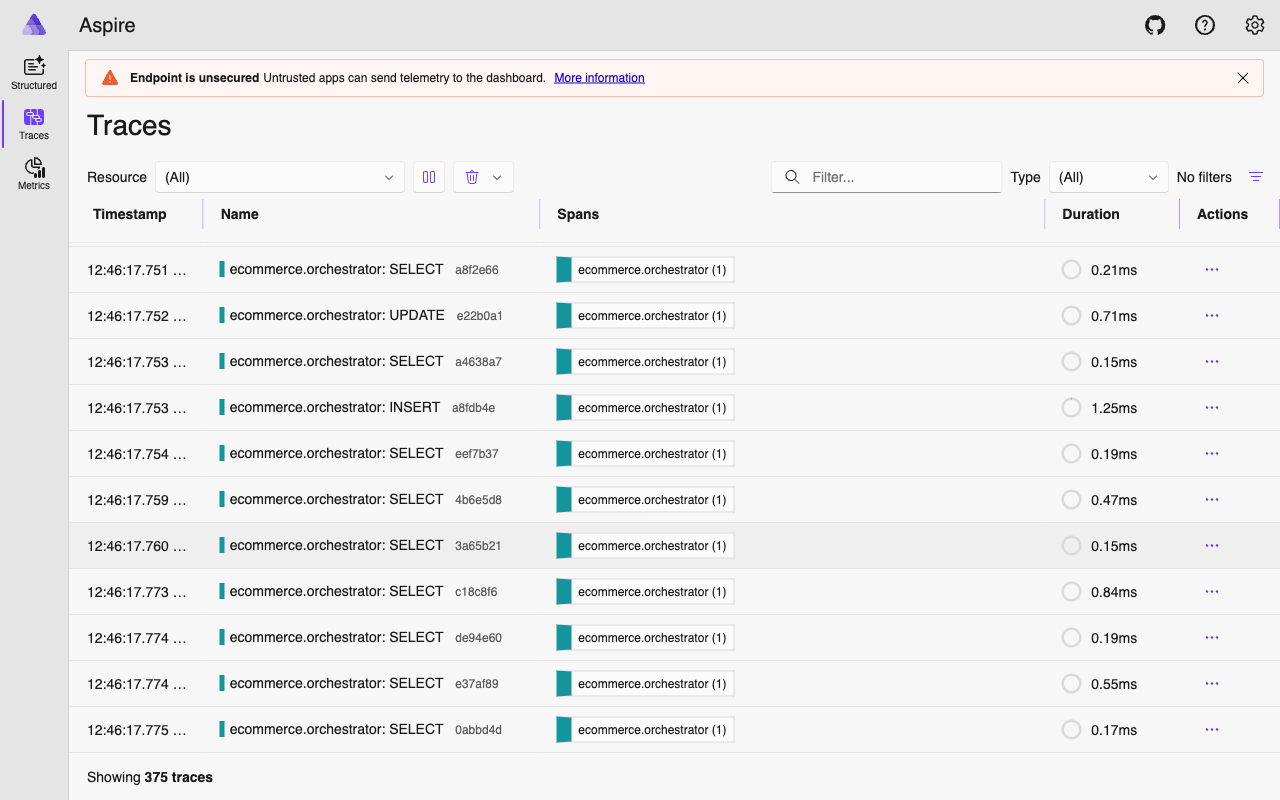
The supporting infrastructure: PostgreSQL 16 with pgvector stores everything including vector embeddings for semantic search. Redis 7 caches frequently accessed data. .NET Aspire Dashboard visualizes OpenTelemetry traces across all six agents. Docker Compose ties it all together – one command to start everything.
Part B: Building Your First Agent#
Now that you know what agents are, build one. The agent you write here is a simplified version of the Product Discovery agent from the full platform. Same patterns, smaller scope.
Prerequisites and Setup#
You will need:
- Python 3.12+
- An OpenAI API key (or Azure OpenAI credentials – covered at the end)
- uv for Python package management (install guide)
# Create a new project
mkdir my-first-agent && cd my-first-agent
uv init
uv add agent-framework agent-framework-openai

# Set your API key
export OPENAI_API_KEY=sk-...
agent-framework is the core SDK. agent-framework-openai provides the OpenAIChatClient that connects MAF to the OpenAI and Azure OpenAI APIs.
A Minimal Agent (No Tools)#
Before adding tools, start with the simplest possible agent – one that just talks.
# Python — Microsoft Agent Framework (Python SDK)
# minimal_agent.py
from agent_framework import Agent
from agent_framework.openai import OpenAIChatClient
import asyncio

client = OpenAIChatClient(model="gpt-4.1")

agent = Agent(
    name="greeter",
    description="A friendly greeter",
    instructions="You are a helpful assistant for an e-commerce store.",
    client=client,
)

async def main():
    response = await agent.run("Hello! What can you help me with?")
    print(response)

asyncio.run(main())
Run it with uv run python minimal_agent.py. Here is what each parameter does:
| Parameter | Purpose |
|---|---|
name | A unique identifier. Used in logging, telemetry, and multi-agent routing. |
description | A summary of what the agent does. Other agents use this to decide whether to route a task here. |
instructions | The system prompt – defines the agent’s personality, constraints, and behavior. |
client | The LLM client that handles API calls. |
This agent can hold a conversation, but it can only respond with information from its training data. Ask it “What products do you have?” and it will either hallucinate or admit it does not have access to a catalog. That is where tools come in.
Adding Your First Tool#
Tools are the bridge between natural language and deterministic code. A tool is a Python function decorated with @tool. MAF inspects the function’s type hints and descriptions, generates a JSON schema, and sends that schema to the LLM so it knows when and how to call the function.
# Python — Microsoft Agent Framework (Python SDK)
from agent_framework import tool
from typing import Annotated
from pydantic import Field

# In-memory product catalog (we will swap this for a database later)
PRODUCTS = [
    {"id": "1", "name": "Sony WH-1000XM5", "price": 299.99, "category": "Electronics",
     "rating": 4.7, "description": "Premium wireless noise-cancelling headphones"},
    {"id": "2", "name": "AirPods Max", "price": 449.99, "category": "Electronics",
     "rating": 4.5, "description": "Apple over-ear headphones with spatial audio"},
    {"id": "3", "name": "Bose QuietComfort Ultra", "price": 329.99, "category": "Electronics",
     "rating": 4.6, "description": "Wireless noise-cancelling headphones with immersive audio"},
    {"id": "4", "name": "The Pragmatic Programmer", "price": 39.99, "category": "Books",
     "rating": 4.8, "description": "Classic software engineering book by Hunt and Thomas"},
    {"id": "5", "name": "Running Shoes Pro", "price": 129.99, "category": "Sports",
     "rating": 4.3, "description": "Lightweight running shoes with carbon fiber plate"},
]

@tool(name="search_products", description="Search the product catalog by keyword, category, or price range.")
def search_products(
    query: Annotated[str | None, Field(description="Search keywords")] = None,
    category: Annotated[str | None, Field(description="Filter by category: Electronics, Books, Sports")] = None,
    max_price: Annotated[float | None, Field(description="Maximum price filter")] = None,
) -> list[dict]:
    results = PRODUCTS
    if query:
        results = [p for p in results if query.lower() in p["name"].lower()
                   or query.lower() in p["description"].lower()]
    if category:
        results = [p for p in results if p["category"].lower() == category.lower()]
    if max_price:
        results = [p for p in results if p["price"] <= max_price]
    return results
Three concepts worth understanding:
The @tool decorator registers the function with MAF. The name and description are sent directly to the LLM. The description is critical – it is how the model decides whether to call this tool at all.
Annotated type hints. Each parameter uses Annotated[type, Field(description="...")]. The type tells MAF what JSON type to put in the schema. The Field(description=...) tells the LLM what the parameter means. Without descriptions, the model guesses – and sometimes guesses wrong.
Optional parameters with defaults. Parameters with = None become optional in the JSON schema. A user might say “show me electronics” (category only) or “find headphones under $300” (keyword + price). Optional parameters let a single tool handle all these variations.
Adding a Second Tool#
# Python — Microsoft Agent Framework (Python SDK)
@tool(name="get_product_details", description="Get full details for a specific product by ID.")
def get_product_details(
    product_id: Annotated[str, Field(description="The product ID")],
) -> dict:
    for p in PRODUCTS:
        if p["id"] == product_id:
            return p
    return {"error": f"Product {product_id} not found"}
Notice the error handling: instead of raising an exception, return an error dict. When a tool raises an exception, the agent may retry or get confused. When it returns structured error data, the LLM reads the error and explains it gracefully to the user.
Wiring It All Together#
# Python — Microsoft Agent Framework (Python SDK)
# product_agent.py
from agent_framework import Agent, tool
from agent_framework.openai import OpenAIChatClient
from typing import Annotated
from pydantic import Field
import asyncio

client = OpenAIChatClient(model="gpt-4.1")

PRODUCTS = [
    {"id": "1", "name": "Sony WH-1000XM5", "price": 299.99, "category": "Electronics",
     "rating": 4.7, "description": "Premium wireless noise-cancelling headphones"},
    {"id": "2", "name": "AirPods Max", "price": 449.99, "category": "Electronics",
     "rating": 4.5, "description": "Apple over-ear headphones with spatial audio"},
    {"id": "3", "name": "Bose QuietComfort Ultra", "price": 329.99, "category": "Electronics",
     "rating": 4.6, "description": "Wireless noise-cancelling headphones with immersive audio"},
    {"id": "4", "name": "The Pragmatic Programmer", "price": 39.99, "category": "Books",
     "rating": 4.8, "description": "Classic software engineering book by Hunt and Thomas"},
    {"id": "5", "name": "Running Shoes Pro", "price": 129.99, "category": "Sports",
     "rating": 4.3, "description": "Lightweight running shoes with carbon fiber plate"},
]

@tool(name="search_products", description="Search the product catalog by keyword, category, or price range.")
def search_products(
    query: Annotated[str | None, Field(description="Search keywords")] = None,
    category: Annotated[str | None, Field(description="Filter by category: Electronics, Books, Sports")] = None,
    max_price: Annotated[float | None, Field(description="Maximum price filter")] = None,
) -> list[dict]:
    results = PRODUCTS
    if query:
        results = [p for p in results if query.lower() in p["name"].lower()
                   or query.lower() in p["description"].lower()]
    if category:
        results = [p for p in results if p["category"].lower() == category.lower()]
    if max_price:
        results = [p for p in results if p["price"] <= max_price]
    return results

@tool(name="get_product_details", description="Get full details for a specific product by ID.")
def get_product_details(
    product_id: Annotated[str, Field(description="The product ID")],
) -> dict:
    for p in PRODUCTS:
        if p["id"] == product_id:
            return p
    return {"error": f"Product {product_id} not found"}

agent = Agent(
    name="product-search",
    description="Helps customers find and learn about products",
    instructions="""You are a product search assistant for an e-commerce store.
Help customers find products by searching the catalog.
Always use the search_products tool to find products — never make up product data.
When a customer asks about a specific product, use get_product_details for full information.""",
    client=client,
    tools=[search_products, get_product_details],
)

async def main():
    response = await agent.run("Find me wireless headphones under $300")
    print(response)
    print("---")
    response = await agent.run("Tell me more about the Sony one")
    print(response)

asyncio.run(main())
Run it:
uv run python product_agent.pyThe agent searches for headphones under $300, finds the Sony WH-1000XM5, then provides full details when you ask about “the Sony one.” It maintains conversational context across both calls, so it knows what “the Sony one” refers to.
The instructions line “Always use the search_products tool to find products – never make up product data” is a grounding rule. Without it, the model might generate plausible-sounding but fictional products from its training data instead of calling the tool. Part 2 goes deep on this.
The Tool-Calling Loop Under the Hood#
When you call agent.run(), MAF runs a loop that may involve multiple round-trips:
Step by step:
- Your code calls
agent.run()with a user message. - MAF sends the system prompt, user message, conversation history, and JSON schemas for all registered tools to the LLM.
- The LLM returns a
tool_call– a structured request to invoke a specific function with specific arguments. - MAF deserializes the arguments, calls your Python function, captures the return value.
- MAF sends the tool output back to the LLM.
- LLM generates a natural language response incorporating the data.
- MAF returns the final response to your code.
This loop can repeat multiple times in a single agent.run() call. The LLM might call search_products first, then immediately call get_product_details on the top result. MAF handles the sequencing – you just define the tools.
Three edge cases worth knowing:
- No tool call. If the user says “thanks!” the LLM responds directly without calling any tool.
- Multiple tool calls. The LLM can request several tool calls in a single response. MAF executes them all and sends combined results back.
- Max iterations. MAF enforces a safety limit on loop iterations (configurable via
max_steps) to prevent runaway agents.
Understanding Tool Schemas#
When you register a tool with @tool, MAF generates a JSON schema sent to the LLM. For search_products, it looks like:
{
  "type": "function",
  "function": {
    "name": "search_products",
    "description": "Search the product catalog by keyword, category, or price range.",
    "parameters": {
      "type": "object",
      "properties": {
        "query": { "type": "string", "description": "Search keywords" },
        "category": { "type": "string", "description": "Filter by category: Electronics, Books, Sports" },
        "max_price": { "type": "number", "description": "Maximum price filter" }
      },
      "required": []
    }
  }
}
The LLM reads this the same way a developer reads an API doc. A few practical guidelines:
Be explicit about valid values. “Filter by category: Electronics, Books, Sports” is better than “Filter by category.” Listing valid options helps the model make correct calls.
Use precise types. float for prices, str for IDs, list[str] for arrays. Tighter types mean fewer malformed arguments.
Keep return types simple. Plain dicts or lists of dicts. The LLM needs to parse the result to incorporate it into its response.
One tool, one job. A tool that searches products, places orders, and checks inventory is too broad. The LLM is good at chaining multiple simple tools; it is bad at providing 15 parameters to a mega-function.
From Tutorial to Production#
The agent you just built has toy data hardcoded in a list. In the full platform, tools query actual databases. Here is what the production search_products tool looks like:
# Python — Microsoft Agent Framework (Python SDK)
# agents/product_discovery/tools.py (simplified)
@tool(name="search_products", description="Search the product catalog using natural language. "
     "Supports filtering by category, price range, and rating.")
async def search_products(
    query: Annotated[str | None, Field(description="Natural language search query")] = None,
    category: Annotated[str | None, Field(description="Filter by category: Electronics, Clothing, Home, Sports, Books")] = None,
    min_price: Annotated[float | None, Field(description="Minimum price filter")] = None,
    max_price: Annotated[float | None, Field(description="Maximum price filter")] = None,
    min_rating: Annotated[float | None, Field(description="Minimum rating (1-5)")] = None,
    sort_by: Annotated[str | None, Field(description="Sort by: price_asc, price_desc, rating, newest")] = None,
    limit: Annotated[int, Field(description="Max results to return")] = 10,
) -> list[dict]:
    pool = get_pool()
    conditions = ["p.is_active = TRUE"]
    args: list = []
    idx = 1

    if query:
        words = [w for w in query.strip().split() if len(w) >= 2]
        for word in words:
            conditions.append(f"(p.name ILIKE ${idx} OR p.description ILIKE ${idx})")
            args.append(f"%{word}%")
            idx += 1

    # ... more filters, then:
    async with pool.acquire() as conn:
        rows = await conn.fetch(sql, *args)
        return [{"id": str(r["id"]), "name": r["name"], ...} for r in rows]
The structure is identical to the tutorial: @tool decorator, Annotated types, Field descriptions. The differences are operational:
- Tools are
asyncand query PostgreSQL viaasyncpgconnection pools - More parameters for finer LLM control (rating filters, sort options, pagination)
- 11 tools instead of 2, spanning search, comparison, inventory, and pricing
- Context providers inject request-scoped data (user profile, session info)
This is one of MAF’s strengths: the patterns that work for a 50-line script work for a production platform with 30+ tools across 6 agents.
Using Azure OpenAI#
If you are in an enterprise environment, swap the client:
# Python — Microsoft Agent Framework (Python SDK)
client = OpenAIChatClient(
    model="gpt-4.1",                                       # Your deployment name
    azure_endpoint="https://your-resource.openai.azure.com/",
    api_key="your-azure-key",
    api_version="2025-03-01-preview",
)
Everything else – the agent, the tools, the agent.run() call – stays exactly the same.
What’s Next#
You have a working agent. Its behavior now depends entirely on a one-line system prompt – which is not enough for production. You need grounding rules that prevent hallucination, role-based instructions that adapt to different user types, and structured prompts that give the agent awareness of your data schema.
In Part 2: Prompt Engineering for Agents, we tackle the art and science of writing instructions that keep agents reliable, grounded, and useful.
The full source code lives at github.com/nitin27may/e-commerce-agents. The production tools and agent we mirrored today are in agents/product_discovery/tools.py and agents/product_discovery/agent.py.